
Your Browsing History


Adam F.
Joined on 08/09/03
0
0
product reviews
- 55
Pretty much what I was expecting
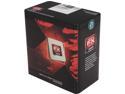
AMD FX-8120 - FX-Series Zambezi 8-Core 3.1 GHz Socket AM3+ 125W Desktop Processor - FD8120FRGUBOX
Pros: Solid performance for heavily threaded workloads. Multitasking seems smoother with this than the X4 955 @ 4GHz that it replaced. Currently have the FX-8120 at 4.1GHz at stock voltage. Was hoping for a bit more, but I think part of the problem is my motherboard, which has a fair amount of Vcore droop under load. Still trying to see how far I can push it, looks like it will probably top out around 4.4-4.5GHz. Again, I think Vdroop may be holding me back here (on a side note, stay away from the Gigabyte 990FX boards and stick with ASUS, far better for overclocking). Runs pretty cool at 4.1GHz, tops out at like 40C while running IntelBurnTest. This is with a Noctua NH-D14, though. And even with an aftermarket heatsink it starts to get pretty hot once you increase voltage and really push the clock speeds. A high-end air cooler (or water cooling would be even better) is necessary if you want to push one of these Bulldozer chips to mid/high 4GHz.
Cons: Lightly threaded performance isn't great, in some situations it's actually slower than the Phenom II CPUs it replaced despite running at higher clock speeds. Part of this is due to Bulldozer being a completely new architecture and Windows 7 not being aware of how to optimally schedule threads for it. Scheduling only one thread to a module whenever possible so that threads aren't fighting for shared resources within a module (such as the front-end, L2 cache, etc.) seems to yield the best performance. For example, I ran Fritz Chess Benchmark (set to utilize 4 threads) with default affinity and got 7664 knode/s, then I manually set affinity so that the OS would only send one thread to each module and got 9084 knode/s, a 19% improvement. ~20% performance improvement is the upper bound, though, most lightly threaded programs should see closer to 5-10%. Microsoft is supposed to release a Windows 7 hotfix soon that makes the scheduler BD aware and uses this more optimal scheduling.
Overall Review: Also messed around with affinity in Skyrim and saw a slight FPS boost at Dragonsreach looking out over Whiterun (very CPU limited situation), 24-25FPS with Win 7 default scheduling and 25-26FPS with affinity set manually. Tom's hardware had some Win 7 vs Win 8 benchmarks in their FX-8150 review and saw between 8-12% FPS improvement in WoW depending on resolution. An AMD slide also showed 2-10% FPS performance improvement in games from the more optimal scheduling in Windows 8. Overall a decent CPU. It has some issues, but gets more flack than it deserves IMO. It's a good CPU for heavily threaded workloads, and software optimizations like the Win 7 scheduler hotfix will help with lightly threaded performance, which is one of its weaker areas. For gaming, emulation, and other tasks that tend to be single/lightly threaded, 2500K is probably better buy in this price range. If you do a lot of video encoding, archiving, and other heavily threaded tasks, though, Bulldozer is a decent option
1/5/2012See more detail
Great board, but the Vdroop is ridiculous
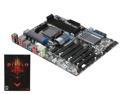
GIGABYTE GA-990FXA-UD5 AM3+ AMD 990FX USB 3.0 ATX AMD Motherboard
Pros: A lot of things to love about this board. Good sized heatsinks on the VRM, northbridge, and southbridge to keep them cool. A lot of PCI-e slots (most able to fit x16 cards, although electrically only two of those are x16, the rest are either x8 or x4), nice to see manufacturers dropping legacy ports like PCI in favor of PCI-e. Plenty of USB, both 2.0 and 3.0. Lots of SATA ports, 10 total between the internal ports and eSATA. Kind of vain, but I think the black PCB and new heatsink design looks really slick.
Cons: The Vdroop on this board is terrible. I'm not a big overclocker/tweaker, so it isn't a deal breaker for me (not worth returning the board for), but it's still frustrating even if you're just doing some mild OCing. The board seems to overvolt at low load and undervolt at high load, so you can end up with pretty large swings in load voltage. With an X4 955 at 4GHz, for example, voltage varies from about 1.408V to 1.472V. This is with it set to 1.45V in the BIOS. This is a big problem because now you need to subject your processor to higher voltages than would otherwise be necessary just to compensate for the Vcore droop under heavy load. And I've read that the problem is even worse with X6 CPUs.
Overall Review: Gigabyte says their 990 series boards strictly adhere to AMD's AM3+ design guidelines and the Vdroop is normal and caused by load-line calibration. OK, fair enough. But other 990FX boards (*cough*ASUS*cough*) don't seem to have these Vdroop issues and allow you to tweak LLC in the BIOS, don't see why that shouldn't be the case with this board as well. The most frustrating part of this is Gigabyte's attitude, which seems to be "well we followed the design guidelines so it's not our problem, even though this is a horrible feature for heavy overclockers." You could get away with that if this were a budget motherboard, but it's unacceptable IMO for a ~$200 board that is targeted toward enthusiasts and overclockers. I hate to give a product a low rating, but Gigabyte has known about this issue for months and doesn't seem to have any interest in fixing it. Wanted to give them the benefit of the doubt and see if future BIOS updates addressed it, but I've run out of patience.
8/25/2011See more detail
Very nice
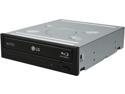
LG Electronics 14X SATA Blu-ray Internal Rewriter without Software, Black Model WH14NS40 - OEM
Pros: Blu-Ray drives have come a long way since the last one I bought. This Blu-Ray burner cost about the same as the Blu-Ray reader that I purchased a couple years ago (back then burners were still like $120+ I think). Honestly don't really see myself doing much Blu-Ray burning, mainly got this for watching movies, but as affordable as they've become it made sense to go ahead and get one. M-Disk support is interesting, hadn't heard about this before I started researching and purchased the drive but it's something I may use for archiving files (just a handful of important ones since the discs are so expensive). I like how short and compact these drives have become, older Blu-Ray drives were longer which could cause problems if you wanted to use one in a smaller SFF case. Seems to be about as well built as any other modern optical drive (they're not built like tanks anymore, trays always seem kind of cheap, for example) and is pretty quiet when reading discs, doesn't seem to be any unusual vibration, rattling, or anything like that.
Cons: None so far.
Overall Review: As others have mentioned, it's OEM so no software, SATA cable, etc. is included. Some OEM drives do come with software (like outdated versions of PowerDVD) but this one doesn't. Technically OEM means just the bare drive so you should never expect more than that when purchasing one, anything else they include is a bonus.
12/2/2012See more detail
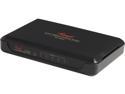
Rosewill RC-409LX Switch 10/100/1000 Mbps 5 x RJ45 Auto-Negotiation RJ45 ports (Auto MDI / MDIX) 2K MAC Address Table 1MB Buffer Memory
Pros: Got this to replace my router's built-in 10/100 switch and speed up file transfers between a desktop and file server. The Rosewill switch works great, went from being limited by the 100Mbps ethernet to being limited by the HDDs in the computers, I now get ~90MB/s transfer rates compared to ~11MB/s before. On sale it was the cheapest 10/100/1000 switch on NewEgg.
Cons: None.
8/8/2012See more detail
Great case for the money
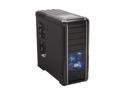
COOLER MASTER RC-692-KKN2 CM690 II Black Steel ATX Mid Tower Computer Case
Pros: Stylish and not gaudy looking like a lot of gamer and enthusiast oriented cases these days. Overall feels pretty solid and well made. REALLY, really durable looking paint job, cases with bad paint that scratches or chips off easily is a huge pet peeve for me, so I'm very satisfied with that aspect of this case. Fairly roomy inside while still being pretty compact on the outside. Obviously roominess isn't going to compare to higher end cases like the HAF X, but this CM 690 II is a good compromise between size and ease of working inside it in my opinion. Lots of room behind the motherboard tray for cable management. HDD dock on the top is a really handy feature, would like to see every case come with this. A lot of nice little touches, like including all black screws to match the exterior and interior paint of the case, including a socket for the hexagonal motherboard standoffs that allows a Phillips head screwdriver to be used to screw them in, etc.
Cons: Not a deal breaker, but USB 3.0 would have been nice, it's starting to become a standard feature on enthusiast cases. The eSATA port on the front I/O panel also seems kind of redundant considering it has the HDD dock built-in, would rather have another two USB ports up front, but that's just a personal preference. Some of the screw holes seemed poorly threaded, thought I was cross-threading some at first but after backing them out and retrying a couple times to make sure everything was aligned, pretty sure it's just an issue with the threads on the case. Not a big fan of the HDD trays, they work but I prefer the flexible trays like Corsair uses in their cases. The fans push a fair amount of air but not a ton. Not a big deal, though, uses standard fan sizes and there are a lot of extra fan slots, so if you need more airflow there's plenty of expandability. And I like the stock fans because I don't need a ton of airflow and instead prefer a quieter system.
Overall Review: For the money you can't go wrong. $100 is a bit steep for this case in my opinion, but at $80 they're a great value.
6/12/2012See more detail
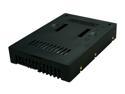
Icy Dock MB882SP-1S-2B | 2.5" to 3.5" SAS / SATA HDD & SSD Converter / Mount / Kit / Adapter | EZConvert
Pros: This is perfect for installing a 2.5" SSD into a 3.5" hot swap bay, with nearly all other 2.5" -> 3.5" adapters the SATA connectors won't line up. Heat isn't an issue with SSDs, but might be an issue with some HDDs. I used this adapter to pull some data off an old 40GB 5400RPM laptop HDD and it seemed to stay plenty cool, drive never got hotter than 34C, but even in the laptop I pulled it from it was a very cool running drive. 7200RPM or 10000RPM drives would probably get hotter, though. The interesting thing is that this adapter has more cooling holes than the slightly more expensive MB882SP-1S-1B, so in theory might be able to better handle hotter 2.5" drives (although the even more expensive aluminum version of this adapter would probably be best for warm drives).
Cons: The tool-less designs on the more expensive versions of this adapter seem to be a bit better thought out and might handle more installation/uninstallation cycles, I wonder how well the little flap that holds the drive in with this adapter would hold up with time, seems kind of cheap. Shouldn't be an issue if you aren't always installing and uninstalling 2.5" drives in this, though. You can find cheaper 2.5" to 3.5" adapters, only reason to buy something like this is if you need perfect 3.5" compatibility. As mentioned earlier, with a lot of adapters the SATA connectors won't line up with hot swap backplanes, or some adapters only include 3.5" screw holes on the side and not the bottom mounting holes that 3.5" HDDs have, which can cause problems for cases that use the bottom holes to mount drives.
Overall Review: Icy Dock includes some foam spacers so that this can be used with thinner 7mm SSDs as well, thought that was a nice touch.
3/13/2012See more detail