
Your Browsing History


Thaddeus H.
Joined on 07/19/05
0
0
product reviews
- 13
Quiet, good airflow
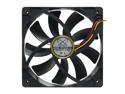
Scythe SY1225SL12L Black LED "Slipstream" Case Fan
Pros: Good airflow and extremely quiet.
Cons: None
Overall Review: I have read some reviews expressing dissatisfaction with the airflow. With a cleanly wired case and a well planned air-path this fan moves as much air as I could imagine ever requiring. Plan you air-path well. Have all of your fans moving air from front to back and avoid side fans unless there is an air duck to channel it directly toward an upward facing CPU fan or out the back. It is also fine if the side fan feeds its own air-path and is blocked off from the main front to back flow. This is the case with some Lian-Li enclosures and is used to cool the drives, in from the side and out the back. Also the rear exhaust fan should be drawing hot air from the CPU heatsink. If the intake side of the exhaust and CPU fans are very close, they will both move less air. I used a Scythe Katana 3 for one build because it put the fan and heatsink at about 20 degrees off perpendicular with the mainboard. This way the exhaust of the CPU fan entered the inlet of the case exhaust fan.
9/2/2009See more detail
Great GPU - Mediocre Card
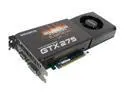
GIGABYTE GeForce GTX 275 1792MB GDDR3 PCI Express 2.0 x16 SLI Support Graphics Card GV-N275SO-18I
Pros: Single card setup, playing all my modern games with all effects turned on at 1920x1200 resoultion and max AA, AF, texture detail, environment detail, etc, etc. Smooth as butter and rock solid stability ... After substantial cooling modification.
Cons: It's loud. Of course it's loud its a higher end video card. BUT it's loud and dosen't cool the card well enough! I had lots of visual artifacts and game freezes playing COD:MW2. I confirmed this was a heat issue because cooling modifications made the issue go away. Specifically: The MOSFETs toward the rear of the card get too hot and the GPU starts glitching or crashing. This IS a card with a stock overclock, but since it is OEM it should work properly out of the box under reasonable conditions. I consider using this in a new system build with quality components and low (19C) ambient temperature to be "reasonable conditions".
Overall Review: I removed the stock cooler and installed a liquid cooling block and sitck on ram sinks. I included heat sinks on the MOSFETs at the back of the card. After this modification the card would crash within minutes of playing a game. I figured somthing was overheating and quadruple checked to make sure I had heatsinks on everything that touched the original cooler. The interesting part was that the original cooler did not appear to touch the MOSFETs. It looks like the stock cooler just blows lots of air past them, but that they neither touch the aluminum cooler nor have heatsinks on them. I installed a 120mm fan (800 RPM, ~20 CFM) under the card to blow up at it. This plus the heatsinks on the MOSFETs solved my stability problem and the card is now rock solid and the water cooled core tops out at 41C while gaming. The stock cooler kept the core at 72C, which is well within the acceptable range for the GPU, but inadaquately cools other critical components on the card.
12/21/2009See more detail
Western Digital WD RE4 WD1503FYYS 1.5TB 7200 RPM 64MB Cache SATA 3.0Gb/s 3.5" Internal Enterprise Hard Drive Bare Drive
Pros: I have not had these drives long yet, so I cannot speak to long term reliability. The drives perform well in a four disk RAID 10 in a basic 1U server.
Cons: 2/4 disks arrived dead. One never spun up, the other started clicking after a few hours. This is pretty bad, but the situation was handled very well by Western Digital.
Overall Review: I held back on dropping a one egg review, and waited to see how WD would handle this. I figured 2 or 3 egg if they managed to quickly RMA the disks and get my on my way. But of course I was trepidatious about the 2 drives that so far were still working, as half the lot was DOA. Western Digital handled this excellently, allowing my to advance RMA the drives that were as of yet completely operational because I did not feel confident in them. I wrote them that I did not want to exchange with Newegg because I would probably get more disks from the same lot, so they said there was no problem with me sending them two operational drives for replacements. I am very happy with this level of service, and will be modifying my review in a few months dependent on reliability. However for now they get 4 eggs, because it is evident that WD will take care of not only problems with their products, but also the confidence of their customers.
4/14/2011See more detail
Big Boost in Small Package
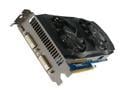
GIGABYTE GeForce GTX 560 Ti (Fermi) 1GB GDDR5 PCI Express 2.0 x16 SLI Support Graphics Card GV-N560OC-1GI
Pros: Plays everything I throw at it maxed out settings at 1920x1200. Quiet, like Scythe quiet, when not playing games More amazingly, fairly quiet even when playing games! Over the years I got used to a raging howl coming from my computer when gaming. I had gone to water cooling on my box because of the problem. I bought this card and am now sticking with air cool, it is quieter than my W/C pump was! When gaming, core temps are 50C - 55C, extremely good for a performance GPU.
Cons: None.
Overall Review: I had a GTX275 Gigabyte Overclocked card before this. It was terribly loud. I got the quietest pump I could find and went water cooled. Unfortunately no full coverage cooler fit the 275 (was not reference design) so I had to go the stick on heat sink route. These couldn't keep the power MOSFETs cool enough so I had to mount a fan to blow on my water cooled video card. The mount I came up with was bojankedy and I couldn't put the side of the case on. After a year of this I got sick of it and picked up this card because of what I had heard about its performance and quietness. This card is so quiet and powerful I was able to ditch my water cooling completely and now have a nice clean looking build that closes up, sounds like nothing, and never overheats.
4/10/2011See more detail
Repeat Customer of This Great Case
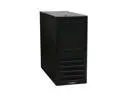
LIAN LI PC-7F Black Aluminum ATX Mid Tower Computer Case
Pros: Well designed for building your own system. Lots of little features that make building a PC into this case a lot less of a headache. Pre-cut holes for adding liquid cooling. Enough room to run most cabling behind the motherboard and next to the 5.25" bays. Helps keep the case neat, and having the cables out of the way makes it easy to insert those giant modern graphics cards. Hard drive bays are removable and come with padded clamps to hold down the drive. The tray itself is suspended by rubber washers in the case to prevent resonance from drive vibration. The top two 5.25" bays have clips that lock a CD/DVD/BD drive into place when you slide it in, at the right position to be flush with the front panel. The PSU is positioned under the motherboard. This gives the 5.25" bays more room to the rear and is very useful if you are installing hard drive caddies. The case is very light, yet sturdy. The front fan has a removable dust filter which works great.
Cons: Space behind the PSU for extra cables is really tight, I heartily recommend a modular PSU for this case to reduce clutter. It was even a tighter fit for me because I put a pump for liquid cooling in that area. Stock fans are not the same quality as the case. For a case of this quality I would be hoping for nearly dead silent fans. They aren't terribly loud but loud enough to warrent replacement. I replaced the stock fans with Scythe Slipstream fans and all is well. If the case had been two inches longer all the clearences for video cards and the PSU would be perfect. The case is a little tight at its size.
Overall Review: Great case! Buy it! Get a quiet 120mm fan and a quiet 140mm fan and enjoy! If you're watercooling and need more room for the pump at the bottom you can sacrifice the bottom hard drive cart and stuff your extra PSU wires there and that will clear up room in the bottom for a pump.
12/21/2009See more detail
Working Great In New Build
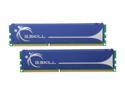
G.SKILL 4GB (2 x 2GB) DDR3 1333 (PC3 10600) Dual Channel Kit Desktop Memory Model F3-10600CL8D-4GBHK
Pros: Lower end of the cost spectrum for it's class. Works as expected. Passed full testing run with memtest86.
Cons: None
Overall Review: As others have mentioned, some motherboards do not pick up the 8-8-8-21 (cmd rate 2) timings properly. My motherboard auto-detected 9-9-9-24. I just set manual timing control in the BIOS on first boot and everythign has been working just fine since then.
12/21/2009See more detail