




 here!
here!
I’m your shopping assistant for PC builds, upgrades, and everything tech.
Got questions? Ask away!
Start a conversation
here!
I’m your shopping assistant for PC builds, upgrades, and everything tech.
Got questions? Ask away!
Start a conversation

Joined on 02/14/03
A quality SMB NAS
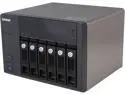
Pros: This NAS was used to replace an aging VMware ESX servers internal storage. We were looking for native iSCSI with VAAI Support and this NAS has delivered. The initial configuration of the drives (we're using 6 4tb Seagate NAS drives in RAID 6) was so easy a Jr admin would have no problems with it. After the initial setup, we disabled the non-essential services (iTunes music server, etc) configuring the network truck was easy as well. With all four interfaces trucked we're getting well over 1gb/sec (145+mb/sec) in file transfers from a file server share hosted on a VM via iSCSI.
Cons: QNAP has several different versions of network storage devices on NewEgg, if you are looking for certain features (VAAI support, certain memory configurations, etc) you have to cross-check qnap.com to make sure the device supports the feature you want. Another thing to watch out for is the update that are offered, all that it takes is one click to start the updates, there is no confirmation before the install / reboot steps even if there are connected iSCSI and NFS sessions. Make sure your vSphere servers are in maintenance mode before starting the update process.
Overall Review: The iPhone app is handy to check basic functionality (network bandwidth, current network sessions etc)
Non-standard hole placement makes for awkward installations
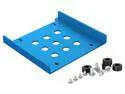
Pros: Cheap Comes with standoff screws (rubber grommets) for the drive Nice blue color
Cons: Screw holes are not the right size for standard pc mounting screws (you end up forcing it, and turning them into self tapping screws since the aluminum is soft enough) The biggest flaws: the bracket is: 1: Not long enough to support using two screws to mount to a typical install on each side (and this also applies to caddies as well, I've installed the two of these I bought in a Dell Optiplexx 390 and a HP 600 G1 SFF and both had problems. 2: Compounding problem 1 above is that the screw offsets from the end of the bracket are non-standard as well, this means that if you are installing into a non-home-built PC that expects the drive to be a certain distance / position for the power / SATA cables to install you are completely out of luck. As stated I've installed these in an Optiplex (using two screws only, and having to re-route the power and SATA to fit) and a G1 600 HP, which I had to use the media bay under the DVD drive (which still doesn't "click" into place, but since the bracket is about 1mm to wide (wider than the standard hard drive) its locked in place by the friction from being oversized.
Overall Review: I would spend the additional money to get a different, more expensive bracket next time.
Working as expected
Pros: Worked as expected, coupled with a SATA to eSATA plate to change an internal SATA port to an eSATA port, external hard drive is working as expected.
Cons: None.
Working as expected
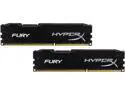
Pros: Works properly, using it in a HP ProDesk 600 G1. Packaging was simple as well, unlike some of the laptop memory I bought recently that practically required a chainsaw to open.
Cons: None
Overall Review: I really only have one criteria when it comes to memory for a brand name PC ... functionality. This memory fulfills this requirement.
Work(ed) great...
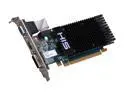
Pros: This card worked great for the first three weeks in a HTPC install, then the HDMI port stopped working.
Cons: Since I had to send in the barcode for the $10 rebate ... I can't RMA to Newegg. Heres where the process seems to have gone off the rails: the phone number for HIS goes to a third party's voicemail box (no live persons) I've emailed the needed information to the support email address and have heard nothing back (needed to acquire the RMA number, that's then faxed to another company to get the "OK" to package and mail the card in) I've dealt with MANY companies over the last couple of decades in this industry and so far my experience with HIS has been well below average. I've already bought another card, since I'm guessing this might take months to complete.
Overall Review: This is a REALLY nice HTPC card for the money (when it works) you get a HDCP card, that handles audio over the HDMI port as well. Other note: using the reference drivers from ATI's website didn't work well at all, I ended up using the (slightly older) drivers from the HIS website (Win7 x64)
Just the basics
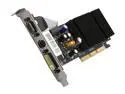
Pros: This card was used to replace a failing card in an old Dell Optiplex desktop, compared to the old card it's much faster at the basic games that were loaded on the system (I would not advice playing Crysis on it) its passively cooled so there is no fan noise which is a huge plus.
Cons: None.


