

Your Browsing History


Andrew G.
Joined on 12/11/07
0
0
product reviews
- 5
Good buy
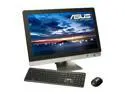
ASUS All-in-One PC ET2701INKI-B030C Intel Core i5-3450 8GB DDR3 2TB HDD 27" Windows 7 Home Premium 64-Bit
Pros: Beautiful device. Runs cool. I purchased this machine because I was so tired of disconnecting and packing up my regular PC. Game graphics performance is more than I was hoping for. I was nervous about the system using a mobile graphics architecture, but it really works well for this device. I will be running benchmarks tonight and updating this review with the results. This device has Bluetooth! I don't know why the description on Newegg has left that detail out; it's a big one! Bluetooth 4.0 is supported, from what I can tell, but do not have any low-energy or high-speed devices to test 4.0. It comes with an optional subwoofer. Attaching it adds a bit of clutter to the setup, and attaches out the left side of the machine, but it makes the sound experience a lot more fulfilling.
Cons: It's heavier than you would hope, but not unwieldy. My biggest con with this device is the bloatware that comes on the machine. Asus does a great job with hardware, but the software is as goofy looking as it has always been, and they include several trials you don't want, like trend micro and powerdvd. Not as bloated as a dell or an hp, but still pretty annoying. Luckily all the programs packaged uninstall quickly and you can get back to a regular Windows 7 machine with relative ease. There are two small issues with the hardware: the disc drive and the usb ports. When I bought the machine, I assumed that Asus would have chosen one of those sleek disc drives that lets you slide the CD into the drive. Nope; the hardware for the disc drive pops out on eject, and easily feels like the most flimsy part of the machine. The USB2 ports are only on the back of the machine, not convenient. The USB3 ports are on the left side. The sticker that comes on the monitor leaves a residue when remo
Overall Review: I was discouraged at first by the lack of reviews for this device, but I'm glad I made the leap and gave it a shot. The first thing I did after uninstalling all the Asus-ware was run a Windows System Rating. I was worried that the machine would not do as well in graphics as my old home-built PC (which was running a GeForce 9600GT and got a 6.5 in gaming graphics). To my pleasure, this machine scored a 6.8 in gaming graphics, and outperforms my old machine by far. I do not plan on using the Keyboard and Mouse. They work well, but they lack the features I am used to with my Logitech set. Still, they make a great, low form-factor backup.
7/19/2012See more detail
Not AM2+

AMD free gift - Phenom T-shirt
Pros: Came quickly. It is a shirt. Will fit someone.
Cons: I got an XL. I'm used to wearing an XS, so I'll just have to find another use for it. It's not an AM2+, but I can always upgrade later.
Overall Review: People need to understand something: You can't buy this shirt by itself. The high price is just a price given so that products packaged with this shirt seem like a better deal and worth more time. It's a gift. It's free.
3/13/2008See more detail
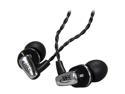
Mee audio A151-BK 3.5mm Connector In-Ear Headphone with Balanced Armature Technology
Pros: Smooth sound, lightweight, braided cord. The headphones do a wonderful job with sound isolation, and even when worn normally (without cord over-the-ear), there is very little sound made from the cord hanging/swaying. A very crisp experience.
Cons: The feel of the earbuds takes a little getting used to; after moving from one brand of canal-style headphones to these, I expected them to feel the same. They sometimes feel loose, like they are going to fall out, but they haven't actually fallen out so far.
Overall Review: Don't let the comfort thing sway your decision here; they do provide a great assortment of earpieces for you to choose from, and the "looseness" has grown on me to where it almost feels like I'm not wearing headphones at all.
9/14/2011See more detail
Everything is great--save one thing.
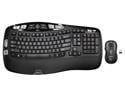
Logitech MK550 Wireless Wave Keyboard and Mouse Combo - Includes Keyboard and Mouse, Long Battery Life, Ergonomic Wave Design, Black
Pros: The keys are responsive, tactile, and easy to get along with. The mouse is the same style of mouse I had previously, and it was a quick adjustment. Overall, a very comfortable experience, except...
Cons: The F keys are all wrong. I don't know what's "ergonomic" about the way they have them laid out, but it's annoying. Instead of being sectioned off in sets of four, the keys are in sets of 3, with F5 being in the center of the second set. This also makes F5 the hardest key to naturally press. I have to look away from my screen to the keyboard to make sure I hit Ctrl-F5 (for hard refreshes) instead of accidentally hidding Ctrl-F4 (which closes the current browser tab). I don't know who made this design decision, but it hinders my ability to perform efficiently, and I don't understand how it would help anyone.
Overall Review: Overall, I'm still happy with the keyboard and mouse set, I just wish they had left the F keys alone.
9/14/2011See more detail
What I needed

ASUS M2N-E AM2 NVIDIA nForce 570 Ultra MCP ATX AMD Motherboard
Pros: It was a good buy. Most of all, I'm happy that I was able to install my Zalman CPU cooler without it getting in the way of installing RAM. No arguments on how well it works. No compatibility problems with the 9600 GT so far.
Cons: With a long video card, the video card might get in the way of your SATA ports. It turned out to be alright for me, but it could be a problem for some.
3/14/2008See more detail