

Your Browsing History


Luke A.
Joined on 08/04/07
0
0
product reviews
- 8
Good RAM
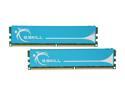
G.SKILL 4GB (2 x 2GB) DDR2 1066 (PC2 8500) Dual Channel Kit Desktop Memory Model F2-8500CL5D-4GBPK
Pros: Solid RAM that runs at advertised speed and voltage (1066mhz, 5-5-5-15 @ 2.0v) in my GA-MA785GM-US2H at work. 24 hours Memtest86+ and 48 hours of Prime95 testing with 0 errors at the 1066 speeds.
Cons: No complaints
Overall Review: The GA-MA785GM-US2H motherboard will not automatically set the voltage on these to 2.0V, so go into BIOS and do it manually. This occurs both with the F11 and F12a (beta) BIOS revisions. If you do not manually set the voltage, the mobo will default the RAM to DDR2 800 at 1.8V. Once the voltage has been set properly, the motherboard BIOS built-in power "checker" will display something like POWER OPTIMIZED or OPTIMUM VOLTAGE DETECTED or somesuch, at which point you'll be ready to rock.
3/20/2011See more detail
Garbage Brand
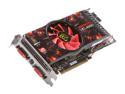
XFX Radeon HD 4890 1GB GDDR5 PCI Express 2.0 x16 CrossFireX Support Graphics Card HD-489X-ZSFC
Pros: Pretty box.
Cons: This card ran amazingly hot from the moment I put it in my system. All other temps in my case max out at 70C (under 100% loads for times measured in days + hours). This card shoots straight to 80+C in every game, no matter what, and promptly fails. (I managed to get almost one hour of STO gameplay out of the card with *minimum* video settings.) Monitored voltages are always within 5% tolerances (no overclocking). XFX support is garbage by the way, and the "double manufacturer lifetime warranty" means nothing. Why would I say that? Here is why: I went through the hassle of registering the card, creating a user account, and writing ~2000 words worth of explanation in a new support ticket to XFX. I have not received *any* response from XFX after a week, and when I checked their site (which I did every day during that week), my ticket was conveniently "not there anymore". If the warranty is the deciding factor for your own purchase, save the hassle and just buy another brand.
Overall Review: Since the warranty is obviously useless, I'll be voiding my warranty myself to attempt repair of manufacturer idiocy. I have a hunch the thermal paste between the GPU and the heatsink is faulty, as many other people have reported that problem with XFX HD4800 cards, and because of the jaw-dropping rate at which this card goes from warm to near-boiling. To be fair to ATI, when the card is not boiling hot, it runs like a monster (high fps with max settings on every game I own at 2048x1152). ATI's driver support seems to be getting better since the X1900 I owned a couple years back. It is too bad the drivers drivers can't make up for ATI allowing their products to be built by clearly inferior manufacturers.
2/6/2010See more detail
Fantastic Keyboard
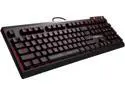
G.SKILL RIPJAWS KM570 MX Mechanical Gaming Keyboard - Cherry MX Speed Silver
Pros: - Incredible key switches, the reduced travel distance is fantastic for typing speed - Moderately quiet for a mechanical keyboard, but this is particularly noticeable when compared to Razer greens, Cherry blues, buckling spring, etc - Minimalist styling appropriate for office use when the backlight is off - Full-board macro programmability without needing software installed on the computer - Generally a well thought-out design that includes more than basic features without any unnecessary bloat or useless keys - Mid to high quality construction with completely solid feel and good weight, this is a heavy keyboard, but not quite as bomb-proof as an IBM model M - Generous cable length
Cons: - Backlighting and Caps/Num/Scroll lock lights do not function on OSX/macOS when connected to my 2015 MacBook Pro. Not the end of the world, but this keyboard is advertised to be driverless and as such the backlighting should be functional no matter what type of computer it is connected to (hopefully a future firmware update will resolve this?) - The fold-out rear feet are laughably bad, with no slip pads
Overall Review: This keyboard is thick, but in a very good way. As mentioned before, the fold-out feet are laughably bad, but this is made up for by the angle of each row. That angling of the rows adds to the short actuation distance and further increases my typing speed, but your milage may vary. Because the keyboard is as thick as it is, you may want to add a nice thick wrist wrest (as one is not included). The per-key backlighting is a nice touch when you're connected to a Windows system, but there are only a few of the included pre-sets that were useful in my opinion. The ability to set a custom backlighting scheme is a very nice touch which I used to set my home row keys to be lit while the rest of the board is dark. This works well for me on the lowest lighting setting in a dark room when I move my hands to the board (think of it as a little extra hint in addition to the F and J key nubs). Overall, I'm very happy with this keyboard so far. If you're looking for a board with great switches (the MX speed silver switches are great for ultra-fast typing) and a muted/professional look, this is the one for you.
6/17/2017See more detail
Works great for HTPC
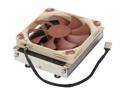
Noctua NH-L9a 92mm SSO2 CPU Cooler
Pros: With minimal effort, it works perfectly with the A10, Mini-ITX board and case I paired it with. Temps in the mid 70's (C) under heavy load.
Cons: I had to reverse the fan to draw air up through the heatsink (as the PSU for my case mounts directly over the CPU on the board and also pulls air in this direction). I had to use a dremel to remove some of the plastic from the screw holes as one side of the fan has recessed holes, and the other did not. Now both the CPU fan and PSU fan are moving air in the same direction, and this setup is working perfectly.
Overall Review: I'm not taking an egg's rating for the fan, but it would be nice if I hadn't had to whip out the Dremel to make this work in my case. (Case is a Lian-Li PC-Q11B, but many other mini-ITX cases also mount a PSU directly over the mobo as this one does)
4/8/2014See more detail
High Quality Fans
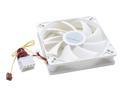
SilverStone FM121 Case Cooling Fan
Pros: These fans have excellent cooling capabilities, and impressive longevity even under less-than-optimal operating conditions. They are a perfect choice for cases with poorly designed ventilation, smokey rooms, and probably other environments which could destroy a weaker fan. I purchased three of these fans and have used them for one year and three months with no problems whatsoever. The system they are installed is operational very near 24/7/365.
Cons: None
Overall Review: The noise levels are acceptable for the volume of air the fans move. I have not attempted connecting them to a controller to assess their volumes at different rpm settings. Keep them clean, and they should last just as long as mine have. I don't give 5-egg ratings out of hand, but these fans have earned it.
10/21/2009See more detail
Excellent Drive
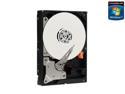
Western Digital Black WD1001FALS 1TB 7200 RPM 32MB Cache SATA 3.0Gb/s 3.5" Internal Hard Drive Bare Drive
Pros: - Capacity - Performance I am satisfied with the drive.
Cons: Owners of small or constricted cases beware, as heat issues have been associated with this drive.
Overall Review: Consider your choices; Green Edition, Black Edition, or RAID Edition. These are fairly nondescript names, so do your research. In short, RAID Edition is self-explanatory, Green Edition drives typically consume less energy, and Black Edition drives typically post higher performance benchmark numbers.
8/30/2009See more detail