
Your Browsing History


Randy L.
Joined on 11/28/06
0
0
product reviews
- 19
Very fast as single drives
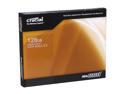
Crucial RealSSD C300 2.5" 128GB SATA III MLC Internal Solid State Drive (SSD) CTFDDAC128MAG-1G1
Pros: Very fast in SATA III. One drive alone benched at 375mbps but in RAID 0.........see cons
Cons: Well, I bought 5 of these for a RAID 0. I also purchased an Areca 1880-IX12 to run these bad boys. Unfortunately, in RAID 0 even when running in SATA III they aren't that fast as they should be. According to Crucial there is an issue with the Jmicron controller not liking RAID in SATA III mode. If I run these drives in SATA II mode they are faster.
Overall Review: As a recommendation do not buy these for a RAID if you have a SATA III controller. RAID should be fine in SATA II mode
10/11/2010See more detail
Frequent drops
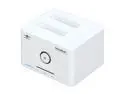
Vantec NexStar SuperSpeed Dual Bay 2.5"/3.5" SATA to USB 3.0 Hard Drive Dock - Model NST-D400S3
Pros: Good design Pretty blue LED Can hold up to 2 drives USB 3.0 compatible
Cons: Had troubles with it at first. I use USB 3.0 and the dock continued to drop the drives during heavy data transfer. Found out it is a bug with the USB 3.0 protocol and a firmware update should resolve the issue
Overall Review: Make sure you update the firmware first if you plan to use USB 3.0 If you plan to use USB 2.0 then a firmware update should not be necessary.
2/6/2011See more detail
Very Nice Intel Board
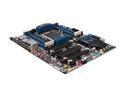
Intel BOXDX79SR LGA 2011 Intel X79 USB 3.0 ATX Intel Motherboard
Pros: Very nice looking board. Has plenty of USB 2.0 ports and USB 3.0 (too bad they dont work....see cons) Has a PCI slot which is great for my HT Omega XT card Supports up to 64GB of RAM Very Stable (No BSOD)
Cons: I hate writing CONS but hopefully this will help out a little if you buy this board. USB 3.0 rear ports barely work. There is a bug within the BIOS which somehow prevents from activating the USB 3.0 rear controller. Some have found a way to activate the rear controller by entering the BIOS and then exiting without making any changes. This worked once for me but not anymore. Even though USB 3.0 is enabled on the board the rear controller is not active. Does not show up in device manager. Until this bug is resolved I will be using a SIIG USB 3.0 add-in card. Overclocking bug. By default you will be OC'd at 3.9 GHZ (at least for my 3960X) Even though I change the frequency and voltage it will not overclock. For example, I will set the multiplier at 100 x 44 (4400ghz) and set core voltage to 1.35. I can boot into Windows and CPUZ will say that I am at 4400ghz. Unfortunately, performance wise that is not the case. I have an Asus Rampage IV which has the same processor. If I were to run Cinebench I would get a score of 12.85 (at 4400ghz). On the intel board I would get around 10.40....a big difference. So I tested the default frequency (3.9ghz) and got the same score. Even though CPUz and the BIOS says it is 4.4ghz it really is still 3.9ghz. So, I found a fix for this. In the BIOS menu where you would overclock there are "OC profiles". If I enable that and then turn it back off it works. I was able to hit that cinebench score of around 12.85.
Overall Review: So, mixed results indeed; however, I believe they could be fixed in a BIOS update. I hope this review helps.
3/1/2013See more detail
A must buy!
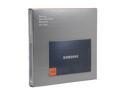
SAMSUNG 830 Series 2.5" 256GB SATA III MLC Internal Solid State Drive (SSD) MZ-7PC256B/WW
Pros: These drives performed way above my expectations. I have four of these running in a RAID 0 configuration using an Areca 1880IX RAID controller card. I am getting 2.5Gpbs for sequential reads and 2.8Gbps for sequential writes.
Cons: None
Overall Review: There are several SSD's out there that are cheaper but I recommend picking one of these up. You'll never wonder if you could have done better!
7/14/2012See more detail
Not for the audiophile
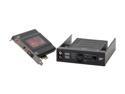
Creative Sound Blaster Recon3D Fatal1ty Champion (70SB135400000) 5.1 Channels 24-bit 96KHz PCI Express x1 Interface Sound Card with Sound Blaster I/O
Pros: Compact, no external power necessary, looks pretty, excellent EAX effects.
Cons: Sound quality is poor. Grant it, this sound card was designed for the gamer but there are some gamers out there who also like to listen to music. This card is not for the audiophile. Standard playback of music on this card is compareable to what you get with onboard audio.
Overall Review: Simple. If you are a hardcore gamer and will not be using it for music playback then get this card. If you are an audiophile then move on.
1/24/2012See more detail
Beautiful board, but very limited
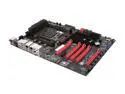
EVGA X79 Classified 151-SE-E779-KR LGA 2011 Intel X79 SATA 6Gb/s USB 3.0 XL ATX Intel Motherboard
Pros: I purchased this board directly from EVGA when they were accepting pre-orders. Very nice looking board. Good layout, plrenty of room for large CPU coolers and video cards
Cons: Does not support tri-sli config of 16x/8x/16x even though it is a native function to the X79 chipset. All the X79 EVGA motherboards have this limitation.
Overall Review: I also have the Asus Rampage Extreme IV board. I get around 52000 score on 3DMark Vantage when using the Asus board and get a score of around 51000 when using the EVGA board (due to the 16x/8x/8x). I still have a few weeks left before I can RMA this board. We'll see if the performance drop is enough to do it.
12/22/2011See more detail