

Your Browsing History


Chris E.
Joined on 12/17/04
0
0
product reviews
- 26
Integrated GPU saves $$$
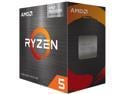
AMD Ryzen 5 5600G - Ryzen 5 5000 G-Series Cezanne (Zen 3) 6-Core 3.9 GHz Socket AM4 65W AMD Radeon Graphics Desktop CPU Processor - 100-100000252BOX
Pros: Integrated GPU, comes with stock cooler
Cons: Using Noctura fans in my case and the only fan you hear is the wraith cooler
Overall Review: Great CPU, used for a home NAS. Integrated GPU is great for cutting build costs if you dont need a beast GPU.
10/29/2021See more detail
lasted 6 months
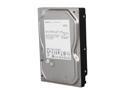
HGST HDS721050CLA362 (0F10381) 500GB 7200 RPM 16MB Cache SATA 3.0Gb/s 3.5" Internal Hard Drive Bare Drive
Pros: cost at the time was less than $40
Cons: This drive started making noise a couple months after buying it. It sounded like a bad fan motor so I thought it was my external enclosure at 1st since it was kinda old. The drive has now completely died and does not show up whatsoever.
Overall Review: This was my 1st Hitachi drive since before they were IBM and it is now my last. Only WD and Samsung from now on...
2/26/2012See more detail
It works
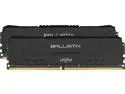
Crucial Ballistix 3200 MHz DDR4 DRAM Desktop Gaming Memory Kit 32GB (16GBx2) CL16 BL2K16G32C16U4B (BLACK)
Pros: Easy install, feels solid in hand
Cons: None
Overall Review: Works as intended. Great for basic builds.
10/29/2021See more detail
Update the BIOS
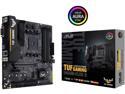
ASUS TUF GAMING B450M-PLUS II AM4 AMD B450 Micro ATX AMD Motherboard
Pros: Easy build, integrated graphics
Cons: Had to update the BIOS before the CPU would recognize
Overall Review: Great board for building a NAS, using the PCIE for SMB+ fiber networking. Had to get the BIOS flashed using the EZ flash button. Only downside is you need a working windows PC to download the BIOS and renaming utility.
10/29/2021See more detail
Amazing speed, great price!
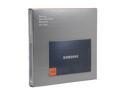
SAMSUNG 830 Series 2.5" 256GB SATA III MLC Internal Solid State Drive (SSD) MZ-7PC256B/WW
Pros: Blazing fast speeds, very light weight, metal case. Newegg got this drive to me in under 24 hours.
Cons: No matter what they say there is no Norton Ghost key printed on the box/CD sleeve, ect... I typed in everything printed on or in that box and nothing worked. Not a big deal in the end since I did a clean install of Win7 Enterprise 64bit anyways.
Overall Review: I love this drive. It is my 1st SSD and the price was really reasonable with an amazing $60 promo code at the time. I was able to do a compete install of Win7 from USB in 9 minutes from BIOS to Desktop. Boot time is about 16 seconds and shutdown is under 3. The Windows Experience score for data transfer is 7.6 out of 7.9. Asus U36SD with Intel Core i5-2410M @ 2.30GHz 8GB Ram nVidia GeForce GT 520M
6/29/2012See more detail
update
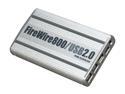
macally PHR-S250UAB Aluminum 2.5" Silver SATA USB 2.0 / 1394 External Enclosure
Pros: Quick update... The unit when hooked up via FireWire 800 to a Mac will turn off when you put the computer to sleep or shut down. So no need for the power switch if that is how you plan to hook it up. I have not tested this with the other ports however.
Cons: nothing new to report here...
1/14/2011See more detail