
Your Browsing History


Jan A.
Joined on 03/24/02
0
0
product reviews
- 65
Easy to Refill With Simple Know How
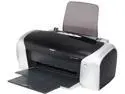
EPSON Stylus CX C88+ Up to 23 ppm Black Print Speed up to 5760 x 1440 optimized dpi Color Print Quality LPT / USB InkJet Personal Color Printer
Pros: This printer does a decent job of everyday printing and good quality photo work. What makes it more unique to the many other printers around is that it's one of the few left that will allow use of spongeless- see through cartridges and their very easy refilling at the cost of about $1.25/cartridge along with a chip resetter that is easily obtainable. Additionally, if one wishes to refill the OEM cartridges that come with the printer and use bulk ink there is a cheap kit to allow refilling sold by www.inksupply.com , which they developed to do just that. It is unfortunate that every major printer company has made it difficult to recycle cartridges by refilling and are adding tons of plastic to the landfills, wasting resources by necessitating new cartridges to be made and saddling the high cost of printing onto the consumer. The C88+ and a few other Epsons that use this particular size cartridge make it viable to recycle, save money and cheap for the consumer to run a printer.
Cons: The cartridges use chips, which is Epson's way impediment to allowing the consumer to refill a cartridge. Fortunately a chip resetter easily circumvents that annoyance.
Overall Review: Although I am hopeful that Newegg will publish this I am dubious that it will be listed on the reviews as it knocks the status quo of how printer manufacturers make their profit. Still, I think it's worth attempting to make a point here on behalf of the environment and the consumer when it's the right thing to do and business has gone too far in the other direction.
4/9/2009See more detail
Finally Fixed

Nero Nero 11
Pros: After 4 months of waiting since I complained to Nero that Wave Editor continually crashed on XP systems the company issued a fixed version on March 1st. It now works I'm gratified to say (see my first review).
Cons: Nero should never have issued the program before it was stable, but I'm glad at this point that aspect of it is working.
Overall Review: Practically anyone who buys things will get anrgry when a product doesn't perform as stated. When it's pointed out to the company that a serious problem exists it should take less time than a 4 month period to get it running correctly. But maybe the slogan is correct for software as well as cars. 'Never buy the first version of any car'.
3/2/2012See more detail
You Get What You Pay For
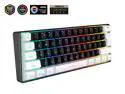
SAMA Gaming Keyboard 60 percent, 61 Keys RGB Backlit Wired Keyboard, Waterproof Mini Compact Gaming Keyboard for PC/Mac Gamer, Travel, Easy to Carry on Business Trip
Pros: It lights up when you plug it in.
Cons: The lights emphasize the background not the keyboard letters on the keys
Overall Review: The actual keyboard key lighting is terrible. Unless you are in a semi-darkened room one struggles to see which key is which. Whoever designed this keyboard emphasized the background lighting to simulate the northern lights without regard to the basic function to what a keyboard's basic function is inteneded. Steer clear of this souvineer that will offer more frustration than intended use.
10/11/2024See more detail
SOLID
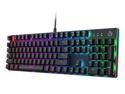
AUKEY Mechanical Gaming Keyboard with Customizable RGB Backlight, Tactile & Clicky Blue Switches, 104-Key Anti-Ghosting Wired Keyboard with Surround Lighting, Steel Body for PC and Laptop KM-G12
Pros: Solid key feeling. Many different lighting effects.
Cons: Maybe a little too loud for some users
Overall Review: A very nice change using this keyboard to the satisfying feeling of engaging each key. The use of blue switches makes key sounds pretty loud but not obtrusive. If you don't want such noise it'd be better that you look for a mechanical keyboard with either red or brown switches. Lighting options are many, but I'm satisfied with simple white for each key and that works for me.
9/16/2021See more detail
Nice Machine for the Money
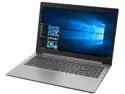
Lenovo IdeaPad 330 15.6" Intel Core i5-8250U 8GB Memory 256 GB SATA SSD SSD Windows 10 Home 64-Bit 81DE00L0US
Pros: So just writing about the hardware, everything seems to work, which is of course expected, but it doesn't always happen. Its thin, about 4 1/2 lbs and gives a bright enough display, though for me at least, the display has to be set at 100% in a normally lit room. Speakers are on the tinny side, with little bass but certainly loud and clear enough. Start up is very quick (less than 10 sec) with the i5 cpu and the 256 Gb Samsung SSD. And the machine is quiet. Having two USB 3.0 ports and one USB 3.1 c port is very good. One can purchase a USB 3.0 adapter at a small price if the USB 3.1 c port is not needed and one wants to have a third USB 3.0 port available. It took me a little time to get the hang of the touchpad to use the mouse consistently, but once I got some practice I found using the trackpad mouse has been fine. Using the keyboard on this machine is a highlight to me. Finger contact with the keys is easy but strong enough to give a nice feeling in use. Of the three laptops I've used in the last fifteen years this is my favorite, especially for using the keyboard. Taking a look at a couple YouTube videos of similar Lenovo models had me feeling confident that upgrading to a larger SSD in the future and cleaning the fan of dust build up would be relatively easy along with eventual battery replacement because of the straight forward disassembly of the bottom and easy access to those parts.
Cons: The wifi device on this Lenovo is 8.02.11 ac only. Lenovo could have made this laptop more versatile had they used a dual band wifi device. In my own situation our router is broadcasting at 8.02.11 b g/n, so I use a small USB wifi adapter in the laptop that picks up that protocol to get around the issue. There is no hdd activity light on the computer. To me, at least, I use that light as a key marker for the progress of activities and wish there were one as on previous laptops I've owned. That missing light is something I've always resented macs for not having. Although I have not run the battery all the way down at this point at one sitting it appears I can get a couple hours of use out of it at most before needing to recharge.
Overall Review: I bought a Lenovo laptop for my daughter about 7 years ago that still runs fine, though a bit slow for today's applications. Hopefully build quality is still as good if not better.
7/28/2018See more detail
Nice Notebook but be thoughtful of 5 ghz wireless connection
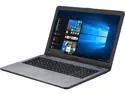
ASUS VivoBook F542UA-DH71 15.6" FHD Slim and Portable Laptop, Intel Core i7-7500U Processor, 8 GB DDR4 RAM; 256 GB M.2 SSD; Dual-Layer DVD-RW Drive; Full Keyboard; Windows 10
Pros: Its light, less than 4 lbs. Its fast and boots in less than 10 seconds. Its got a CD/DVD recording drive. Nice screen view and aesthetically designed frame. Also tech support is quick to respond on the phone.
Cons: It's wireless connection is using to the 802.11 AC band, (5 ghz), which is a newer standard than the older 2.4 ghz being broadcast on some routers. Some notebooks use a dual band wireless device that would take care of this issue. It would be a good idea for anyone replacing a notebook that they have been using for many years to check what band their router is currently broadcasting so they understand if suddenly the new notebook wireless appears to be connecting slowly. One other minor issue was difficulty using the track pad mouse. I would often lose the mouse because of pressure issues. Much easier to use a wired/wireless mouse.
Overall Review: After barely being able to connect to the Internet with its internal wireless connector I called Asus tech support. Went through reinstalling the wireless device driver all the way to reinstalling the complete operating system. Nothing helped speed up the connection. Sent the notebook back to Newegg and Newegg speedily sent me a replacement. Had the same difficulty with the 2nd laptop. Again went through tech support with the same results. Finally, just as an experiment, I installed a USB wireless connector that I had on hand. It worked perfectly and I had a good connection. No choppy video and able to move from site to site without a hiccup. Asus support apparently reads reviews on this site and contacted me about the slow connection I was getting. I checked our router and found we were using the 2.4 ghz standard. At that point I realized that there was nothing wrong with their notebook's wireless connector. The only other thought that I keep considering is the 240 Gb M2 chip for storage that comes in this machine. I'm used to using a SSD . It probably should not be an issue, but still I'm slow to change to newer technology.
6/30/2018See more detail