
Your Browsing History


Christopher B.
Joined on 01/07/03
0
0
product reviews
- 8
Solid graphics for light gaming
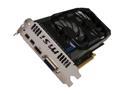
MSI Radeon HD 7770 1GB GDDR5 PCI Express 3.0 x16 CrossFireX Support Graphics Card R7770-2PMD1GD5/OC
Pros: Quiet and affordable graphics for light gaming. MSI Afterburner works better than the software I had from XFX. Came in decent packaging that protected it from any damage in transit. Runs fine with a small 450W power supply.
Cons: Single DVI connector means having to use an adapter to hook-up two LCD monitors.
Overall Review: I added this card into my latest machine which is the sixth or seventh computer I've built. I don't play enough games to make a bigger card worth it, but this handles the few I play well without sounding like a tornado.
11/21/2012See more detail
It's memory and it's cheap
ADATA Speedy 4GB Compact Flash (CF) Flash Card Model SPEEDY CF 4GB
Pros: cheap, lots of memory
Cons: sloooowwww
Overall Review: I bought this for my mother-in-law's point and shoot camera. It is low-end, ~5MP Canon that we bought for her several years back. This card replaced the 128MB she had been using. After formating the estimated space remaining gives her <2300 shots. She's set. However, the transfer speed is noticeably slower than the SanDisk Ultra card I use in my Canon 20D. In the point and shoot it is fine, but the 20D can quickly out pace the card and you end up waiting while the buffer flushes. Also, I'm not looking forward to the day when I have to pull off 1GB or more of photos. I'm expecting to have time to make coffee while waiting.
7/14/2008See more detail
Low on frills, but solid
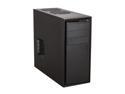
NZXT Source 210 Elite Black Steel with painted interior ATX Mid Tower Computer Case w/ Black Front Trim
Pros: - No nonsense design - Good clearance behind mobo tray - Houses 120mm HSF combos easily - Good clearance for video cards - screw-less HDD mounts work well and won't get lost - All black design has stealth feel - Plenty of areas to easily mod
Cons: - Can't manage most 140mm HSF combos - Side panels don't slip on as easily as I'd like
Overall Review: I bought this case for my sixth computer build. It works pretty much exactly as I expected. I wouldn't use this if I wanted a crazy air cooler or a massive video card, but it works well for anything else. I'd strongly recommend it as a first case for a new builder.
5/24/2012See more detail
Excellent $50 case
NZXT Source 210 Elite Black Steel with painted interior ATX Mid Tower Computer Case w/ Black Front Trim
Pros: -Plenty of room to work inside of -Quality paint job doesn't scratch easily -All features you'd expect at this price point -No annoying lights
Cons: -20mm clearance behind the mobo is tight for some power cables -3.5" drive mounts feel like they could break easily -Included fans only have 3-pin headers -Only two included zip ties
Overall Review: This is a solid little case for $50. You won't get any strong reactions from your friends, but it won't look bizarre in a few years either.
5/8/2012See more detail
Nice upgrade
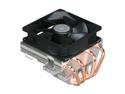
Cooler Master Vortex Plus - CPU Cooler with Aluminum Fins and 4 Direct Contact Heatpipes
Pros: - Quiet - Cools better than stock
Cons: - Will only fit my mobo in the unrecommended position.
Overall Review: When the bearing of the 80mm fan went from the stock AMD HSF, I decided to replace the hole thing. This unit is MUCH larger and quieter than the old one. It is so much quieter that my case fans became biggest source of noise when the system was under full load. Not bad at all. It would probably do an even better job of keeping it cool if I could mount it the way the directions indicate, but the position of my power supply stopped that. Still, it never goes above 55C even when running at 100% for an hour or two.
8/7/2010See more detail
Sweet Camera
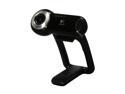
Logitech QuickCam Pro 9000 2.0 M Effective Pixels USB 2.0 WebCam
Pros: Great low light and back light performance
Cons: CPU demand when used with MS Live Meeting drags my old laptop into the ground
Overall Review: I replaced an older, manual focus Quickcam and I'm almost estatic. The image quality is much better, the auto focus works well, but the CPU demands are a little much for my +3 year old Dell. Plugged in to my 2 year old desktop, it works fine with all applications. Driver installation on Vista sucks, but that's a problem with all Logitech cameras. Hack the install and everything works fine.
10/8/2009See more detail