




 here!
here!
I’m your shopping assistant for PC builds, upgrades, and everything tech.
Got questions? Ask away!
Start a conversation
here!
I’m your shopping assistant for PC builds, upgrades, and everything tech.
Got questions? Ask away!
Start a conversation

Joined on 02/27/03
Pretty nice
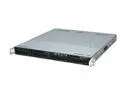
Pros: Has good chipsets on the board with room to grow. A great blade option for 1U virtualization if you understand what you're doing.
Cons: You'll want to get a real raid controller since this server is barebones. But the fan housing is too close for normal SATA connectors on the backplane. I had to dremmel out notches in the plastic grill over the fans to get standard connectors to fit without smashing the wires. They expect you to have low profile which I never seem to have for SAS setups.
Overall Review: Installed with xen 4.0 on debian 6.0 using Seagate constellation SAS drives via 3ware 9750-4i's and LVM. (define rootdelay=5 in grub to let the card initialize) But if you're going to do virtualization whether it be Xen, VMWare or whatever you need to understand that write caching for RAID configurations is extremely important. I don't know how many times I run into other IT guys who skimp on the card or don't understand what the battery backups are there for so they don't get it. Then they complain that its the hypervisor or the servers fault they don't know how RAID works or why write caching isn't enabled. Buy a real raid card just like you'd do from Dell, HP, whatever at an added price and also buy the cache battery / battery backup unit (BBU) so you can safely turn on write caching. (if you can be unsafe about it, depending on the card) If you do that you'll have a nice little 1U virtual server. Ours are running everything from windows 2k8 R2 HVM to RHEL and deb paravirt guests.
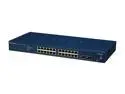
Pros: Has a lot of features for the price. Great for a nice home network or a very small office situation. Anyplace reliability isn't required.
Cons: Not very reliable under medium to heavy load. Ports start flapping, packets start dropping and there are a few bugs which render things like vlans useless. With much load or a flaky NIC connected to it it will take the whole switch down requiring a factory reset to clear the memory. Beware of management interface being open on a public ip, I can take down any switch firmware I've seen on these with an extremely basic/light DoS attack. All you basically have to do is hit the port a little too much and that itself would probably cause the whole thing to drop.
Overall Review: Would be a really nice buy if they had a QA team testing firmware. I'm convinced the switch/hardware itself could be made reliable with the right teams in charge of its development. I'm sure they have one but not anybody I'd employ for close to market wages. Just look at this thing as an example of their work.
Came with fatally flawed firmware
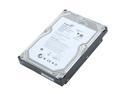
Pros: I got 2 of them for free because a friend had so many problems he didn't trust them anymore. (even if I could fix them)
Cons: These things came with flawed firmware on them (CC34). They were clicking like crazy and constantly losing connection.
Overall Review: You need to flash firmware CC35 onto these drives otherwise they were doing the click of death. Go to seagates website and download the ISO image and burn it to a disk. Boot to the disk and use it to upgrade the firmware to a tested version. I say "tested" because nobody could have truly tested these things at seagate given how obvious the problems were. Somebody needs a new guy in charge of the QA department. ;)
Unusable with things like emacs editors
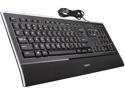
Pros: Nice design, the correct key layout with tab, backslash, enter buttons. So you don't have to relearn how to type just because somebody who could not type without looking at their hands designed your keyboard. It is thin and illuminated and not embarrassing to be seen with like logitech's gaming keyboards.
Cons: Unusable because of the key blocking. Whoever laid out the key map didn't know what they were doing. Do not buy this if you are an emacs user or even a unix shell user that uses simplifications like readline and libedit. The keyboard's poor key blocking will make you crazy.I gave it to the wife since she doesn't use her computer much and had to get another keyboard. Something is different at logitech for such a trivial thing to happen so I guess MS keyboards from now on.
Great design, flawed implementation.
Pros: Great standard key layout, good backlighting, slim design that isn't childish or gawdy like lots of PC parts out there.
Cons: Key matrix/blocking design is flawed for pretty common gaming key bindings. For example in a game cannot hit "W" for forward, "Shift" (or "Caps Lock") for run and "Space" for jump at the same time. If you change forward (W) to "Q" or "E" the 3 work together. Otherwise you can either run forward and not jump or jump and not run with this keyboard.
Overall Review: If it wasn't for this obvious design mistake it would have been a 5 out of 5 eggs. Too bad, its a pretty nice keyboard otherwise. First one I've ever experienced with this particular problem. Makes playing things like battlefield pretty aggravating.
Needs some serious attention from netgear
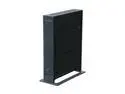
Pros: Gigabit switch works great. Decent price.
Cons: Firmware abandoned by Netgear. Uses very outdated dnsmasq binary for dhcp and dns with severe security vulnerabilities. (it was years outdated before the router even came out!) Do not buy if for a business as it will not pass PCI compliance. Wireless AP, UPnP, DNS and DHCP unstable and crashes a lot requiring a reboot to get them back. Do not use with a PS3 using the North American firmware as that will instantly crash the UPnP daemon on it. It will still work for network connectivity when that happens but you need to load the international firmware for that to be fixed since Netgear just stopped supporting it half way through the release of the updated firmware.
Overall Review: Unable to use more stable/updated aftermarket firmware on it from places like DD-WRT and OpenWRT because it uses a marvel chipset. And since Netgear has abandoned it you will need something else if you want reliability out of it. If you are only interested in wired connections and you don't have a PS3 or need to use in a business environment that processes credit cards to where you need PCI compliance. Or care that you have to reboot it all the time. This router is for you.


