
Your Browsing History


Ryan H.
Joined on 10/14/03
0
0
product reviews
- 5
Huge bang for the buck!
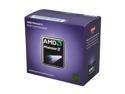
AMD Phenom II X6 1055T - Phenom II X6 Thuban 6-Core 2.8 GHz Socket AM3 125W Desktop Processor - HDT55TFBGRBOX
Pros: • Overclock happy chip! Simple to get to 3.5 GHz, possible to push past 4 GHz with the right cooling. • 6 cores makes for awesome speed with multi-threaded application. • A lot of processor for the money. 6 cores @ 3.5 GHz for $200? yes, please...
Cons: none at this price!
Overall Review: I ran a pretty simple overclock to 3.5 GHz because I didn't want to overstress the CPU. I'm running a 250 MHz FSB with the chip @ 1.35v and the NB @ 1.25v. The FSB bump pushed my RAM (which is at a 3:10 ratio) up to 1666 MHz. Encoding a 7 GB DVD (in video TS files) takes ~10 minutes to fully compress to 1 GB with H.264 on high profile settings with Handbrake. Super thrilled with the performance! Score a 7.6 on windows index with the OC. ASUS M4A89GTD PRO/USB3 AMD Phenom II x6 1055T OC'd @ 3.5 GHz Noctua NH-U9B SE2 4x2GB G.Skill Ripjaws 7-8-7-24-2T @ 1666 Samsung Spinpoint F3 1TB HDD Antec 300 Case Windows 7 Ultimate-64
6/22/2010See more detail
A great choice for OC on AM3 chips
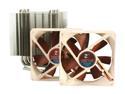
Noctua NH-U9B SE2 92mm SSO CPU Cooler
Pros: • With my x6 1055T OC'd to 3.5GHz, the hottest the CPU got was 43c after one hour of OCCT stress testing. CPU idles around 30c. • 8 year warranty from the manufacturer! • Relatively intuitive installation. • Includes plenty of thermal compound even if you need a few trys to get it right.
Cons: • Doesn't allow enough clearance for for a 'normal' installation of the fans that attach to the CPU heatsink when using RAM that has a larger heatsink (like Ripjaws, trident, etc) • It will overhang on the first dimm of most motherboards, meaning that you will have to install the RAM BEFORE you put on the fan(s), and you will also have to remove the fan(s) in order to remove that particular dimm.
Overall Review: So my biggest concern in getting the fan would obviously be whether or not it fit because of 4 sticks of G.Skill ripjaws memory. The standard bracket that is included for the AM3 mounts the fans (I installed both) blowing up and down in a normal case. This put the clips to secure the fans in such a position that they just overhung into the first RAM slot, one for each fan. Standard sized RAM would have fit fine, but because of the taller ripjaws, I had to mount the fans about 1cm higher up the heatsink. It fits fine in my Antec 300 case and is performing great, so it didn't end up being a big downside. Even with some overclocking, everything is plenty cool. This is a great choice! ASUS M4A89GTD PRO/USB3 AMD Phenom II x6 1055T OC'd @ 3.5 GHz Noctua NH-U9B SE2 4x2GB G.Skill Ripjaws 7-8-7-24-2T @ 1666 Samsung Spinpoint F3 1TB HDD Antec 300 Case Windows 7 Ultimate-64
6/22/2010See more detail
Very solid memory
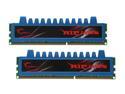
G.SKILL Ripjaws Series 4GB (2 x 2GB) DDR3 1600 (PC3 12800) Desktop Memory Model F3-12800CL7D-4GBRM
Pros: • Very stable RAM for OC • Lifetime warranty • G.Skill service is always exceptional
Cons: • The higher heatsinks don't clear my CPU fan at the stock height. I'm using a Noctua SB92, and had to move the fans mounted to the heatsink up about 1 cm to allow enough clearance. Not a huge deal as the CPU still runs cool.
Overall Review: Out of the box most motherboards will tune it 9-9-9-24-2T @ 1333. I have a Phenom II x6 1055T, so to overclock the processor I bumped the bus speed from the stock 200 MHz to 250. Because of the bump in bus speed, changing the DRAM ratio from the stock 3:8 to 3:10, my RAM is running @ 1666 MHz. I manually changed the timings to 7-8-7-24-2T and upped the voltage to 1.65. You can opt to manually plug in 7-8-7-24 @ 1600 DDR, but you'll only have those numbers if you leave the bus speed (FSB) at 200. With my current settings, everything passes the stress tests no problem. ASUS M4A89GTD PRO/USB3 AMD Phenom II x6 1055T OC'd @ 3.5 GHz Noctua NH-U9B SE2 4x2GB G.Skill Ripjaws 7-8-7-24-2T @ 1666 Samsung Spinpoint F3 1TB HDD Antec 300 Case Windows 7 Ultimate-64
6/22/2010See more detail
Plug and Play
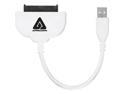
APRICORN ASW-USB-25 USB 2.0 to SATA Adapter
Pros: So so so easy. I had to backup the data on my laptop before sending it in for service. I read around on the reviews for a good transfer medium before coming across and ordering this piece. Plug and play. period. The drive pops up as a USB device and transfers are quick. Highly recommended!
Cons: None. This is a perfect solution piece. After all the stories I read about smoking laptop drives with mismatched voltages, etc. why would you even bother NOT using an adapter like this?
3/20/2010See more detail
A slightly better-qualified review
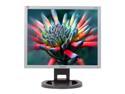
HYUNDAI 19" A-Si TFT Active Matrix SXGA LCD Monitor 8 ms D-Sub, DVI-D L90D+
Comments: I am currently running two of these monitors as a dual monitor setup. This monitor is awesome and here's the story. If you have dead pixels, well, that is just part of the LCD world and my heart goes out for you. All you vertical line people though need to know something. One of my monitors has vertical lines in it, which I thought was quite peculiar. I am running an old Ti4600 which runs DVI and VGA parallel for the dual monitor setup. As it would turn the out the lines are only on the VGA side. If I switch the monitor cables then the lines wander wherever the VGA cable may go. So all you whiny kids that shelled out money for a dang good monitor should maybe think about upgrading your hot 32 MB TnT graphics card. Other helpful hints- set the brightness down on the monitor. Be sure to go into 'effects' on display properties and select 'clear type'. It's an easy fix but a lot of people still don't know about it. This monitor really is an LCD that rivals any CRT, don't listen to the naysayers... and get yourself DVI for crying out loud.
11/7/2005See more detail