
Your Browsing History


James J.
Joined on 06/03/02
0
0
product reviews
- 13
Very good for the price
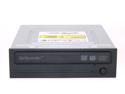
SAMSUNG Black 18X DVD+R 8X DVD+RW 8X DVD+R DL 18X DVD-R 6X DVD-RW 12X DVD-RAM 16X DVD-ROM 48X CD-R 32X CD-RW 48X CD-ROM 2M Cache E-IDE/ATAPI DVD Burner
Pros: Drive has software to firmware flash this drive automatically as new firmware is released. The drive is extremely quiet compared to my lite-on cd and dvd drives. My drive was manufactured in May 2006 and had the initial firmware release on it. I updated it to the newest version and burned a 16x TDK DVD+R with Nero 7 Ultra perfectly on the first try at 16x.
Cons: The drive tray is flimsy, its plastic and it moves up and down easily while it is ejected. Samsung software has horrible "english" menus and prompts, nothing any semi-intelligent person can't figure out.
Overall Review: The person below who stated that this drive would not read any disks he put in it probably had a defective drive since it's not likely that 3 out of 3 disks from different makers are all consecutively bad. Before giving it a zero rating, get a working drive and update the firmware before test writing cds and dvds.
9/7/2006See more detail
Size is off
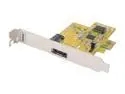
SUNIX SATA1414 PCI Express SATA II (3.0Gb/s) 1+1 Channels Card
Pros: Card has tons of support for RAID 0,1 and also support for TCQ and NCQ hard disks. Supports SATA 3.0Gbps standards. External eSATA port. Bios detected it after it detected my onboard RAID array.
Cons: You can only create a RAID between one internal and one external drive, they cannot both be internal as there is only 1 sata header. The retail box only includes a sata to sata cable ("L" connectors on both ends) so you cannot use the included cable with the eSATA port for your external drives. The biggest annoyance is that the form factor was designed slightly out of compliance. As the first review stated, I too had to bend the bottom portion of the bracket to fit between the motherboard and the open PCI port on the case. Even then, it sat at an 88 degree angle from the PCI x1 slot (should be 90 degrees). So the bracket is not fully aligned with the case. I just tightened it down as it is, it's not going anywhere.
Overall Review: Not sure if it works or not at this point. Waiting for my eSATA cable to arrive. I tried using the internal sata header to my external drive and it recognized the drive but said it couldn't load it. Not sure if that is because it contains data on it already (from another system pull) or if it's not compatible with the onboard RAID controller on the motherboard. I attached it via USB 2.0 and it works just fine, although it won't be quite as fast (for now). This shipped in a combo deal with an external AMS sata hard drive enclosure, which does not have an eSATA port on it. You will need to buy a sata to eSata cable. There are some of good quality on siig.com (a reputable manufacturer). Newegg does not currently sell sata to eSata cables.
5/17/2006See more detail
Worked well while it worked
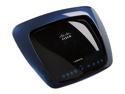
Linksys WRT610N Simultaneous Dual-N Band Wireless Router IEEE 802.3/3u/3ab, 802.11a/b/g, Draft 802.11n
Pros: Simultaneous Dual Band (2.4GHz and 5GHz) - 802.11N USB ports for external HDD attachment
Cons: -No external antennae, less signal strength and range than my 802.11g Buffalo WHP-54GS router. -Runs hot -Version 2 hardware had no firmware updates for over a year. Still no updates.
Overall Review: I had my media server running on the 5GHz band and all of my other regular wifi traffic running on the 2.4GHz band. This was a really nice solution for me however the 5GHz band simply died. After several hard and soft resets, including the modem as well, nothing remedied the issue. I thought maybe something changed in the firmware. I upgraded it to DD-WRT firmware and while that firmware is much better than stock Cisco Linksys firmware, my 5GHz band simply does not work anymore. I've owned it less than a year and it's already dead. What a waste of a lot of money.
9/13/2010See more detail
Nice hybrid drive
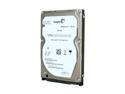
Seagate Momentus XT ST95005620AS 500GB 7200 RPM 32MB Cache SATA 3.0Gb/s with NCQ 2.5" Solid State Hybrid Drive Bare Drive
Pros: 500 GB of data 4 GB NAND Flash on board NCQ, SATA 3.0GB/s, 32MB Cache No Errors, No issues since purchase! Boots my windows 7 pro in 23 seconds to login screen Applications pull up almost instantly, multitasking is much easier. Encoding and streaming live video through my PC acting as a media server is much faster over the stock 5400RPM HDD that came with my Dell Studio 15.
Cons: Only con is that the hard drive is slightly audible and I can hear the head moving over the platters while accessing data. It's not over burdening but it's not whisper quiet. If you absolutely must have pure silence then this would not be your best option.
Overall Review: My laptop specs: Dell Studio 1535: Intel T8100 CPU 4 GB DDR2 RAM 500gb Seagate Momentus XT HDD Win 7 Pro - 64 bit
7/1/2010See more detail
great router!
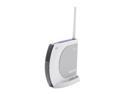
BUFFALO WHR-G54S Wireless Router IEEE 802.3/3u, IEEE 802.11b/g
Pros: I have been using this router with the stock firmware on it for the past six months and it has been a good router until about a month ago. It started having connection issues with some of the wireless computers in my house, especially when using wireless on a laptop running ubuntu fiesty and winXP pro (booting back and forth between the two OS would require me to reboot the router). However, I flashed the stock firmware yesterday with tomato 1.07 and the performance differences are night and day (so much better now!). I also tried flashing it with dd-wrt v24(07-20) and it was utterly useless (most likely since it's beta). I'll stick with tomato because it runs so much better than either dd-wrt or stock buffalo firmware. get this!
Cons: stock buffalo firmware.
Overall Review: it has a 200mhz processor with 4mb flash/16mb memory which runs great using tomato 1.07. the newest version (whr-hp-g125) has a 240mhz processor and upgraded broadcom chipset. dd-wrt requires a switch to upgrade the firmware. not sure about tomato. either one is a great buy! don't use the stock firmware. my connectivity issues are gone.
7/22/2007See more detail
amazing
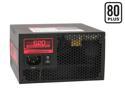
CORSAIR HX Series CMPSU-620HX 620 W ATX12V v2.2 and EPS12V 2.91 SLI Certified CrossFire Ready 80 PLUS Certified Modular Active PFC Compatible with Core i7 Power Supply
Pros: powerful 620 watts. use of good quality transistors to extend life of psu. power rails are dead on. quiet 120mm fan. modular cabling keeps wiring clutter out of your case, use only the cables you need and nothing you don't! comes with a velcro sealed pouch to store your unused modular cables in case u need to add something to your system in the future.
Cons: a bit pricey. you can find it for less at competitors websites.
Overall Review: simply amazing! I will recommend this to anyone despite it's price.
2/21/2007See more detail