
Your Browsing History


Eric N.
Joined on 08/27/17
0
0
product reviews
- 4
Advice: Use your MB manufacturer's compatability list to confirm your RAM, not G.Skill's
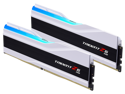
G.SKILL Trident Z5 RGB Series 64GB (2 x 32GB) 288-Pin PC RAM DDR5 6000 (PC5 48000) Desktop Memory Model F5-6000J3636F32GX2-TZ5RW
Pros: No issues with Newegg's replacement policy.
Cons: One of the 2 sticks failed after only 1 week, but I'm guessing it had something to do with switching to XMO mode on my Gigabyte Z790 Aorus Elite AX. I never even had time to run my video card at higher fps.
Overall Review: After a little more research, this RAM - F5-6000J3636F32GX2-TZ5RW is on the G.Skill's compatibility list for my Gigabyte Z790 Aorus Elite AX, but not on Gigabyte's compatibility list for v1.x. One stick Failed as soon as I enabled XMP mode and never recovered.
9/10/2023See more detail
Failed after 5 months, intermittent temperature spikes
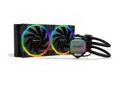
be quiet! PURE LOOP 2 FX 280mm AIO CPU Water Cooler | High Performance AIO | 2 Light Wings 140mm PWM high-speed fans | ARGB Hub | Refillable Port | BW014 - Supports Intel LGA 1851 / 1700 / 1200 and AMD AM5 / AM4
Pros: Nice design, especially the pump location. Also runs very quiet.
Cons: Pump failed after 5 months. Exchange only policy! Do you really want to be down without cooling for the time it takes them to test, and then either return or exchange the unit? If the issue is intermittent, I'm guessing they will just return the AiO as is. Basically, without a refund policy, there is little reason to bother.
Overall Review: My initial review was pretty negative because the fan failed, causing my CPU temp to spike, then shut down when it hit 215F. On reboot, I tapped the pump sharply with the handle of a screw driver once and it seems to have dislodged something that was preventing the pump from working. The cooling fans immediately slowed down and the temps went from 210F to averaging <80F for all 24 cores within 15 seconds After 24 hours it's been circulating fluid normally and the temps remain stable at <80F. It's possible that the bearings got locked up after the PC was off for a short while. I'm guessing there is a deformity or some flaw in the materials they're using, so longevity could become an issue. Probably something be Quiet needs to investigate, and should have discovered during testing. Update: The fans are located above the pump at the top of the case, which is recommended, and the pump has never made any noise, as it probably would if there was air trapped in the loop. I removed the AiO assembly and tried following the manufacturer's instructions for removing any trapped air. I also topped the fluid off. The temperature spikes remain intermittent, but there is never any pump noise. I'm requesting an RMA, and hoping I just got unlucky with a faulty pump.
5/24/2024See more detail
Ran very hot, but also defective
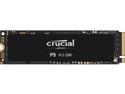
Crucial P5 500GB 3D NAND NVMe Internal SSD, up to 3400 MB/s - CT500P5SSD8
Pros: price per Gb unknown NewEgg return policy
Cons: Right out of the box, ran at 67C, which is pretty much the high end of the safe operating temperature range.
Overall Review: I'm giving the the drive 4 stars for no good reason, since I was unable to access the drive. This was not a BIOS issue since 2 different M.2 2280s worked fine in the same slot. I also tried installing in my PC, same issue. Perhaps the heat issue was related to the defect, but I would not risk placing this in a laptop that does not have room for a heat sink or good air flow, which my new HP ProBook 450 G7 does not have.
9/14/2020See more detail
About Windows not recognizing the drive
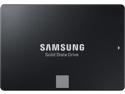
SAMSUNG 860 EVO Series 2.5" 1TB SATA III V-NAND 3-bit MLC Internal Solid State Drive (SSD) MZ-76E1T0B/AM
Pros: This will be the 3rd EVO 860 I've installed. The first one was purchased 1.5 yrs ago and still benchmarks only slightly less than the new one I installed this week. Price
Cons: May require initialization before Windows recognized the drive. Not eMCL, but much less expensive.
Overall Review: I've been very happy with this series, and I'm glad to see the price come down. If Windows or the BIOS is not recognizing the drive, try unplugging any other drives on your PC and run an installation disk only as far as the partition table. This will initialize the drive, and after reconnecting the other drives, all should be good. Of course, with servers you would need to work through the command console instead.
12/14/2019See more detail