

Your Browsing History


TOM S.
Joined on 02/21/05
0
0
product reviews
- 6
updated review
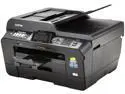
Brother Professional Series MFC-J6710DW Inkjet All-in-One Printer with up to 11" x 17" Duplex Printing and Dual Paper Trays
Pros: ?
Cons: Called Brother for support, and one thing they had me do is switch out to a six foot usb cable, the cable I was using was about 10-12 feet long. The manual says not to use more than a six foot usb, but really, these days the best they can do is make it work with a six foot or shorter cable!! The guy who designed the usb and phone line ports should be fired, you have to lift up the top unit and inside are the ports, and take about two feet of usb cable; so that leaves you with about four feet from your computer to the printer. I asked the tech why it was designed like that, and the best he could come up with is people put there printer next to the computer. I had to re-arrange my office so the printer is next to the computer. If I had known this, I would have gotten the HP large format printer.
5/20/2013See more detail
software problems
Brother Professional Series MFC-J6710DW Inkjet All-in-One Printer with up to 11" x 17" Duplex Printing and Dual Paper Trays
Pros: No pros at this time
Cons: I have windows 7 64, I went on the Brother website and downloaded the current drivers, it worked one time, and then stopped. I deleted the files and downloaded the drivers 5 times. It may work once, then the pop up, usb device not recognized. I used a laptop with windows 7 professional, and it worked a few times, I do not know the difference between windows 7 64 and professional, but this brother unit has driver problems.
Overall Review: Probably going back to Newegg
5/15/2013See more detail
junk
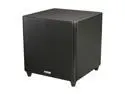
Polk Audio DSW PRO 660 12" High Performance Subwoofer
Pros: none
Cons: Bought months ago for new house under construction, spent another $150 for wireless kit. Finally hooked it up and lasted one hour, called Polk, they told me to send in amp, tried to get it out and broke the cheap plastic holding connection to speaker. then they said to send in amp and speaker, but infra red receiver is glued to cabinet, so I spent $68 sending the entire unit to Polk in CA. Got it back, does not work, remote does nothing, tried wireless, then rca, nothing. They are sending a label so I can ship back to CA. Good thing I bought a Klipsch while waiting and it works. Polk says they will not send a new subwoofer, just keep wasting time on a defective unit. I will never buy Polk again.
3/12/2013See more detail
STAY AWAY, BUY CORSAIR
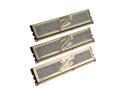
OCZ Gold 6GB (3 x 2GB) DDR3 1600 (PC3 12800) Low Voltage Desktop Memory Model OCZ3G1600LV6GK
Pros: none
Cons: Second try with this ram. I posted on 9-1 after the first set went bad, while waiting for the replacement, I installed corsair xms 1600, 7-8-7-20, and worked as advertized. I installed the new ocz with the corsair for a total of 12 gig and everything was choked down to 1066, I manually adjusted the bios, but this ram is hard to get it any where its rated speed. Once I installed the ocz, my lan connection became slow, just like it did when the original was going bad?? I had problems booting with the manual adjustments, so I took out the ocz, and the corsair is back to running at 1600, with no problems.
Overall Review: This ram is currently holding down some papers on my desk. If I want to go to 12 gig, I will add another set of corsair. My motherboard is gigabyte x58A UD3R. Save yourself time and money and stay away from this ram.
9/17/2010See more detail
DIED AT 2 MONTHS
OCZ Gold 6GB (3 x 2GB) DDR3 1600 (PC3 12800) Low Voltage Desktop Memory Model OCZ3G1600LV6GK
Pros: none
Cons: After 2 months, random re starts, games would crash, and then no boot. I paid $169.00 a few months ago and thought I was getting high quality ram. I bought some Corsair xms 1600 7-8-7-20, and it worked great, set it to expert in the bios on the gigabyte board and ran at the advertised speed. With the ocz, you had to work to get it close to the advertised speed. I am now a Corsair fan, and also have their 850hx power supply. It burns me that I have to pay to ship the ram back to ocz to get it replaced.
Overall Review: Buy Corsair
9/1/2010See more detail
over rated
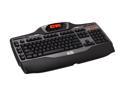
Logitech G15 2-Tone 104 Normal Keys USB Wired Standard Gaming Keyboard
Pros: It is an average board. I needed a board for gaming and every day use, it comes up short on several items.
Cons: The back lighting is useless. Unless you are looking direrctly down at the board, the back lighting is useless and there are only two settings., dim and slightly less dim. If they had an adjustment , above the two settings, it would work alot better. The brightest thing on the board is the G15 logo and the lcd screen. I use to have a white (cream) colored board, with this board I had to add a desk lamp next to the keyboard so I can see the letters. The keys are on the small side, the top surface area of the keys is smaller than the 10 dollar board I was using. They don't feel right.
Overall Review: I bought into the hype on this board, and for the money it did not live up to expectations. If I evaluate it as a board for all around use, I would not recommend it.
3/3/2009See more detail