

Your Browsing History


Anonymous
Joined on 05/27/20
0
0


product reviews
- 4
Thick boy. Hungry boy. But do you really need it?
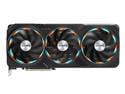
GIGABYTE Gaming GeForce RTX 4090 24GB GDDR6X PCI Express 4.0 x16 ATX Video Card GV-N4090GAMING OC-24GD
Pros: If you didn't already know...it's big. Like really big. How much bigger will the next successive generation of video cards be? Any games that you want to play at high settings? Yep, it will play them with no issues. You want cutting edge tech? This is currently where its at (until the 4090ti). This card is heavy, and Gigabyte knows it. They provide you with a anti-sag bracket that attaches to your motherboard. Seems to work ok for me. Sag is minimal. I believe that Gigabyte also has the best length of warranty for 4090 cards. Lets hope I never have to use it though. If you are looking for ANY 4090, you can't go wrong with this one. My review won't skew you one way or another.
Cons: Because it is so big, here is what you will need to look out for: 1. PC Case. You will need to find a case that can fit this video card. If you are using a AIO cooler that is front mounted for your processor, just remember that it will take some of the space that might interfere with this video card. Also you will need to find a case that can fit the 12VHPWR cable and not smash it on the glass when closed. Currently I am using a Fractal POP Air XL and I do not have any issues. Or, you can also wait for manufacturers (CableMod) to build/sell 90/180° adapters to avoid the bend up against your case window. But again, another added cost to fix a problem that shouldn't have been there in the first place. 2. Power cable. You can use the squid arm cable that nvidia supplies with this video card...which is a nightmare. You can try to find an ATX 3.0 PSU that has a dedicated 12VHPWR cable. There aren't many on the market yet. But if you do, make sure you buy a ATX 3.0 PSU that is greater than 1000 watts or else it will not be able to supply 600 watts of power to the card, you'll only get a 300 watt rated cable. 3. RGB. Gigabyte put RGB on their fans. If you look at my pictures you can't really tell. When gaming you can tell that the fans are spinning and the RGB is on, but you can't see it...because the card will face down on 90% of PC builds out there. Some people hate the gimmicky design, others probably won't care because they won't be able to see it. Pro or con? You will have to be the judge. 4. Monitors. Since this is a high end video card...its best to pair it up with high refresh rate monitors to get the most performance from your system. Again another price factor to consider to get the most out of this card. 5. Overkill/PC Flexing. If you are running a 2080 Ti, or any RTX 3000 series than you most likely will be fine playing anything that's out there without any issues. 4090 is definitely way overkill by today's standards. 6. Price. DO NOT pay over MRSP for this card. I was fortunate enough to be able to buy one through Newegg on launch day for the listed $1699 price. If I didn't buy this 4090, I would have just bought a RTX 3090 Ti on nvidias website (they currently had stock when I was looking for a video card). Another overkill card for a much more tolerable cost. Also...be aware: Make sure whatever power cable you use that you push/plug it in ALL THE WAY IN. Because this is such a big card, it may cover connections you need on your motherboard. So be aware of the motherboard you are looking to pair this up with.
Overall Review: Can it handle anything you throw at it. Most likely. Is it expensive. Yes. Should you pair it up with expensive high refresh monitors. Yes. Is it a power hungry card? Sure is. Does it fit most cases with the power cable installed? Probably not. Is it overkill for most modern games? Currently yes. Do you really need it? Probably not. Can you justify this purchase...that's up to you and only you.
1/1/2023See more detail
Fast but hot processor.
Intel Core i9-13900K - Core i9 13th Gen Raptor Lake 24-Core (8P+16E) P-core Base Frequency: 3.0 GHz E-core Base Frequency: 2.2 GHz LGA 1700 125W Intel UHD Graphics 770 Desktop CPU Processor - BX8071513900K
Pros: Works as intended out of the box for me. Placed it into the Intel motherboard CPU slot using a Thermalright contact frame and a Arctic 360 AIO cooler. At idle and everyday internet browsing, MS Office (Word/Excel), writing emails, using the above mentioned parts, this processor sits right now at 28-29°C at idle. Playing games, the temp climbs into the high 40's. My last processor, a 7th gen 7700K, is still working flawlessly with a 120 AIO. I am sure my new processor will keep me happy and keep up with any demand I throw at it for quite a few years.
Cons: Gets hot under heavy use. Most people that use this processor will never go to the bleeding edge of extreme use and stressing this processor out 100% of the time. But if you are one of the few that do, then you will definitely need either a custom loop cooling system or a minimum of a 360/480 AIO cooler. Many youtube reviewers have stated that you can benefit from using a contact frame to keep the processor (12th and 13th gen Intel processors) nice and flat against the cooler that you end up using. Extra, but small, cost that you need to keep in mind.
Overall Review: Very happy with how well this processor works. No problems with install and functionality. Just need to keep in mind airflow, radiator, and fan placement to keep it cool and working for many years to come.
1/1/2023See more detail
Works as stated in my Z790 motherboard. No issues.
G.SKILL Ripjaws S5 Series 32GB (2 x 16GB) 288-Pin PC RAM DDR5 6000 (PC5 48000) Desktop Memory Model F5-6000J3040F16GX2-RS5K
Pros: So far it works out of the box with no problems for me. It seems like a lot of other people are having stability issues with higher speed RAM on other various 690/790 motherboards. Boosted with XMP to the stated speeds on my motherboard. No stability issues. Happy with my end results. This is the F5-6000J3040F16GX2-RS5K version which according to G.Skill's website is identical to F5-6000J3040F16GA2-RS5K. I have both kits running side by side in my system (GX2 and GA2) and so far no compatability issues. CPU-ID shows that both kits are running at the same voltage and latency is the same. Seems to be identical RAM.
Cons: PRICE: It can be frustrating to see RAM prices fall so quickly in the past 3-4 months. But that is the way it goes with technology. I originally bought these at $289.99 (and $239.99 for the GA2 version). If you can afford to wait buying DDR5 RAM, then wait. I had Trident RGB 3200MHz RAM on my 7700K/MSI B250M Bazooka motherboard build. While it was nice to have, it would never turn off when the computer was powered down/not in use (hibernating/sleep mode). This was one of the reasons why I didn't choose RGB ram this time.
Overall Review: They work out of the box. Boosted to the stated speed of 6000 on my MSI Z790 ACE motherboard running a 13900K. I am happy to have RAM running at the stated speeds. Disappointed with the "initial new cutting edge technology buy-in price". Oh well. Life goes on.
1/1/2023See more detail
Great case, easy to work in, plenty of room, can't go wrong for the price!
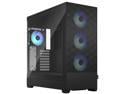
Fractal Design Pop XL Air RGB Black TG ATX High-Airflow Clear Tempered Glass Window Full Tower Computer Case
Pros: I really like this case. Here are my reasons why: 1. Easy to work in. Plenty of space for a modern system. Cable managing could be an issue though if you have Sata powered HD/SSD's. 2. This case can easily hold my Z790 MSI ACE EATX motherboard, Arctic 360 AIO (front mounted) cooler, and the Gigabyte 4090 OC video card. These are all very large components...so whatever you have it will fit. 3. For those that have a 4090 video card and modular ATX 3.0 power supply and are concerned on whether or not the 12VHPWR cable will fit without touching the glass and having a tight bend/radius...this case will work. I was concerned about the cable touching the glass; it does not touch...you'll be fine. I am using the Thermaltake GF3 1650 watt modular power supply for reference. 4. I really like the option of having a concealed 5.25" drive bay. I am an older computer user and I still have plenty of bluray movies and old dvd based games/software. I understand most users now days just stream their movies from a video service (netflix, prime, hulu, etc.) but for those of us that still have a movie collection...its nice to have a case that allows us options for expandability. 5. Price for this case is pretty good for the options you get. This case gives you plenty of useable options at a low cost.
Cons: Here are some of the things that could be improved for this case. 1. The plastic front housing that sits in front of the fans feels like it could break in the next few years. It can be a bit of a hassle to pull it off. Its not really "terrible" but more of an annoyance. This part seems like like the cheapest area of the case. If you are hard with your cases just be careful. 2. Cable management is ok. There are no rubber grommets to hide the cables. I know other higher end cases have these grommets. It would be nice to see the "second gen" of these cases to have these grommets installed/added. My system has only NVME drives that attach to the motherboard. If you have Sata hard drives or SSD's, cable management with all the other cables (USB, RGB, Sata, Controllers) will quickly become a nightmare. But this will only be a problem if you really care about this area of your build. 3. The RGB fans are a nice feature. It is limited with the amount of customization you can do with the actual color themes. I will try my hand at upgrading and directly attaching them to the motherboard for better control in the future. Cable length for these fans is somewhat a limiting factor, so you may need to think about that. 4. No screws for mounting a front 360 AIO. Just for your information: The case does come with plenty of mounting hardware (SSD/HD trays), screws (various), and zip ties (you will definitely need more for cable managing). Although, to be able to mount a 360 front mounted AIO you will need screws that are long enough to pass through the front fans and into your radiator. This case and my Arctic 360 RGB AIO did not come with the necessary screws. I had to go to home depot and buy 20 screws (6-32, 1.25" length, roughly $3.00 total cost). Don't overtighten and take your time so you don't cross thread the screws.
Overall Review: Overall I really like this case. Its a great large case for the first time PC builder, able to hold large system components. So far it keeps everything inside cool (13900K 28°C at idle), and the system as a whole is pretty quiet. It has plenty of space with out having to cram wires, cables, and hoses on top of one another. It has a hidden 5.25" drive area for those of us that still need/like having options to add devices such as bluray drives. If you need something smaller to hold "regular size" components the Fractal POP Air Mini might be a better option, and you also get different internal colors to pick from.
1/1/2023See more detail