

Your Browsing History


Andrew W.
Joined on 11/27/15
0
0

product reviews
- 7
2 Years Later! Bought 3rd. Muscle memory!
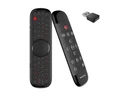
Wechip W2 Pro Air Mouse Convenient Black Wireless Keyboard Wireless Keyboard with Touchpad Mouse for Smart TV
Pros: - I haven't opened my newest replacement, other than to test it. And pictures. - Amazingly long battery life (A month or more with less use) Still going! 2 years later charge once a month for 6 hours. - Bluetooth connection - Adjustable air mouse sensitivity (CPI is easy to change, hold 2 buttons) - Quality touch pad (As good as a laptop) - Backlight (On/Off) - SEEK USB dongle (The best function ever! Never lost in the couch cushions again!) - Decent design, sturdy enough. (I've squished it with my hip. Sat on it. A direct step, no) - It has a mic. for smart TV's and Boxes. I have never used it. (It didn't work on The SONY smart TV. Plug-and play. I didn't enter settings or look for it with the TV. It probably needs to be connected. I use it for the PC elsewhere.) -Fits in my hands. Is a nice size, not too small. -The Price is right! ♪
Cons: -The letters smudge off! After 2 years of daily use, the black is gone and the buttons are white. I have muscle memory and can still type. (The battery is fine!) - No dedicated right click on the air mouse. Only the touch pad with 3 fingers, or something. (The 3 lines sometimes work, Sometimes you click and hold OK and then click the 3 lines, other times it simply does not work.) - Long charge time. (But worth it. I've had it a year. Daily use, 8 charges all year. I use it a lot too, 2 years, monthly charge.) - The letters smudge off. (You can see, it's still OK after a year. After 2 years of daily use I can only see the FN functions in red. - When typing then flipping over the mouse to use the air mouse function. There is an angle where your finger can tap the pad and it often clicks X because of the air mouse function enabling. It takes getting used to. - It's a split keyboard. (I prefer it because it fits in my hands nicely. You have to get used to it.) - Sometimes the letter I double clicks. It could be from something in the past year. It was perfect when I bought it. I've sat on it dozens of times. I'm under 150Lbs, it was on the sofa. it's still good! Some other letters double click but I have 2 spare remotes. The airmouse is still smooth! -The www./.com button sucks! I don't use it. (It doesn't know if you are holding shift. It simply switches back and forth from www. to .com.) -Most importantly never lose the USB dongle. It's paired with the remote it came with. It's small and SEEK is great. Keep the dongle plugged in or safe! (not really a con)
Overall Review: I would buy this again, and did over the W3 2 years ago. I bought a second and now a 3rd, simply because it's the best air mouse I've ever used. It has almost all keyboard functions of a laptop computer. The airmouse is nicely sensitive and adjustable. It's battery life is weeks if not a month. I'm using it 3 hours a day! (I do turn off the backlight, that saves power) It fits in my hands. (That's a quarter, a regular card, lighter and my hand.) The buttons are not too small. I can push the key, not poke it with the tip of my finger. The SEEK button on the USB dongle is great for finding it, if you fell asleep or it slipped in the cushions/blankets. So good. I haven't, but you can use the mic. and talk your way through TV box menus. No typing, press the mic. button and talk. (It only works with certain programs) I bought another one and another, because the first is 2 years old. The W4 could come out and these will disappear. I would buy one now! The shipping from China was fast too. Keep an eye on the USB dongle. Don't misplace that! They are paired to the device. The only downside has been the letter's smudging off after 2 years of daily use. It's been worth the money! Li-ion battery should retain it's charge/ability for years. If stored at 10-15% charge. Under the right conditions. I'm very impressed with the original's battery. It's perfect except for the buttons fading.
9/18/2026See more detail
Preferred over external enclosure!
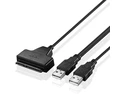
SATA to USB 2.0 Cable Adapter for 2.5" HDD SSD Hard Drive Disk Connnector 22 Pin 7+15 SATA Converter Adapter
Pros: - Simple - Data and Power are separate USBs - Useful for many things as file sizes increase.
Cons: - It does not idle, the HDD becomes warm. (Unplug when not in use) - Not quite "hot-swap"... Must unplug everything when changing HDD's. - No manual or "how to" ... Things have to be plugged in a certain order, for the drive to be read. (It will spin, not seen by PC) Details in "overall" - Need a non-static, anti-vibration location to lay the HDD on. (Easy)
Overall Review: It's a dandy device! I've been using an external 2.5 HDD container. The light turned red. Indicating an issue. I know it's the power converter. The old has 1 USB for power and data. This cable setup I prefer, because the power and data are separated. Plug-in the shorter USB cable power first. Then the longer thicker data USB. If done in the wrong order the lights don't turn on. HDD doesn't read. Have you tried un-plugging, and plugging it back in? Unplug when not in use. My stack of 2.5s taken out of "junk laptops" from 2013, with old data I plan to back-up. They will live as long as they are stored correctly. I've bought a 12TB 3.5 To back up a decade old 4TB, With lots of space to spare. The next build, when it comes. Will be expensive, but RAID. I need to back-up 7.5 TB. Three are 500GB Seagate from 2013! It's unfortunate 2.5 haven't improved much. This cable is well priced and does the job. It's two USB's are better for longevity. Again, to swap drives. Un-plug power first, then data. Swap HDD's, power first then data. Unplug when not in use. It's great! Saved again!
9/16/2026See more detail
8TB, A little slow.
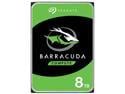
Seagate BarraCuda NE-ST8000DM004 8TB 5400 RPM 256MB Cache SATA 6.0Gb/s 3.5" Internal Hard Drive Bare Drive
Pros: -It was huge when I bought it. 8TB! -Holds all files, I don't worry about space or downloads. (Shifted my Download/Document folder to this drive. Other Temp. files are on a 7200 Seagate) -Good price -Has not had any issues at all. (After years)
Cons: -Slight sounds when changing disk platters. (Negligible when spinning 5400 RPM) -My other drives are SSD or 7200 RPM. The 5400RPM creates a slight read/write bottleneck. -5400RPM I use it as storage or for video media. It's slightly too slow for some programs.
Overall Review: Be aware it is 5400RPM. It's for storage. Video/Audio. It's too slow for many things these days. It's worked perfectly for years. I don't regret buying it. Again it's great for storage of files you may use again. I've tidied mine. I have 2-3 TB left free.
9/2/2026See more detail
Fast Good, Bought it before. phew!
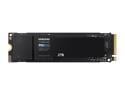
SAMSUNG 990 EVO SSD 2TB, PCIe Gen 4x4 | Gen 5x2 M.2 2280, Speeds Up-to 5,000MB/s, Upgrade Storage for PC/Laptops, HMB Technology and Intelligent Turbowrite (MZ-V9E2T0B/AM)
Pros: -It's fast and mine is 2TB -It installed was seen and checked easily. Using more than 1 app.
Cons: -It uses 2 digital motherboard ports. I need SATA for 21TB of HDD. -it's sitting in a box for the next build.
Overall Review: Glad I have it. I know it will serve me well if/when the time comes. I just put new thermal paste. SATA SSD QVO is fast enough right now.
6/16/2026See more detail
A good replacement
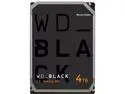
WD Black 4TB Performance Desktop Hard Disk Drive - 7200 RPM 256MB Cache SATA 6.0Gb/s 3.5" Hard Drives Bare Drive - WD4006FZBX
Pros: - It comes in large sizes or small. Spend the money you need for the space you want. - Fastest 7200Rpm HDD I have used. - Low idle power draw. - Writing to a 860 QVO 1TB SDD it uses 100% Black and 30-60% of the SSD. - It replaced a drive from 2013! (WD blue 7200) With no issue. Plugged-in, Disc Management saw it right away, format/Copy files and it's great. All the programs work because I switched the drive letters back to :D :D
Cons: - A little bit noisy, but the same as the other 7200Rpm I have that is 4TB, the platters sometimes click or make a "Ball bearing" or a "popping/rapid movement of the laser arm noise. That is with this and SeaGate. Just the platters moving, No big deal. It's 6' away in a case. I can't hear a thing over the explosions on TV. - If it lasts 10 years, I'll be happy. The last one is still working.
Overall Review: It replaced a drive that was old, perfectly. Uses low power, it works in my hot-swap stack that only has 1 power cable for 5 Drives. I saved 1TB of important data before a drive died and now I have lots of space again. I hope it is the same quality as the one I am replacing. 10 Years for an HDD! They're both made in Thailand. It does have a 5 year warranty, I think!
7/19/2025See more detail
Large, 7200 RPM, Dedicated Power
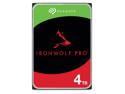
Seagate IronWolf Pro ST4000NT001 4TB 7200 RPM 256MB Cache SATA 6.0Gb/s 3.5" Internal Hard Drive
Pros: -It's 4TB, Which used to be a lot. It's almost standard. It's still large. -It spins at 7200RPM, Read and Write times are good for an HDD. -It was on sale, But the non-sale is a reasonable price. -Replaced a dying 10 year old, 3TB HDD. Changed drive letters to be the same after copying. I did not mirror. All programs work correctly. -It's doing the job I intended it to do.
Cons: -It requires dedicated power. (My PC case has a "Hot swap" stack of 5 slots, Powered by one cable.) I've not had issues with other drives, this was a replacement for an HDD. This drive was not seen in Disk Management until I plugged it directly into it's own supply. (It's plugged in laid on top of the CD drive inside the case.) -It's not as loud as a "Coffee Percolator"... It does click/and make a similar sound when the drive is inactive, then activated. When playing a video game (Game from 2020+) It barely makes any noise. The regular clicking I expect from a multi-platter-layered HDD.
Overall Review: I can't speak for it's longevity. It's as fast as you would expect from a 7200RPM, It's working perfectly now that I have it powered by it's own independent cable. I killed my old HDD after a decade of temp. files being written/read/moved. This drive is now my temp. file drive. All the programs previously running, continue to run on drive F: As for the noise. I am used to having an i5-3000 series laptop. With 1 HDD. (Click-click, zzzz- click.) I don't have a problem with the noise. My case has 3 large fans + the power supply and the very large CPU cooler. (It's not a loud PC, I am over 6 feet away from it.) The noise only occurs when under the heaviest of loads. (Meanwhile my audio is down for the night. I can hear every noise the PC makes.) That being said: When it audibly sounds like a coffee machine in 5-10 years from 6-12 feet. I'll be concerned. Seagate are less expensive. A little noisier, but perform almost as well as my favorite brand. Everyone knows.
2/20/2025See more detail