
Your Browsing History


Nathan S.
Joined on 10/03/01
0
0
product reviews
- 2
Doesn't Charge Lumia 950 or 950XL phones
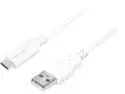
Macally UCUA6 White 3.1 USB-C to USB-A Charge Cable for Macbook 2015 Edition
Pros: build quality seems to be pretty good
Cons: Doesn't charge our phones. Doesn't work.
Overall Review: I bought 2 cables primarily for charging our phones. Neither of them charge my wife's Lumia 950XL or my 950. I tried 2 different adapters that are currently working with other brand's USB cables, so the problem is definitely with this product. Very disappointed, since the specs on these cables are really good and the cost was twice what I paid for the other cables.
1/9/2016See more detail
Router is good, Miracast adapter is not
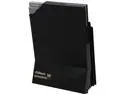
ASRock G10 AC2600 Gaming Router (DD-WRT Support) + H2R 2-in-1 Travel Router (Airplay)
Pros: Router seems to work pretty well. Easy setup. So far no major problems
Cons: - The Miracast adapter does not work correctly with my Miracast capable Lumia 950.
Overall Review: If I could give half egg ratings, I would probably give this a 3.5, but it's not worth a 4 in its current state as far as I'm concerned. I'm knocking a full egg off the rating simply because the Miracast adapter weighed heavily into my decision to buy this router. If I knew it wasn't going to work, I would not have purchased it and would have gone with a competitor's device. My phone cannot connect through Miracast to the dongle that supposedly offers Miracast functionality. There is a second way to connect to the device though through basic WiFi. I can connect to it that way, but the functionality is really disappointing. Terrible lag when loading pictures. It would actually be embarrassing using the device with friends or family around because they would just be staring at you or a blank screen most of the time rather than viewing whatever you intended to show. Moral of the story, do not take the Miracast dongle into consideration AT ALL when purchasing this device. Make your decision entirely off of the router and what it offers. As for the router, it mostly works as expected. The only frustration I've had is trying to view, reset, or delete existing wireless connections. There is a way to view the connections, but it is in some specialized sub menu and not the normal advanced settings. The sub menu seems to have fewer options available than what you would expect from a high end router or even a basic router in the normal/advanced menu options. To cancel a single wireless connection, I had to turn off the entire wireless offering from the router. Manually assigning an IP address does not seem to cause the router to renegotiate an address with the device... and once again, no way to revoke or reset a single device's address. Obviously, you can get where you need to with manual assignment on both devices, but I was surprised that there was no way to control individual connections. I've also been disappointed with the signal strength. One of the earlier reviewers mentioned impressive signal strength. Not the case for me. I've got my XBox One setup on the 5GHz network. My router is sitting on top of my desk hutch in the office. The XB1 is down the hallway in another room, inside a cabinet. So, there are a few walls in between and the wood cabinet it is in. But, at a distance of about 35 feet on the same floor, I'm disappointed with a 2 bar signal out of 4.
1/18/2016See more detail