


Your Browsing History


susan m.
Joined on 09/22/05
0
0
product reviews
- 18
Best there is next to a threadripper, enormous fan included-but use your own arctic silver 5

AMD Ryzen 7 2nd Gen - Ryzen 7 2700X Pinnacle Ridge (Zen+) 8-Core 3.7 GHz (4.3 GHz Max Boost) Socket AM4 105W YD270XBGAFBOX Desktop Processor
Pros: AMD's best next to the threadripper, same install as you're used to (lift the lever, line up the arrow with the arrow on the cpu, lock the lever down
Cons: none really, should invest in a good power supply for sure. Avoid the pre installed thermal paste I always wipe it off and use the arctic silver 5 too many issues with "glued" processors to the heatsink the arctic silver never does this.
Overall Review: If you can't afford a threadripper this is the next best in line. Same installation as every other AMD processor. Despite the fact you get an enormous fan, these beasts get so hot I recommend a cooler like corsair's H100i v2 (if you own one that came out before the ryzen you can buy the ryzen mounting plate from corsair, 14 bucks shipped they simply twist on and the new one is apparently compatible with everything AMD other than the threadripper of course which is a physically larger cpu.) I recommend arctic silver 5 for heat sink compound it does not glue the cpu to the pump head or fan like some products do. If you somehow end up in a situation with heatsink compound that doesn't want to let go you can use a hairdryer (I don't recommend a heat gun they get too hot) to heat up the heatsink or pump head until it lets go. As you probably know the Ryzens have some sort of code to work more efficiently with AMD's radeon processors so this paired with one of the new rx 580 or rx 590 "should" theoretically give better performance than a nvidia card. I play black desert online which is a pretty graphic intensive game, it ran ok on high graphics on my ryzen 7 1700 and a rx 580 but the graphics and response are noticeably better on this cpu with the same amount of memory and a rx 580. A rx 580 is supposed to be comparable to a nvidia 1060 while the new 590 is supposed to be comparable to the 1070 (for twice as much money I may add). After a few hitches I'm really enjoying this new rig a lot. A few years ago AMD was talking about discontinuing the CPU line in favor of GPU and integrated graphics, I'm so happy they changed their minds. I prefer not to buy anything intel due to some of their antics over the years and I also feel they are way over priced. Thanks AMD for not letting your loyal customers down.
3/7/2019See more detail
Buy the higher priced metal unit. Not flimsy but i wouldn't buy the cheaper version again.
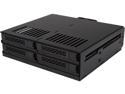
ICY DOCK 4 x 2.5 SSD to 5.25 Drive Bay Hot Swap Backplane Cage Mobile Rack Comparable to Tray-less Design - ExpressCage MB324SP-B
Pros: 4 trays that can be independently removed and presumably swapped into different slots no problem
Cons: if your case does not have a flush mount (i.e. there's a door or something in the way) it may not work in in the front 5.25 Bay. I have a dell inspiron 5675 it has a front bay but there's a cute little door on it, that apparently can't be easily removed so it won't work in that case,
Overall Review: It is a good product and as long as you aren't constantly pulling the drawers out it should last a good long time but their metal product is much better i have one of the two bay metal units and it's built like a tank. This won't work for what i wanted it for but i have other builds coming up it won't go to waste.
4/23/2018See more detail
You couldn't build this yourself at this price, nice machine
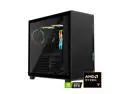
GIGABYTE AORUS PRIME 5 Gaming Desktop PC, AMD Ryzen 7 9700X, NVIDIA GeForce RTX 5070 Ti, 32GB DDR5, 2TB SSD, Windows 11 Home, Black
Pros: All recent tech, recent chipset, ddr 5, pci 5, decently fast gaming ram, fast 4/5th gen M2 drives, quiet as a mouse, case has good cooling setup and metal weight support for video card built in. I've been building with Gigabyte motherboards for years they are my first choice when building a system. Unfortunately currently it's very difficult to purchase gpus and ddr5 ram because apparently the data center operators are buying so much that no one else can get any and supposedly the situation is not predicted to get better until next year sometime. I'm old and tired I really didn't feel like messing with building another machine and the price on this one was just way too good to pass up with room for upgrades so I took the plunge. Gigabyte does not use proprietary parts so you shouldn't run into situations with stuff that won't fit in the case, non standard power supplies etc. etc. You get a bag with a handful of additional cables (psu must be modular I didn't take the back off the case to look but since there are cables in the bag that must be the situation). You also get a plug in antenna for the wifi and bluetooth that's built into the motherboard. Gigabyte uses their own branded components as well, the only thing I would have really done differently is I would have put a thousand watt power supply in here but the 850 is really plenty it's just that the less you stress a power supply the longer it lasts which is my reasoning for always buying the larger unit if I can. The last time I built a system was in 2017, a number of components have taken leaps in speed even in just that short of a time period. Honestly I do not need a fifty series gpu but I also know that when the power is out there the game developers are not shy about using it so I always buy the newest gpu I can afford. Just a note, apparently Gigabyte is discontinuing their 5070 ti gpus which might be why they have this sytem at such a nice price but that's fine I don't need more than what I have I don't play those sorts of games. In a few years I could also buy a better gpu and slap it in there this machine will support a 5090 if you wanna sell your firstborn to buy one (but I'd suggest a psu upgrade if you put one of those in here). Gigabyte motherboards tend to have a good amount of expandability, you get three m2 slots one 5 and two class 4's and three pcie slots so many motherboards these days have one expansion slot if that. I don't currently have anything that needs to be installed in a slot but it's nice to have the option. This board also has four ram slots another thing you see getting scrimped on in other product lines. (4 dual channel as well). Setup: Everything arrived very well packaged. You'll need to remove the glass side (nice case has trapped screws on the panels no worries about losing them) and remove the two foam packs inside, other than that there are a few plastic protector sheets on various things and a few labels you need to pull off. When you plug in your monitor(s) use the ports on the back of the gpu not the ones on the backplane (if it had a built in gpu you'd use those but this machine doesn't). Make sure you understand which usb ports are what speed, usb 3 still tends to have a blue inside but there are some different usb 3 types today and the backplane also has one usb c port on it which I plugged my external drive case into. There are two red usb A ports on the backplane one of which supports gigabyte's kinda new fancy dancy bios flash sytem (apparently you put the bios update on a zip drive plug it into that special slot and press a button and it will proceed to flash your bios for you (I need to read up on this I'm probably too much of a control freak and will prefer to do it the old way which you also have that option.) It's definitely a pretty system with all the led lights on the fans, top of the ram etc. but I don't really care that much about that. I sit on the right side of the case so I don't see all the fancy lighting unless I walk past it. With all the fans in this case I'm dumfounded by how quiet it is. You can hardly hear a whisper over regular room noise, even when it's nearly silent in the room you can just barely hear a little noise from moving air and the internal fans are properly set to intake through the front and exhaust through the top of the case. The only time I could hear the fans hardly at all was when I was running a very graphics intensive game at high quality settings. Most of us casual gamers will be very satisfied with this system and you really can't beat the price with a stick for this much power. All those nice things being said it's not perfect nothing ever is but at least so far there are really only two things every web site will tell you to remove right away because it's bloatware or buggy.
Cons: Gripes: need more usb ports. I think I see some connectors for some more usb ports on the motherboard need to investigate this further. I guess they figure everyone uses hubs these days so they can scrimp on the usb ports...NOT, some of us have a lot of external components to connect. Bloatware: Most reputable tech sites say to remove the gigabyte control panel because it can cause more problems than it's worth and is basically just a bunch of junk apps you don't need. When I removed the control panel on next boot a popup wanted to put it back but you have the option to refuse, if you change your mind later you can download it from Gigabyte's page. Buggy stuff: Gigabyte speed cfos, this apparently works to reduce lag in your internet connection but apparently in practice it just kills your ability to use a web browser. I couldn't even shop on the Big A until I removed this thing. Who knows, have to read up on this one but for now not using it. Intel bluetooth and wifi driver vs. Gigabyte's drivers: Go to intel's driver page and download their utility apparently their drivers are considered superior to Gigabyte's drivers for some reason. Front of case has two usb three A's, a usb C, and sound in/out mini plugs. Would like a couple more usb A please. Would also be nice if they put a splash of color on the audio plugs so you don't have to try to figure out what's in and out (with a flashlight). I did see a mention of bios setting that can cause problems with the network chip and a review someone was complaining about high temperatures in the case and black screens.
Overall Review: This is a nice system at a very fair price, you can't buy these components for this little money. Gigabyte just started selling pre-builts last year and they use all off the shelf parts nothing is proprietary. I've only had this a couple days but I'm very impressed at what I got for what I paid. I looked up the prices on a couple of components because I was curious, the ram in here alone is selling for about 5 five hundred dollars and the 5070ti gpu was going for a least a thousand if you could even find one for sale. I'm very happy with all I got here and it should last me at least a few years.
3/31/2026See more detail
Looks like a fun game, getting it was the hassle, fix your wording people

NVIDIA Resident Evil Requiem Game Bundle
Pros: Fun game free with the appropriate 50 series nvidia gpus. My system has a 5070ti.
Cons: I've had my machine a couple of days been pulling my hair out trying to figure out how to get this game because newegg and nvidia don't have their stuff straight. Everyone is using different terminology. You do not need a "BUNDLE CODE" what you need is the product code that appears on your order history page, you can have it emailed to you again if you lost the email or never got it. Make sure you have the latest version of the NVIDIA software. You put the product code into the redeem tab in the nvidia software app (the box lights up when the product code is correctly entered) and then it asks for your nvidia account (you may have to have one so if you don't have one then set one up) and authentication is setup by default so you need that too (I use google authenticator but there are others). Then it presents a box for steam login and it will put the game in your steam library just like every other steam game you already own. I was looking all over trying to find this BUNDLE CODE, glad I'm not as stupid as I was starting to think that I was. Very annoying people. I just spent over two grand with you guys for a computer and you make it that hard to get a freaking sixty dollar game....for shame.
Overall Review: yes I recommend the game but the big thing that needs attention here is that no one is giving correct instructions for obtaining their free product everyone is using different verbage in their instructions for instance it's not a Bundle Code that's needed it's the product code that's displayed prominently in your order history for the item. Your instructions suck and are just plain wrong please correct your instructions.
3/31/2026See more detail
One of the Radeon powerhouses of 2020
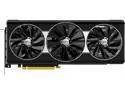
XFX RX 5700 XT THICC III ULTRA 8GB BOOST UP TO 2025 MHz GDDR6 3xDP HDMI Video Card
Pros: Unit has three fans to help keep it cool. Many only have two. Enormous heat sinks Solid construction Cover on the connector to protect it
Cons: Because it's so big and heavy it makes it a little rough to line up the connector with the slot (don't forget to take the plastic cover off the connector) Be sure your power supply is beefy enough to handle it.
Overall Review: I haven't upgraded my video in awhile, i was making due with a pair of rx580 (about the same performance as nvidia 1060) in crossfire mode. That was by no means a bad setup but when folks are telling me they are seeing 80+ fps in the same games I'm getting around 40..well it's just time for an upgrade. I switched over to Radeon when the Ryzen cpus came out because of the special relationship the two have. I've always built AMD machines. In the old days before AMD purchased them, the Radeons just didn't have a great rep for their drivers..hardware was ok but the company just couldn't get it together with their drivers. Things are much different now that AMD owns them. Video cards just get more powerful all the time they're practically a whole computer unto themselves. This is a HEAVY card, if your case has supports for big long cards i'd suggest you use them, like all modern video cards it gobbles up two slots in your machine and it will probably block one or more of the card slots immediately next to it. I have an older Rosewill Thor case which someone will have to bend my arm backwards to give up I love it. Yeh it's big enough to take a nap in it for a small kid but the air flow and cable management is unmatched for a case in that price range. The most annoying part of the install was finding the locks on the end of the pcie slots to release the old cards and then getting the new card properly lined up (blind) because you pretty much can't see the bottom of the card due to the housing and the heat sink and the fans and how far they stick out but with some gentle feeling around it was finally seated and don't forget to screw it down! Kids today have it so easy, gone are the days when windows would say no way and refuse to start because you made a major hardware change (driver issues) next boot started up properly no issues. As I was already using Radeon the software was installed and didn't even need to download a new driver. This card has a lot of settings most of which I'm not particularly familiar with, more study required there but my monitor has freesync and that part at least is working correctly it appears. My favorite game is black desert online, it is not a game that gives a powerful video card a heavy work out for the most part but I did see double frame rates right off the bat. Combat is the most hardware stressing part of that game but the environmental effects did benefit as well (they do a good job of lighting situations sunrise/sunset flickering flame and of course all the lighting effects from the spell casters and heavy combat situations (then there all the water, wind, rain effects when sailing on the ocean)). The card gets good ratings, I hope it will last me a couple of years as this kind of outlay is not something I'm always prepared to make. I have used XFX video cards in the past and they were great I have no fear this product will be just as good. I have been monitoring the heat inside the case and this one does seem to be running even cooler than the pair of rx580 that used to live in there under heavy load. I'm liking it, some super settings guru might have some comments about settings etc. but am happy wit it at defaults. I would like to know why some folks seem to be getting even higher frame rates with the same card but that is a matter for research and it could be game settings as much as driver settings etc.
8/27/2020See more detail
Love that modular cable setup--one heavy power supply
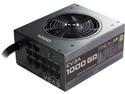
EVGA 1000GQ 210-GQ-1000-V1 GQ 80 Plus Gold, 1000W ECO Mode Semi Modular Power Supply
Pros: 1000 watt multi rail, sli or crossfire certified. Manufacturer name. Gold certified.
Cons: HEAVY, other than that none
Overall Review: I had a 900w power supply which would have been good if I wasn't planning to run crossfire. Everyone agrees, better have a 1000 watt in the case if you want to run more than one graphics card. This is a crazy heavy bugger but the modular cables make it a lot easier to route cables or just leave the ones out you don't need. Most of us don't have anything that uses molex anymore so you can leave that cable off if you only have two drives you probably only need need one sata cable with power connectors. If you only need one of the old five pin molex an adapter might be a better choice than another whole cable to route and wrap. I have a rosewill THOR full tower case that is a pretty heavy case made worse because there are no good places to grab it when you want to move it. I'm just a little old women who doesn't do weight training it was a bit of a challenge to move it up onto the table and down when I was done but I managed. New tower cases mount the power supply in the bottom unlike the top as mid tower used to do. The power supply has a nice big fan on it but that doesn't do much if the power supply is on the bottom no matter i have a liquid unit and fans on the top for that to pull hot air out of the case. The machine has been running continuously for several days either on a test bed stressor program or playing graphics intensive games like black desert online...so far so good no issues. Just be ready for the weight of this thing when moving your machine.
3/7/2019See more detail