
Your Browsing History


Adam C.
Joined on 08/01/02
0
0
product reviews
- 22
Decent CPU for the price
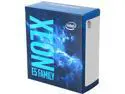
Intel Xeon E5-2603 V4 Broadwell-EP 1.7 GHz 6 x 256KB L2 Cache 15MB L3 Cache LGA 2011-3 85W BX80660E52603V4 Server Processor
Pros: 6 cores 40 PCI-E Lanes Dual Socket capable
Cons: None
Overall Review: Bought this for a FreeNAS iSCSI box running 8x 2TB WD Red Pros in a 2x RAIDZ config to back end ESXi. Generally runs at around 6% to 8% usage with 32GB of RAM.
4/24/2017See more detail
Decent while working
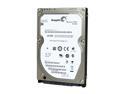
Seagate Momentus 7200.4 ST9500420AS 500GB 7200 RPM 16MB Cache SATA 3.0Gb/s 2.5" Internal Notebook Hard Drive Bare Drive
Pros: -2.5" SFF -7200 RPM
Cons: -Less than a year after purchasing the drive, it's dead -Cannot RMA back to Seagate as the DOM is 12/2012. . .looks like goHardDrive (the jokers that sold the drive) shipped a 2012 drive in October of 2016
Overall Review: I am having a harder and harder time recommending Seagate drives. This is the second SFF drive I've had die in a year, yet all the WD drives I have happily chug along for seemingly ever.
7/30/2017See more detail
Good gaming headset
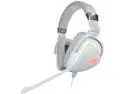
ASUS ROG Delta White RGB Gaming Headset
Pros: -Clear sound -Comfortable for long periods -Detachable mic -Adjustable mic -Visible mute reminder
Cons: -Oddly placed mute/volume -Cost?
Overall Review: After a few weeks of checking reviews and such, I finally settled on this headset. It definitely wasn't a bad buy at all. The headset is comfortable for long periods (8+ hours) of gaming. The headset is not heavy at all, and the ear cups fit very comfortably around my ears. According to the people I game with, the mic is crystal clear, and I can say the sound is clear. I like that on the end of the mic, there's a bright red LED to indicate whether or not the mic is muted. It's bright enough to be seen in my peripheral vision. My biggest complaint really is the oddly placed mute/volume button. The switch for the RGB is right behind the volume/mute switch, so a few times I've turned on the RGB instead of adjusting the volume. Overall, it's an extremely minor complaint.
12/5/2020See more detail
Crisp, clean, and smooth
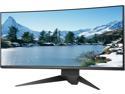
Dell Alienware AW3418DW 34" (Actual size 34.14") 1900R WQHD 3440 x 1440 120Hz Overclocked NVIDIA G-SYNC HDMI DisplayPort 4xUSB 3.0 IPS LED Backlit Curved Gaming Monitor
Pros: -"Overclockable" to 120Hz refresh rate -Cool design -Very crisp and clear image -Menus are, surprisingly, well arranged -USB ports (2 are even very easily reachable) -Plenty of pre-programmed game/color settings
Cons: -Price (though I got this on sale, so it didn't hurt as much) -Only "overclocks" reliably to 110Hz after 2 weeks of ownership
Overall Review: This is my first venture into the world of any adaptive sync, 100+ refresh rate LCDs. I went from dual 27 inch Viewsonics to this, and it was an awesome upgrade. While it sounds stupid, the menus on this are well arranged. In past experience, usually tweaking a monitor to your personal preferences requires going deep into menus. With this, literally all the customization can be done on the main menu or via the default shortcut buttons. Options to overclock and make the response of the display are in the first level, easy to see and set. The only game I play that seems to have any issues is Diablo 3, but this isn't a surprise; I noticed with higher resolutions when I tried nVidia Panorama with my dual monitors, there were oddities. Going from 60Hz refresh to 120Hz refresh is noticeable in a very good way. Inputs don't feel laggy anymore, image and animations look much smoother. No image tearing, no stuttering. I am very glad I didn't settle for a smaller monitor and decided 120Hz was enough for me due to the junky eyes and reaction time nature gave me. After reading reviews and watching YouTube videos doing somewhat informal testing, I dropped the 144+Hz requirement and instead went more for the features I'd like, such as the ultra-wide resolution and size. *edit* After owning this monitor for about a month, it has begun to flicker at anything over 110Hz. The picture is awesomely crisp and clean, it just doesn't get up to 120Hz anymore. So from 5 eggs to 4 eggs it goes.
12/23/2019See more detail
Great motherboard for pfSense
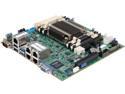
SUPERMICRO MBD-A1SRi-2758F-O Mini ITX Server Motherboard DDR3 1600/1333
Pros: -Quiet -Low power -Shovels packets very well
Cons: -IPMI and BIOS are a pain to update -Passively cooled
Overall Review: I have two of these motherboards, both running pfSense (one is for a business, the other for home). I've been able to run iPerf (TCP stream) through for testing purposes and it pushed approximately 25M pps at about 40% usage across all cores while running that test. Both pfSense servers use 16GB of RAM and a SuperDOM and have been working extremely well. If you're going to run this in a 1U chassis, I wholeheartedly recommend replacing the heat sink with Supermicro's actively cooled heat sink. The firewall I have in a 1U chassis went from idling at about 40C and going up to 90C under load to around 35C and 40C using the active heat sink. Before trying to even use IPMI, make sure to update it to the latest version; it allows for using HTML5 KVM instead of that junk Java KVM that's as stable as Charles Manson. The AES-NI is nice as it will help shovel encrypted packets quickly across VPN tunnels, the 4 onboard NICs are all good-quality Intel NICs, and once IPMI and the BIOS are updated to the latest versions both of those are well featured and work well when needed. Be aware that updating BIOS and/or IPMI can cause the IPMI to lose a static IP assignment and you'll need to use a DHCP assigned IP to get in to set the static IP again. I plan on buying another when the need arises.
9/2/2019See more detail
Clear and comfortable
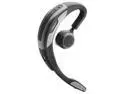
Jabra Motion UC Mono Bluetooth Headset - Comparable to Plantronics Voyager Legend UC-Retail
Pros: Sound is clear as a bell All day comfort 8 hour battery is great for all day WebEx or conference calls Bluetooth, so you can use it with your UC client on your computer and with a cell phone
Cons: Firmware update was a slight pain Having two devices hooked up via bluetooth and both receive calls causes issues An ear gel that went in-the-ear would be great
Overall Review: Got this when it was below $100. . .well worth it. Software just works with Cisco UC client (Jabber).
5/11/2017See more detail
seller reviews
- 1
Fast shipping through a war zone
Originally it was supposed to take 2 weeks for me to get what was ordered (a laptop) since I ordered it during the holiday season. However, it ended up taking just a little over a week, which was great. When I opened the outer box, the inner pack box looked like it had been used as a Frisbee and stopped by a fork lift. Thankfully the only damage on the laptop was cosmetic. The lid is aluminium, and one of the corners looks like had a run in with a cinder wall. Other than that, the laptop packaging had been opened to record SN/Model or some such information, so I would hope they looked at the laptop to check and make sure it wasn't *too* damaged before tossing it on a delivery truck.
On-time
Delivery
Product
Accuracy
Customer Service
Satisfactory
12/27/2020See more detail