


Your Browsing History


Steve G.
Joined on 08/14/01
0
0
product reviews
- 4
Works great in Thinkpad T30 with Ubuntu
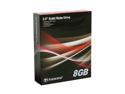
Transcend TS8GSSD25-S 2.5" PATA SLC Industrial Solid State Disk
Pros: Quiet. The bootup time is faster. The desktop comes up smoother. Easy to replace - formfactor is the same, but had to use old screws that fit the caddy.
Cons: Was not substantially lighter; just a little lighter.
Overall Review: For Ubuntu users: Use the noop io scheduler. Edit /boot/grub/menu.lst and add: elevator=noop to the default options. Edit the /etc/fstab and add: noatime and nodiratime as options for the drive.
11/28/2008See more detail
Works with a Thinkpad T30
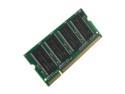
G.SKILL 512MB 200-Pin DDR SO-DIMM DDR 400 (PC 3200) Laptop Memory Model F1-3200PHU1-512SA
Pros: Full 1 Gb of memory, as advertised. Nice upgrade for an old laptop. For the T30 I had the infamous bad front memory card slot. I got out my micro tip soldering iron and resoldered the connector. All of the memory showed up!
Cons: None.
Overall Review: I also got the transcend 8Gb SLC SSD to replace a fading hard drive. Really boots nice and starts smooth. I run Ubuntu 8.10.
12/7/2008See more detail
Ubuntu Linux and the HL-2170W
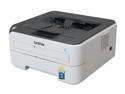
brother HL Series HL-2170W Workgroup Up to 23 ppm Monochrome Wireless Laser Printer
Pros: Prints fast and nice. Wireless works great. Compact size is unobtrusive. Can be setup without windows and without CD. Great price.
Cons: None
Overall Review: To setup on Ubuntu Linux, you will need to connect to the printer's Ethernet jack and have DHCP enabled on the network: The printer will find an IP. You can find out what the IP is by opening the printer manager or looking in the router at devices connected. Now use a browser to browse to that IP - user: admin, password: access. If you are using Ethernet connection or Wireless connection you must set up the TCP/IP settings for EACH! So, for wireless, set the IP to a static one (usually outside the DHCP range) and then set the WEP, etc for your router. You can use the generic PCL6 drivers or go to: Brother printer site (I would post it but it has offensive word in it - not really, but Newegg auto detect thinks so ;() and use the HL-2070N - follow the directions. Run the print manager again and it will find the wireless (or ethernet if you use that). Select the Brother, HL2070N and try a test page. - Nice, eh?
5/8/2008See more detail
Worked just like it should.
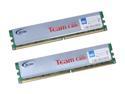
Team Elite 2GB (2 x 1GB) DDR2 800 (PC2 6400) Dual Channel Kit Desktop Memory Model TEDD2048M800HC5DC
Pros: Used these in a AMD BE-2300 system with Elite Group MB running Ubuntu - no overclocking. Fit was good - there was spacing between both for airflow. Performance was good - memcheck passed easily.
Cons: None.
Overall Review: It worked like you would expect memory to work - no problems.
2/20/2008See more detail