
Your Browsing History


Gene O.
Joined on 12/13/01
0
0

product reviews
- 23
TomatoUSB
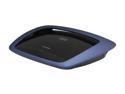
Linksys E3000-RM 802.11a/b/g/n 2.4/5GHz Dual Band Gigabit Wireless Router
Pros: Flawless TomatoUSB install, up to 150 Mb/s from internal to external ports. 90 Mb/s on 5 GHz 40 MHz channel. Very good range. USB port works well. Great router for TomatoUSB. I bought one of these new, and 3 more refurbished. I use them as routers, wireless bridges, and for WDS. Also bought 4 E2000s refurbished. All are flawless. AFAIK this is the best residential router on the planet to run TomatoUSB, and once you have run that software, you never want to run anything else.
Cons: Some sources on the Internet say the router overheats. Believable because it does run warm. As recommended elsewhere, I put 4 rubber feet on the bottom to improve ventilation and I keep the routers where there is good airflow. No problems so far. The 480 MHz Broadcom processor has 64 MB of RAM and 8 MB of ROM. The wall-wart is rated at 12V at 2A. Now you know why it runs fast and warm.
Overall Review: With TomatoUSB you can plug in a USB hard drive and access it through Samba. Supports CIFS ext3 well. I use one with a 1TB and another with a 2TB disk. Maximum transfer rate is only 5 MB/s, which is about what you should expect from a processor in this class. Still it is nice to have something tucked away for backups and media. Sorry, haven't tried the printer interface.
3/23/2012See more detail
The bells and whistles don't work
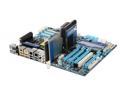
GIGABYTE GA-X58A-UD7 LGA 1366 Intel X58 USB 3.0 ATX Intel Motherboard
Pros: The basic operation is very good. All the stock Intel chipset operation is excellent. The X58 chipset is very well cooled with and it shows. It overclocks well, even allowing me to run 6 DIMMs at 1600MHz at 1.5V. That's not a supported configuration, but it runs very well.
Cons: Where this board is a disappointment is in the bells and whistles. The ISA stuff just limps along; could be bad hardware design or bad drivers, but it seems to be a marginal design whatever it is. The Gigabyte SATA ports and eSATA ports are a little better. They don't crash anything, but they are connected to a slow internal bus so they run slow. You are lucky to get 100 MB/s on two disks that can both transfer above 100 MB/s on the internal ports. I had a little better luck with the SATA 3 ports, but they didn't work well enough to really use with a high performance disk. None of the non-Intel ports worked at all with a DVD, so I had to burn up 4 of the Intel SATA ports to get 4 DVDs. I bought this board because it had 10 SATA ports plus a couple eSATA ports, but in the end I had to buy a 4 port PCIe x4 SATA II controller to get full speed on 6 disks. Also two spec PCIe x1 ports are blocked by heat sinks so they can never be used, and shouldn't be mentioned in the
Overall Review: The board is a bit of a conundrum. There is a beautiful base design, flawless in operation and beautiful to behold. It really is a beautiful board. But the extra bells and whistles are amateurish at best, and a waste of power at worst. I can't recommend the combination. I suggest you buy one of the scaled down versions, a UD3 or UD5 which is probably a great board, uncluttered by a bunch of half-functional bailing wire add-ons that don't really work, and are a waste of human energy to fool with.
9/21/2010See more detail
Good deal, terrible NordVPN customer experience

Microsoft 365 Family | 12-Month Subscription, Up to 6 People | Word, Excel, PowerPoint | 1TB OneDrive Cloud Storage | PC/MAC Instant Download
Pros: I bought 3 combo packages. Each one include one year of Office365 plus one year of NordVPN. I received my codes for Office and NordVPN promptly, excellent NewEgg customer service. On Offiice365.com, all three Office codes went in w/o a hitch. Excellent again!
Cons: NordVPN was another story. I put in the first code successfully. When I tried to put in the second code, I was told I was entering coes too quickly. An hour later I got the same message. Apparently I didn't wait long enough to try again. So I waited until the next day to try a third time. As I couldn't remember which code I put in first, I tried all of them. For each I received a variety of error messages, followed by another message to wait for awhile. So far as I could tell, zero of the codes had been accepted. On try 4, I put them all 3 codes again, got miscellaneous error codes for every one of them, but at least I wasn't told to come back later. Again, it seemed that zero of the codes were accepted. As I am a previous NordVPN customer, with a previously expired subscription, I checked to see if my 3 entered codes had extended my subscription end date. Nope. On the Billing page, my end date was unchanged. Thoroughly frustrated, I sent my Newegg receipts and all three codes to customer service. Next day I recieved a polite reply that all my codes had already been entered, and my subscription was extended another 3 years. However, when I looked on the Billing page, my end date was still unchanged by the transaction. So I wrote back to customer service, asking why that was. I was told that since I used a product code, and didn't use my credit card on their site, my Billing end data would not be updated. They instructed me to view my "dashboard". Sure enough, the end date on my dashboard was extended. No change to the Billing page, it still said my previous subscription had expired. It seems I was foolishly expecting all the subscription information on the NordVPN website to be correct and consistent. Just as if NordVPN had competent accounting. So I got a good deal, after wasting a few hours of frustration getting error messages, and contacting tech support. And cursing. Overall it was a terrible experience. Next time I will use another VPN service. You Have Been Warned!
Overall Review: I recommend this package for the price, and for the excellent Microsoft customer experience. NOT for the TERRIBLE NordVPN customer experience.
12/8/2025See more detail
Hot and Noisy Drives
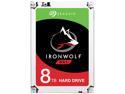
Seagate IronWolf 8TB NAS Hard Drive 7200 RPM 256MB Cache SATA 6.0Gb/s CMR 3.5" Internal HDD for RAID Network Attached Storage ST8000VN0022
Pros: - Relatively fast 7200 RPM spindles. - Reads and writes sequentially about 220 MB/s. - Increased the performance of my Netgear NAS about 10% compared to 5400 RPM WD RED drives.
Cons: - High spindle whine, a bit of seek noise. - Extra performance gained from 7200 RPM drives results in only about a 10% NAS perforrmance boost compared to 5400 RPM drives. - The drives run very hot in my Netgear NAS. I am concerned about their life at those temperatures, and the life of my case fan which must now run at high speed whenever the drives are spinning.
Overall Review: I replaced the 5400 RPM WD RED drives in my Netgear 204 NAS with 4 of these drives. The increase in noise was immediately noticeable. The WD Red drives were nearly silent in operation, while these emit a lot of spindle noise. Seek noise, which was not noticeable with the WD Red drives is present, but the level is below that of the spindle whine. The increased power drain when reading/writing (8W on the spec sheet) causes the inner drives to climb above 48°C unless the NAS fan is set to its highest setting: "cool". To keep the inner drives at 44° C, the case fan now runs at 2750, occasionally increasing to 3250 RPM when one of the inner drives climbs above 44° C in heavy use. Formerly my WD RED drives ran about 37°C with a 1500 RPM fan speed. NAS performance is slightly improved, transferring large files at about 55 MB/s compared to 50 MB/s before. However it's definitely not worth it, considering the noise and heat. I DO NOT RECOMMEND these drives for a residential NAS. Far too hot and noisy. Loudest drives I have heard since the 1990s. I regret purchasing these drives, and may return them, even if I must pay a restocking fee. I should have stuck with WD RED drives, which have served me so well in the past. Don't make the same mistake I did.
11/22/2020See more detail
A Few Caveats
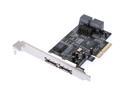
Rosewill RC-218 PCI Express SATA II Controller Card w/ 4 internal SATA with 2 external eSATA Design
Pros: Flawless install. Very Fast, PCIe x4 interface allows it to easily transfer 500 MB/s with 4 drives on both Windows and Linux.
Cons: Does not have SATA retainer notches, so cables tend to loosten from the connectors. Check them every time you jostle the cables. On boot, only two drives show up on the Bios screen, when 4 drives are present. After boot, both Windows and Linux can access all 4 drives. Probably you can boot from only one of these two drives. The Acronis True Image 11 recovery boot disk hangs with the controller plugged in. Also the Symantec Backup Exec 2010 recovery boot disk can't see the controller. Neither of these are the fault of the hardware, but you have to live with the consequences when you do a recovery.
Overall Review: I used Linux RAID and Windows RAID0 without problems. From the Newegg description you might think this board supports 6 drives, but it only supports 4. Jumpers switch two connectors from internal to external.
7/13/2011See more detail
Great Reader, OK Writer
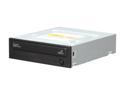
SAMSUNG CD/DVD Burner 22X DVD+R 8X DVD+RW 16X DVD+R DL 22X DVD-R 6X DVD-RW 16X DVD-ROM 48X CD-R 24X CD-RW 48X CD-ROM Black SATA Model SH-222AB
Pros: Very reliable, I have about 8 of these. No problems with any of them. They read everything, CDs, DVDs etc better than any other drive I have owned. If this drive can't read it, there is no point in trying another drive.
Cons: If you care about your data, you should verify every disc you burn. I do. This drive is spectacular at 4X DVD burns but falls down at 8X or above. Writing premium DVD+R media at 8X with Nero, I get about 15% verification errors, so I never do that anymore. Higher speeds get higher error rates.
Overall Review: I have had other drives that burn reliably at 8X, but none that were so good at reading CDs and DVDs. Overall I prefer the Samsung to any other drive I have tried.
6/29/2011See more detail