




 here!
here!
I’m your shopping assistant for PC builds, upgrades, and everything tech.
Got questions? Ask away!
Start a conversation
here!
I’m your shopping assistant for PC builds, upgrades, and everything tech.
Got questions? Ask away!
Start a conversation

Joined on 02/09/04
First gigabit device
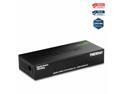
Pros: My fast ethernet home network is getting long in the tooth. This is my first fast ethernet switch. It seems to be nice, quiet, and cool to the touch. It draws about 1 watt. My 2 gigabit ethernet devices register correctly (green light) and other non-gigabit devices register orange / amber.
Cons: When reading the manual, I discovered the jumbo frame size support for the 8 port model (the one I ordered and am reviewing) is smaller than for the 5 port model. Worse the size of the jumbo frame on my 8 port device is smaller than the largest frames on my Linkstation NAS. As a result I have to run 7K jumbo frames instead of 9K from my Linkstations. The 8 port TEG-S80g supports up to 9612 byte jumbo frames. The 5 port TEG-S50g supports up to 12k byte jumbo frames. I did not know this at the time of purchase. I don't understand why the price of this device and its sister 5 port device keep changing.
Overall Review: Aside from the jumbo frame issue, this device is working well. I have no other complaints. The price was good ($29 at the time of my order) with free shipping.
This utility is a mixed bag

Pros: The Tune Up utilities seems to be a mix of many utilities put together under one title (and interface). It will help clean the registry, defragment a hard drive, check internet options to assure optimal performance, and try to improve video performance or desktop presentation and a lot of other stuff.
Cons: The Tune Up utilities has some side effects. It asked me if I wanted better performance on my desktop because my video card was capable of it. I clicked sure. Who wouldn't want a better, faster desktop. Whoops, wrong answer. I lost all my custom settings, my very loved (for many years) background, plus the video improvement rounded corners of everything, even tabs in my Opera browser (I don't like small boxes with rounded corners). This was no improvement in my opinion and had nasty side effects (sounds were turned on I wanted off). Worse was the reboot after first installing. Somehow or for some reason Tune Up flagged my hard drive as dirty. This required checkdisk to run at boot. Usually this isn't a big deal, however Tune Up seems to know a way to make checkdisk take forever. What usually is a 5 minute nuisance turned into a 3.5 hour nightmare. Tune Up didn't ask me if it could flag my drive, it just knew I needed to be safe. The 3.5 hour boot didn't help my love for this utility
Overall Review: If it worked without side effects, or if it clearly indicated what the side effects would be. This would be a great add on. Unfortunately Tune Up causes a lot of evil side effects as it tries to "help". I give the makers an A+ for some stuff like cleaning registry or improving internet performance. They get an F- when it comes to surprise super long checkdisk or total destruction of my desktop visual and sounds to "improve" it. The sound changes came without any warning. On other stuff, like checking internet safety, or checking AV function, I'd give it an A-. When it works well, its great. When you have to wait hours to boot, it isn't.
Durable printer with good support and decent quality prints
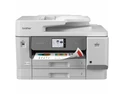
Pros: I have an older version of this printer, a MFC-J6935DW from 2017 and it still works. I needed a printer for a second location, and this seems to be the enterprise variant of the MFC-J6935DW evolution. Enterprise printers tend to have lower cost ink, are more durable, and tend to last longer . The cost of 3rd party ink for this printer is low, similar to it's older variant. If this lasts 9-10 years I'll be very happy.
Cons: Not the most vivid color printer, if you want something that looks very beautiful for family picture frames, this may not cut it. The printer is much larger and heavier than other home or home office printers. The output shelf is flimsy. I don't use tabloid size much, but it's nice to have it, tabloid size in every way increases the size and weight of this printer. If you never need tabloid, look elsewhere. The auto duplex printing and scanning is OK, but scanning jams a bit, depending on paper and room temperature (colder rooms seem to have slicker paper that jams). For a home office there are optional security features via NFC that may be overkill.
Overall Review: I would recommend this to someone who wants a durable device for a long time, and who is willing to pay a lot more up front for lower cost ink over time. Brother has a decent policy so far with it's inkjets and 3rd party inks. Though it's hard to predict into the future. My older MFC-J6935DW is almost 10 years old and still works great, it appears to be the ancestor of the MFC-J6960DW and MFC-J6975DW. The J6960DW is lower cost, but amazingly similar in size and weight to this printer, but the ink costs are higher. Enterprise values low operating costs over time above initial cost. If you won't print more than a few hundred pages a month, the MFC-J6960DW may be a better solution.
No free data plan offered
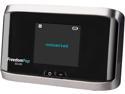
Pros: It was relatively easy to configure, and seems to have decent LTE performance.
Cons: No free plan was offered. I get 4G coverage, but freedompop forced a 3G/4G plan for $3.99 per month billed 3 months in advance. After an hour waiting for someone from billing, the problem is unresolved, though I now have a ticket. This service should not advertise as free if it isn't, or if there are exceptions.
Overall Review: Freedompop advertises this as a free 500 MB per month unit, but then charges $11.97 for 3 months use, even if free was selected at sign up. I want to try the free service, not pay for the same 500 MB which were promised for free.
Very nice, economical switch
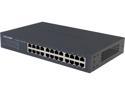
Pros: The switch works as advertised, no fan, very quiet, good operating temperature range, gigabit no problem on all 24 ports. Low power consumption, not too hot. Mounts in rack without any difficulty. Supports jumbo frames.
Cons: Only IP4, literature sparse, but it is mostly plug and play. Doesn't have spanning tree or similar built in, causing me to be concerned about someone plugging another switch further down the line incorrectly. Couldn't tell which model would arrive (turned out to be a model 2).
Overall Review: No IP 6, would have preferred to know which model would be shipped. No fan is a major plus. Spanning tree or similar should be standard imo.
Nice keyboard, but tough on fingers
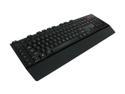
Pros: This is a nice keyboard, and very helpful if you game. Windows 7 instantly recognized the keyboard, it works well with several online games. The macro feature is useful. The back light is even and easy to make out even in low light rooms.
Cons: The keys are stiff, and can be painful to push after hours of gaming. Other keyboards (by Microsoft, Logitech, etc) don't have such stiffness. I'm not certain what is wrong, but after long periods online, my fingers may hurt more than with any other keyboard. Some of the keys aren't lit, and while they are easy to fine, the lack of full back light on all keys is annoying.
Overall Review: This is a USB keyboard, will only glow red (or off), it's intended purpose is to help gamers game.
Seller sold a smaller quantity count than advertised on the first order but was correct on the second
The seller got the quantity wrong, sent 120 instead of 250 units. On the second order the seller sent 250 units which is what was advertised. Both were of the same brand in different sizes, both at the same price from the same order. Not certain why the seller is shipping half the advertised quantity. Order fulfillment of the short product was from California, order fulfillment of the correct product was from New Jersey. My guess is seller is ordering drop ships, I suggest seller stop using the California drop ship.
Product listed said 250 capsules, first order got me 4 120 capsule containers
Product wasn't as described on first order, was on second. On first order instead of 250 capsules, I got 120 per container, on 2nd order I got 250 per container. The first order was shipped from California the second from New Jersey. They seem to be the same maker.


