
Your Browsing History


DEVIN C.
Joined on 11/23/07
0
0
product reviews
- 21
Great notebook, one annoying design flaw

SONY VAIO FW Series 16.4" Intel Core 2 Duo P8700 4GB Memory DDR2 800 Windows 7 Home Premium 64-bit
Pros: Great screen, (the 900 pixel height is a big plus) Doesn't seem to run hot and has been 100% stable.
Cons: Crazy power indicator. Lost 1 star for that design flaw. The Viao update software seems to just point you to a website, it doesn't point out any new drivers etc.
Overall Review: This is a nice, straightforward notebook. Didn't come overly loaded with bloatware. The screen is really nice, haven't had fingerprint issues, but I may not be as picky as others. The hinge design eliminates the access to the back of the laptop, so all ports are on the side, thus only 3 USB ports, not biggy for me. The power indicator, on the other hand is truly annoying. It's too clever by half. Giant, bright, and tacky, not only does the ring annoy the operator of the laptop, but others in the room, if the room is dark. I would seriously think about covering it up if your going to do some work on a night flight etc. What were they thinking?
12/3/2009See more detail
Worst Refurbs ever
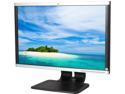
HP Compaq LA2205WG 22" WSXGA+ 1680x1050 60Hz DVI-D VGA DisplayPort USB Hub Anti-Glare Widescreen LCD Monitor
Pros: Cheap
Cons: Whomever is handling these refurbs are passing off complete junk. I accidentally received 2, and can't believe the poor packaging and condition of these monitors. They must have simply plugged them in and if they did anything, they were good enough to ship back out. The first monitor has a sticking power button, though the feel of the button panel hints at a possibly damaged button, so I decided to take a look at the extra monitor. Wow, it had a giant dent in the button panel. When I powered it up the DVI input was heavily chopped and distorted. Doubt the people handling the refurbs even ran a signal through it.
1/15/2015See more detail
Warning - did not work Aorus Gaming Box
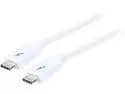
StarTech.com TBLT3MM2MW Thunderbolt 3 Cable - 6 ft / 2m - White - 4K 60Hz - USB C Charger - USB C to USB C Cable - USB-C Charge Cable
Pros: Long
Cons: Doesn't work with Aurus Gaming Box eGPU. Wasted hours debugging, went back to the included 6" cable.
8/21/2017See more detail
Pure Junk
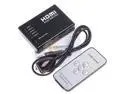
Mini 5 Port 1080P Video HDMI Switch Switcher Splitter with IR Remote
Pros: Small
Cons: This switch is junk. First of all, it is powered off of HDMI or 5v, but since no cable is given, I was stuck with HDMI power. This may have contributed to the poor performance. The switch has no brand name I could find, so I had to enter the details manually into Harmony. It was a pain to learn the IR, but I eventually got there. No real manual is included, just a couple of lines on the packaging is supposed to suffice. There seems to be a button, or at least a cover over what used to be a button for selecting inputs, but this now seems to be covered up. The bigger problem is that this switch always seemed to default to Auto mode, switching away from the selected input. Nothing from the remote could change this. I guess this is going in the junk bin now. As a note, the shipper is from China. Expect to wait at least two weeks for delivery.
6/6/2016See more detail
Works great ... for a while
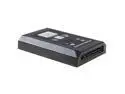
500G HDD Xbox Slim Internal Hard drive for XBOX 360 slim XBOX 360 S Games
Pros: Kicked right in and ran.... but
Cons: Died in less than a week of usage. Tried it in a second xbox to verify it did not work. Dead....
1/24/2016See more detail
Doesn't work
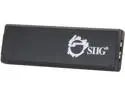
SIIG USB 3.0 to DisplayPort Adapter JU-DP0011-S1
Pros: None
Cons: DOA - Doesn't load a driver and nothing on the display. Hooked directly to my laptop.
6/2/2015See more detail