


Your Browsing History


Andrew W.
Joined on 03/26/10
0
0
product reviews
- 2
It's an awesome monitor... Except...
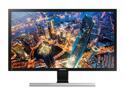
Samsung LU28E570DS/ZA 28" UHD 3840 x 2160 (4K) 1ms 2x HDMI, 1x DisplayPort AMD FreeSync Tilt VESA Monitor
Pros: Samsung did well with this monitor by making it 4K and cheap. I own 2.
Cons: The main problem I've had is with the stand. One of mine broke (user error/design flaw). It's still usable. But I got the second monitor because I'm a programmer and I love setting up two monitors side by side in a vertical (portrait) setting. The problem is you can't rotate this monitor using it's base stand and it doesn't have the standard screwholes in the back to attach an alternative stand. Also, most PCs can't run most games at 4K resolution without losing some framerate. Be sure to check your card's performance if that is important to you.
Overall Review: If you don't care about portrait mode monitors, this is a great monitor.
11/7/2019See more detail
USB Video, huh?
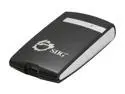
SIIG JU-DV0012-S2 USB 2.0 to DVI/VGA External Video Card Adapter
Pros: I am a Computer Science Graduate with considerable background in Multi-screen usage. I bought this device to see how well it performed for both low level functions, and high level functions (such as video and games). Gives you another video port. For me, I use two laptops, and one of those laptops lost it's ability to output on the VGA output on its card, so this was a big help. Using three screens now with an old school laptop. Being a multi-monitor junkie, I have to say this is awesome.
Cons: Does have some raw power issues. Can do video, but glitchy. Doesn't support the resolutions I would want. For this next one, I should add a disclaimer. I am a video game programmer, who has developed a way to handle multi screen gaming rather well (on PC). When I put my game on the USB monitor, there were major lag issues, and there were framerate issues. This is not a gaming tool. You will need to buy a real graphics card to handle that sort of thing or just put it on your main graphics card monitors.
Overall Review: Going from one to two screens is completely awesome. However, going from two to three screens does not add as much benefits. It is better, don't get me wrong, but the space in between screens makes you have to organize your work. Overall, this is an amazing product for work or standard applications. Once you get into the graphic intensive stuff, like video, you better put that on one of the main displays.
9/1/2010See more detail