

Your Browsing History


MIKE B.
Joined on 07/04/04
0
0
product reviews
- 4
Excellent modem!
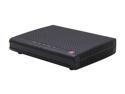
Zoom 5341-00-00J 5341 Docsis 3.0 Cable Modem Ethernet Port DOCSIS 3.0
Pros: Excellent Cable Modem for the price. Trivial to setup. Quick call to Time Warner with serial number and Mac and I was online in minutes.
Cons: None
Overall Review: Highly recommended to anyone looking to save rental fees on their cable modem.
6/6/2013See more detail
A lot depends on your router... It CAN work well
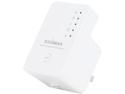
Edimax EW-7438RPn V2 300Mbps Universal Wi-Fi Range Extender, Repeater, Wireless Bridge, Access Point, Wall Plug design, Smart LED Signal Indicator, Easy iQSetup by Smart Phone (No CD Required)
Pros: Small Easy to configure Works as advertised (but you MAY need to setup DHCP - see below)
Cons: Admin interface could be a little more intuative
Overall Review: When this arrived, I went ahead and did a manual configuration. You can select a network or manually configure it. Since I was at my shop, I did it manually. Entered the SSID, the existing netowrk key, set an extender SSID, and saved. When I got home and plugged it in, worked great. But then I tried to connect my phone. It connected, but would not get an IP address. Same with my laptop. Tablet. Only one device would connect to the router. The router wouldn't even show my devices as 'attached' all the time. It's a Netgear WNDR3700v2 with the latest firmware. From what I could tell - the Netgear would NOT provide an IP address to more than one device through the repeater. I noticed the Edimax has a DHCP server function. Seemed odd for a repeater, but now I can see why. So here's what I did to get it working like a charm for ALL my far devices: 1) In your router, carve off a section of your LAN. For example: Router IP: 192.168.1.1 Router DHCP Pool Start: 192.168.1.2 End: 192.168.1.199 If you need some static IPs, move the Start IP higher 2) In the Edimax Advanced Settings (System Settings) set the Management IP manually. In my example its 192.168.1.200. Set your subnet mask to 255.255.255.0 and the Gateway Address to your Router's IP 3) Enable the Edimax DHCP server 4) Set the Default Gateway to your Router IP 5) Set the domain Server IP to a known DNS server (I used Google 8.8.8.8 but you can use your ISP's server as well) 6) Set the Start IP to the REPEATER DHCP pool (in my example 192.168.1.201) 7) Set the End IP to the REPEATER DHCP pool (in my exmaple 192.168.1.250) This gets me 50 IPs for my extended devices. More than enough :) 8) Not sure the domain name matters unless you need local DNS 9) Set a lease time (I always set to a day) Apply and reboot. Now all your devices should connect and get IPs from the extender instead of the router which may be blocking more than on IP. Once I did this the extender works GREAT. I have two phones, a desktop, two laptops, and a media player hooked to it and it's working great.
2/25/2013See more detail
BEWARE if buying as replacement!
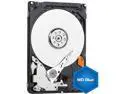
WD Blue 250GB Mobile Hard Disk Drive - 5400 RPM SATA 3 Gb/s 2.5 Inch - WD2500LPVT
Pros: Extremely thin - improved airflow/cooling
Cons: Extremely thin - may not insert right Advanced Format Drive - BEWARE!!! If you have not dealt with Advanced Format Drives (4k/sector) and you are buying a replacement drive for an older laptop - BEWARE!!!! They will work, but it can be an education getting them working. First, the drives are VERY thin. I installed it in the laptop carrier (it fit fine) and slid it in. It felt wrong - no resistance. BIOS showed no drive. Took me a day to figure the drive was 'missing' the SATA connectors inside, even with the carrier. Some pressure tilting downward and it slid in right. AFD drives are 'supported' in Vista and above, but not always natively. XP takes work. Cloning 'works' as does a recovery from DVD, but you have to run a tool called WD Align to fix the partitions. Windows version impossible to download even after registration. Had to use old CD ISO. Clone still was messed up - so I installed from recovery. Still had to WD Align. Got it to boot. But then Windows would not update
Overall Review: I got - no joke - a 'Catastrophic Failure 0x8000fff' from Windows Update. WD had mentioned you needed Intel Matrix drivers 9.6 or higher. Turns out the lack of driver support for AFD in the stock Vista/Dell drivers means Windows Update fails BADly. Only one problem - the latest version of the drivers (10.8) do NOT support the very popular ICH8 chipset. v9.6 DOES, but it's almost IMPOSSIBLE to find. I finally found a version of it (Google STOR_allOS_9.6.0.1014_PV) and was able to update the drivers. Restart and windows update worked great. Ran Windows Update Readiness Tool just to be safe. If I was doing Windows XP? I'd do an F6 floppy install of v9.6 before the install (Vista method for this is slightly different) I believe this would cause much less trouble. Or at least make sure that was the FIRST update I did after booting the system. I gave it 5 stars because the drive is great, WD provides the necessary tools and documentation. It was the lack of the driver that killed me.
6/18/2012See more detail
Excellent Machine
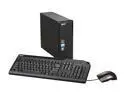
Acer Desktop PC Aspire AX1800-U9002 Intel Core 2 Quad Q8300 4GB DDR2 750GB HDD NVIDIA GeForce 7100 Windows 7 Home Premium 64-bit
Pros: Fantastic Machine for the money. Very quiet.
Cons: Bought this the day Windows 7 came out - drivers were a bit rough. Some USB weirdness. Downloaded latest BIOS & drivers from Acer along with all Win7 updates and system has been rock solid ever since. Using as my primary desktop - fantastic purchase. Highly recommended. I've already sold a number of these to clients.
11/6/2009See more detail