

Your Browsing History


Peter G.
Joined on 01/26/10
0
0
product reviews
- 1
This review is for the MSI Review Rebate Program
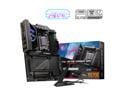
MSI MPG X870E CARBON WIFI Motherboard, ATX - Supports AMD Ryzen 9000 / 8000 / 7000 Processors, AM5 - 110A SPS VRM, DDR5 Memory Boost 9000+MT/s (OC), PCIe 5.0 x16 & 4.0 x16, M.2 Gen5, Wi-Fi 7, 5G LAN
Pros: This review is for the MSI Review Rebate Program -Impressive VRM heatsink and 8-layer PCB to support very solid cooling performance. Cinebench R23 Temps maxing out around 70C -No issues pairing with 9800x3D -RAM speeds reached advertised EXPO times with headroom. I am currently running GSkill 2x48GB at 6400 MT/s -Use of a third PCIe slot beneficial for my use case of adding a 10GB networking card. Many of the X870E boards even in the highest tiers (ROG Crosshair Hero, Nova Taichi) only offer 2 bifurcated PCIe x16 slots. Meaning if you were to add Graphics card and another expansion card such as a capture or network card you are halving the bandwidth on both PCIe lanes since they both become x8. For me I would rather sacrifice an extra M.2 slot for the ability to add extra functionality to my computer. So I think this was a thoughtful approach by MSI on the X870E MSI Carbon Wifi. -I prefer white builds but the look and accents on this board won me over. The RGB is tastefully added and it is not aggressive or over-the-top. -MSI seems to be poised to be a leader in RAM support for the future of DDR5 on AM5 such as with CU-DIMM which could be a major advancement in speeds at high capacity. Purchasing a MSI board like the Carbon was a way for me to have support for these features if adopted down the road -Outstanding connectivity with 2 USB 4.0 (40 gbps), 2 USB 3.2 Gen 2 (10 Gbps type-C), and 9 USB 3.2 Gen 2 (10 Gbps) -Great BIOS experience and super clean and easy to use -Much better customer support than ASUS.
Cons: -Using M.2 slot in M2_2 is the biggest downside for me, but as noted above it is a sacrifice I don't mind making for the option to use an extra PCIe slot. I had to remove one of the M.2 drives that I was using but did not have anything on it as of yet. Not the biggest deal in the world but slightly annoying considering Nova Taichi from AsRock doesn't require you to sacrifice this. -Price is a bit high compared to the midrange boards such as Tomahawk. It does offer quite a bit especially on the connectivity side and is right in line with the competitors Strix and Aorus Master -Backplate would have been good here especially with the Nova and Taichi offering backplates at lower costs. This particular CPU doesn't get super hot so it's not the end of the world.
Overall Review: Owning a Asus ROG Strix x670e-a, it wasn't on paper an urgent thing that I needed to upgrade to. However, I have experienced non-stop issues with the Asus Strix from memory support especially to lately all of my devices (mouse, keyboard, etc) stuttering and reconnecting sometimes mid-game or gunfight. I figured with the launch of the X870E line, I could upgrade to a more stable system and one that doesn't seem to always have some sort of issue. So far so good. The X870e MSI Carbon Wifi is rock solid so far in terms of performance. Games and apps do feel less jittery and connections for my peripherals has been great. I am loving the ease at which I can run my RAM at higher speeds and look forward to hearing more about MSI's commitment to CU-DIMM and building on a board that can take advantage of this in a year or two. I don't really feel a need to upgrade motherboards often unless building a completely new computer, and I do think that the X870E MSI Carbon Wifi will give a lot of headroom in this sense.
1/6/2025See more detail