
Your Browsing History


Miguel C.
Joined on 09/04/05
0
0
product reviews
- 15
It's Worth Your Hard Earned $$$
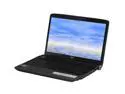
Acer Aspire 16.0" Intel Core 2 Duo P8600 4GB Memory Windows Vista Home Premium 64-bit AS6930-6073
Pros: This is the cheapest price for the CPU(Core 2 Duo P8600)+GPU(9600M)+Mem(4gigs) combo. Performance is GREAT so far. 64-Bit OS. Centrino 2. 16 inch wide screen size. HDMI out works great on my 37inch samsung LCDTV. Glossy screens make the picture quality crisp and crystal clear, love it. Supports SDHC memory cards. One-touch - volume controls, playback controls, & wifi.
Cons: full numeric pad on keyboard forces u to type slightly to the left along with use of touchpad. It's rather thick due to the subwoofer and 2nd sata hard drive bay underneath so it looks bulky on my desk compared to my Acer Aspire 5672. Hard drive speed is 5400RPM, I am swapping it with a 7200RPM. Junk software to remove (as expected; not too much though). I don't mean to be picky but if you're looking for style or something that turns head, this is won't cut it. Comes with Vista but if you know your way around a PC you can tweak it. Graphics card needs update, go through Nvidia website, no a con really. It weighs a hefty 7.5lbs but considering the hardware its reasonable.
Overall Review: I could have done without the full numeric pad so that my hands and touchpad would be centered on computer. I was not aware that laptops came with 2 hard drive bays (awesome!). I can't find WinXP drivers for the hardware in order to downgrade to XP. I recommend installing Inspirat on any XP setup to add the vista style windows and icons (otherwise xp is dull). This is my 2nd Acer and so far very pleased (just don't buy their lowergrade models). I was going to buy a $am$ung NC10 cause batt life (6hrs) and size (10.2inch 2.5lbs) but I wanted something powerful to replace my desktop and something that can manage photoshop CS4 and lightroom (this is it!). Get a wireless laser mouse. So its glossy and prone to fingerprints, big deal, this is not a pageant show. Worried about hard drive failure? clone your hard drive using xternal hard drive case n 2.5hdd. Its a great laptop despite its cons, I confidently recommend this.
3/14/2009See more detail
Decent mouse
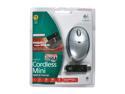
Logitech Cordless Mini Optical Mouse
Pros: Price:for a wireless mouse its priced low.
Cons: The pointer is crazy, its all over the place! You have to significantly adjust the speed of the pointer, which also affects the speed of the touchpad on my laptop. It also does a terrible job on highly slick/smooth surfaces (e.g. Yellow pages book, smooth tabletop surface). The receiver holder underneath also has a challenging design...the receiver falls off too easily since it only locks into the underside of the mouse about 1/16 of a inch!
Overall Review: I own other logitech peripherals (keyboard, PC controller, optical mouse) and I think they make great stuff, but i was disappointed with this buy. Try a different Logitech wireless mouse. I wouldn't recommend this one.
12/2/2006See more detail
Works as Intended
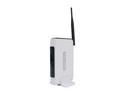
TP-LINK TL-WR541G IEEE 802.11b/g eXtended Range Wireless G Router up to 54Mbps/ 10/100 Mbps Ethernet Port x4
Pros: Low price, easy setup, works as it was intended to, small in size, looks kinda cool, holds a stable connection.
Cons: Does not provide extended range beyond what your average router is capable of. I noticed that after about 70+ feet, despite it having 2-3bars of signal, it fails to output my network capability (12MB) and gives me about half the power of my network (6MB) or less, but U wont notice unless you do a speedtest OR you are trying to stream Netflix on your PS3. No good for streaming high quality Netflix vids via PS3 after a distance of more than 70+ feet. If you compare this one to an older router with outdated firmware, it “appears” amazing, haha.
Overall Review: I was looking for a range extender and misled myself with the words “extended range”, doh! Haha. So I improvised (instead of sending it back) and used this router as my AP router and then my Linksy as my range extender router (glad it had those capabilities). This one works okay, nothing mind blowing about it, definitely does not match or is near the range of my Linksy (with high gain antennas). Its stable and works same as your average router (on the market now). If your current router works fine, DO NOT purchase this to extend your signal. To get more signal use paper n foil to make a parabola, find free templates at freeantennas. If you want the best router ever for your home, Linksys 54GL flashed with DDWRT firmware and using high gain antennas… is the best. Keep your firmware updated on your routers ppl!
8/4/2011See more detail
You'll Need This for S/PFID sound
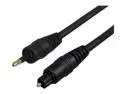
Cables Unlimited - Toslink to Mini-Optical Digital Audio cable - 12 FEET
Pros: Connects to my Kenwood VR 906 receiver and detects all of my speakers in my 5.1 setup. I connect to the receiver from my Acer Aspire 6930 S/PFID connection to my receiver.
Cons: none
Overall Review: I had to use a coaxial to toslink converter as my receiver only has one toslink connection and my PS3 is using it. Still worked great with the toslink to coaxial converter. I love digital audio connections
4/4/2009See more detail
Updated Review
Acer Aspire 16.0" Intel Core 2 Duo P8600 4GB Memory Windows Vista Home Premium 64-bit AS6930-6073
Pros: Laptop has S/PFID sound which is a digital audio connection and it works beautifully with my Kenwood VR-906 receiver. The receiver-laptop connection detects 5.1 surround sound speaker setup. The camera works well and is not sluggish like on my last laptop. You have to setup the digital connection through the laptop.
Cons: The secondary SATA bay inside works but when I inserted a hdd into it, the plastic covering would no longer close properly. The designers estimated the space inaccurately. I continued to use it with only one screw in but eventually the plastic cover opened more so I took out the hard drive and now its connected using a usb external case. A pixel stuck in red showed up recently, I will try to fix it using software.
Overall Review: In order to use S/PFID sound you need a specialized cable available on newegg. The cable is a “minioptical” cable which has toslink on the other end. Touchpad has a big of a gap between the top of the (touchpad) buttons and the touchpad area where it has no touch sensors so ppl might get annoyed with this (that’s why I use a laser wireless mouse. No regrets so far, laptop is a solid performer.
4/4/2009See more detail
The Best There Is Right Now
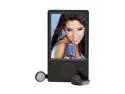
Microsoft Zune 3.2" Black 120GB MP3 / MP4 Player
Pros: Large screen, large storage capacity, good screen quality, lightweight, slim and flush front design, large album artwork during playback, long battery life (about 20hrs on shuffle mode), sound quality is great, easy browsing using touch pad, FM radio, easy re-organization of tracks from zune software, Zune pass looks promising, not an Apple product!
Cons: No equalizer, BIG disappointment as I like to fine tune my music. During shuffle playback, pressing back doesn’t take you the album of the track you’re listening to. During playback, song info does not scroll on the screen. No standard usb 2.0 connection on the zune, thus need a proprietary usb cable. Battery life is affected by the shutting down method as there are 2 ways. Synchronizing to pc is strictly dependent on the zune software, thus can’t use it as an external drive without zune software or a hack. Wireless syncing is slow, In addition to the zune software being a bit sluggish. Limited support of video files, only supports MPEG4/WMV/H.264. No browser for surfing the web when using a wifi connection. Will reorganize tracks in customized albums unless it’s a store bought compilation.
Overall Review: Despite the cons, it is the best mp3 player out there (considering storage capacity, screen size and price). I miss I-river’s software. To get best battery life, turn it off completely when not in use by pressing down on the pad and the back button simultaneously until it shuts down. Turn off wireless, its useless compared to the transfer rate of using a usb cable. I only use it for mp3 playback in my car. Just about every new device has a glossy piano black finish, get used to it! Considering how Apple dominates the mp3 player market, it is nice to see Microsoft develop a strong competitor.
11/27/2008See more detail