




 here!
here!
I’m your shopping assistant for PC builds, upgrades, and everything tech.
Got questions? Ask away!
Start a conversation
here!
I’m your shopping assistant for PC builds, upgrades, and everything tech.
Got questions? Ask away!
Start a conversation

Joined on 10/13/03
best and cheapest 256 GB SSD
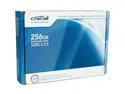
Pros: Excellent speed, the equal or best of the non-intel ssds and in some respects better than the intel. see reviews on web (tweaktown etc.). Certainly blows any mechanical hard drive out of the water. 0.1 ms (zero point one millisecond) access time; ~200 MB/sec transfer rates; ~0% CPU usage. Big speed up in boot time. Using windows 7. I got this after three seagate 7200rpm 2.5" laptop drives failed in a row (probably because of overheating). SSD drives don't overheat.
Cons: 1. no "trim" support yet, but firmware with trim support to be released by crucial in a few weeks. in the meantime, the ocz vertex or superdrive me/gx garbage collector works on this drive. 2. Next year prices will be lower, after the Intel G2 is out for a while. But it's an amazing leap of performance, and not worth the rate.
Overall Review: Very pleased.
oh for three
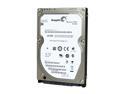
Pros: none
Cons: This is an update: the third drive is now failing the Long DST in Seatools. So this is the third drive out of three that fails. I'm revising my former rating from down to 1 star, and returning it for some other brand. I can't recommend this drive.
update on temperature-related failures
Pros: works well if you have excellent airflow.
Cons: This is an update to provide more details on a likely cause of some of the failure reports here; I've had 3 out of 3 of these drives fail. The drive will fail, beginning with errors on the Seagate "seatools for windows" Long Drive self-test (Long DST) and eventually becoming catastrophic, if you install in a laptop that does not have very good airflow around the hard drive. Recommendation: Run the seatools LongDst twice in a row, from a room that has typical temperature (not super air-conditioned), on a typical surface (e.g., metal desks will conduct heat away better than wood desks). If you get repeated failures on the test, then I would advice picking a cooler slower drive, any good two platter 5400 rpm drive, or an SSD drive (no moving parts). You can measure the temp and airflow by using ActiveSmart or some other utility that reads SMART info. I saw problems after reaching 57 degrees Celsius (SMART param C2). The airflow (param BE) fell below 45, a bad thing!
Overall Review: As stated, the key I've seen is: SMART parameters C2 (temperature) and BE (airflow). I get increasingly severe failures if the temp touches 56-57 Celsius (the specs say 60 is the operating max, but really 53-54 seems like the safe max). Run the LongDst twice in a row, certainly for the first two weeks while you can still return the drive if it is not suitable. You probably won't have any problems using this is an external drive or in a desktop because of the better airflows. (My laptop is an Asus G2. It had no problems with 7200 rpm drives before this one, but it does not seem to have a separate hard drive fan and the hard drive is on the bottom in a fairly warm location.)
High temp may factor into problems
Pros: Works very well if you do not run into problems. so far no issues on this drive.
Cons: 2 out of 3 drives proved defective, for possible reasons discussed below. Note that there is no basis for accusing people who have encountered drive problems of "working for a drive manufacturer" or improperly installing drives. The plain fact is that these drives are experiencing unusually high defect rates, as shown by the proportion of low score reviews. However, I'm into week two of the third drive, and so far no issues with this one.
Overall Review: I suspect high temp may have been a factor in the defective drives. I've altered power options in windows to cause the drive to power down more frequently (after one minute). I've also turned on the hybrid option. On the defective drives, the temp was running at 60 deg Celsius, which is the max limit in the spec sheet; on this one the temp is much lower, usually about 50 deg Celsius. If you're using the drive in a laptop, where airflow can be a problem, then I suggest tracking the temp during high usage with one of the free or shareware utilities (activesmart, hddtune etc., even seatools lists the temp). (besides running chkdsk each week) If this one runs into problems, I'll post an update.
Defective drive twice in a row.
Pros: When it works, performs well.
Cons: This is my second drive (same model), and both are defective. This second one suddenly conked out after four weeks--by "conking out" I mean: chkdsk locks up and fails, Seagate repair tools, dos and windows, fail (100 errors for every half of one percent of the drive on the long DST test.) oddly enough, S.M.A.R.T. gives it an ok. (I take good care of the pc, so no mishandling of the drive, apart from simply being moved inside a laptop.)
Overall Review: I would very strongly recommend doing a complete image backup daily for the first two months, and keeping more than one old backup image, and running a complete chkdsk (with the /r parameter) or long seagate dst test every other night. Newegg was gracious in letting me return this one slightly after the 30-day deadline. I am giving this one more try (last try) with a third order. I'm puzzled there haven't been more reports of problems, but maybe my laptop (ASUS G2S) runs the hard drive hotter or causes a problem for the drive somehow.
smart drive and intel turbo memory
Pros: I just discovered that the SMART drive status changes from "failed" to "Passed" after updating the intel turbo memory drivers to the April 2009 release (search for "turbo" at intel.com).
Cons: old intel turbo driver


