
Your Browsing History


Jarrett G.
Joined on 06/08/05
0
0
product reviews
- 16
Nice UPS
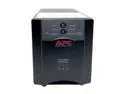
APC Smart-UPS SUA750 750VA 500W 6 Outlets UPS
Pros: True Sine Wave Output; Excellent Build Quality (Metal Case); External Battery Disconnect Jumper; Nice Array Of Informational LEDs On Front Panel; PowerChute Business Edition Monitoring Software Provides VERY Detailed Information; I Like The Short "Bread-Loaf" Form Factor
Cons: PowerChute Business Edition Is Not The Most Intuitive Software To Work With.
Overall Review: I just re-built my system using a 100% passively cooled case that has an integrated fanless power supply. The power supply has active power factor correction, and power supplies likethis can sometimes respondpoorly, or even be damaged by UPS units that produce a square wave (or whatever marketing chooses to call it) AC signal. I read a few "horror stories" about this, and decided it would be worth it to get a UPS that generates a true sine wave output when it is on battery. This product does that. Also, unlike other UPS units I have tried recently, this unit does not produce any audible "hum". You have to literally stick your ear on the case to hear anything, and even then it is pretty hard to hear anything. PowerChute Business Edition software is a little cumbersome to work with, but provides highly detailed information that is very useful. The marginal additional cost for this server-grade UPS is well worth it. When you consider what this product delivers, it's a great value.
3/7/2008See more detail
Do You Like Annoying Random Alarms?? If "Yes" Buy This Product.
8-color LCD multifunction display with Card Reader
Pros: Looks nice. Good combo of fan controller and card reader in a single 5.25" Space. In "theory" a great piece of hardware. I will be removing it from my system in a few days and depositing it at the nearest recycling center ;) (see below)
Cons: I would have rated this "Very Poor" except for he fact that the media card reader works OK. That is not enough compensation for the annoying radnom alarms..especially at startup...and no way to disable them. I have to listen to the grating irritating alarm for anywhere from 2 to 10 minutes every time I start up my PC. Also, the technical support is terrible. Some people say you can fix the "alarm problem" by removing all the fan connections, then removing the battery, the replacing everything. That process didn't work for me, and I am fairly technically inclined.
Overall Review: I should have heeded the warnings present throughout all the other reviews. This thing is terrible. My experience with it has been so bad that it makes me think twice about any ThermalTake product. Please, if you are looking for either a fan controller, or a card reader, do yourself a favor and look for a different solution. At least you can benefit from the brain damage that myself, and apparently many others, have suffered as a result of our experience with this product.
10/30/2006See more detail
Very Nice Solution For Notebook Hi-Fi
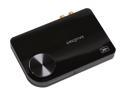
Creative Sound Blaster X-Fi Surround 5.1 SB1090 5.1 Channels 24-bit 96KHz USB Interface Sound Card
Pros: Nice build quality. Powered by USB port (no adapter or brick needed). Excellent Sound. Very easy setup.
Cons: None. Seriously, none.
Overall Review: Very nice little black box. Great build with a decent weight to it. This is the perfect solution for me to get high-quality sound through the 2.1 speaker/sub setup I use in my office. I can leave the x-Fi hooked up to my docking station, and it turns on/off when the computer is turned on or off. Volume knob on the unit is nice. Was worried about having two seperate volume controls on my signal path, but thrilled to see that the manual knob on the x-Fi simply controls the "virtual" volume control on my PC. This is just wonderful!! This replaces my ExpressCard x-Fi notebook and I like it even better than that product, which was also excellent.
5/7/2010See more detail
Fast......Quiet!!!
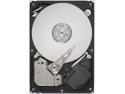
Seagate BarraCuda ES.2 ST3250310NS 250GB 7200 RPM 32MB Cache SATA 3.0Gb/s 3.5" Internal Hard Drive Bare Drive
Pros: VERY quiet operation; fast reads and writes due to large cache; excellent value for the money; 5 year warranty!!
Cons: None that I can think of.
Overall Review: I bought 2 of these. Replacing my two HD's (one of which was a 10,000 rpm) with these drives was the final step in my quiet PC system rebuild. After going to the extent of rebuilding my system in a 100% passively cooled Zalman TNN 500AF case, the only components still audible were my hard drives. The old HD's had a high pitched whine, and the head on the 10k rpm drive sounded like a freakin jackhammer. In contrast, I cannot even hear these Seagates spinning unless I close all the windows and doors late at night to eliminate ALL ambient noise. Even during reads/writes, they don't generate enough noise to be a problem. I do not notice any difference in application load times or system boot times between these Seagates and my previous 10k RPM drive. I attribute this to the 32MB cache on these drives (my old drives had only an 8MB cache each). I am very happy with these drives and I would recommend them to anyone, particularly if you are building a "quiet PC".
2/29/2008See more detail
Nice Versatile Drive
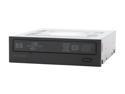
HP 20X DVD±R DVD Burner with LightScribe 20X DVD+R 8X DVD+RW 8X DVD+R DL 20X DVD-R 6X DVD-RW 16X DVD-ROM 48X CD-R 32X CD-RW 48X CD-ROM Black IDE Model dvd1040i LightScribe Support
Pros: Nice flat-black faceplate and graphics Reads from and writes to nearly every common optical media format quiet
Cons: None
Overall Review: I wanted to upgrade to a LightScribe capable drive when I recently rebuilt my homesystem. The prices are pretty cheap now, so Idecided to try this drive out. It works great, and is noticeably quiter during operation than the Lite-On drive that it replaced. The travelof thedisc tray is also nice, smooth, and quiet....seems higher quality than previous optical drives I have owned. Be advised that the LightScribe capability does not load automatically when Windows installs drivers for this device. Just go to the LightScribe website and download the most recent version of the LightScribe software. This is not well documented with the product, but easy enoughto figure out.
2/27/2008See more detail
Excellent Mid-Range Workstation Card
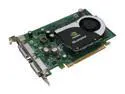
PNY Quadro FX 1700 VCQFX1700-PCIE-PB 512MB 128-bit GDDR2 PCI Express x16 Graphics Card
Pros: Low Power Draw (something like 42 Watts) Runs Cool Can Be Passively Cooled Dual DVI-I Output
Cons: For some reason, takes 512MB of my system RAM off the table
Overall Review: I am very happy wit this card. I recently re-built my system into a totally silent PC and I wanted a very powerful graphics card (I do alot of Photoshop work) but one that did not require additional power input or have a huge heat-dissipation requirement. I am passively cooling this card using the Zalman TNN 500AF case and my GPU core/diode temps rarely exceed 34C/48C. The card is WAY more stable than the GeForce 7900gtx I was using when my system was actively air cooled. For reasons I don't fully understand, exactly 512MB of my 4GB of system RAM is no longer available to the system since I installed this card. I'm running Vista Business x64 and used to have all 4GB available. This is mildly annoying, but I can live with it, since my graphics are incredibly fast and stable, and I still have 3.5GB of available RAM, which is more than enough. I really like this card, and probably won't have to upgrade it for several years.
2/27/2008See more detail