
Your Browsing History


Darryl T.
Joined on 10/07/06
0
0
product reviews
- 4
Good Stuff
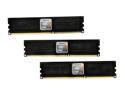
OCZ 6GB (3 x 2GB) DDR3 1600 (PC3 12800) Desktop Memory Model OCZ3X1600R2LV6GK
Pros: XMP. What can I say. Rather than fooling around all day trying to figure out what settings it needs, you just load up the XMP profile and your good to go. This was my second set, after I got tired of blue screens with the first set I had. From now on, all my memory will have to have an xmp profile. Works Great with the Asus Rampage Motherboards.
Cons: Absolutely None
Overall Review: I don't understand why all DDR3 memory doesn't come preloaded with XMP profiles. It sure would be easier if New Egg would list in the title or give a category all by itself to quickly identify what memory modules have this feature.
4/28/2010See more detail
Good Case for the Price, but Plan Your Setup Carefully.
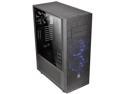
Thermaltake Core X71 Tempered Glass Edition Black ATX Gaming Full Tower Tt LCS Certified Gaming Computer Case CA-1F8-00M1WN-02
Pros: -Better room than most cases -Excellent Cable Management -Made to hide radiators in bottom compartment -The fan filters are awesome -Case comes with high pressure fans meant for water cooling with rubber pads for vibration.
Cons: These aren't really Cons considering the price, but rather tips on what to expect -If you are water cooling, the case advertises that you can use many different radiators, but really only a couple of solutions make sense. I'll explain below -Hard drive space is very limited if you are water cooling AND putting the reservoir at the top. -Case is not deep enough to mount two water cooled GPUs vertically Not really a con, but, I AM STILL WAITING for a case that allows you have two vertical watercooled GPU's, so I can see the pretty liquid running through the acrylic plates on my GPUs. And no, you can't mount one vertical and the other horizontonal Simply not enough room, at least for my GPUs.
Overall Review: If you are water cooling with multiple radiators, please read this. You will want to get a 420 mm radiator for the front along with another 140 ring LED thermaltake high air flow fan to match the size of the radiator. Using any other combination, you will run into problems trying to get the radiator and fans attached to the case, because the screw holes will not align properly. I only had a 240, and had to attach the radiator by screwing it in between the fans attached on the front. The brackets included were worthless for this application because the radiator, even being a slim one, was too big, and using the brackets for the fans didn't work, because they didn't align properly to install the front grill (explained below). For the bottom compartment you will want to get a 360 mm radiator along with 3 120 ring LED thermaltake high air flow fans to match the style. This is really the only option that makes sense here, especially if you plan on using the PSU at the bottom (make sure to get extension cables for the PSU). Make sure that you attach the front fans further down the case and check that they align with the grill. I installed the whole unit together and went to attach the front, and I had the fans positioned too high,had to take the radiator and fans apart, and position them lower. The front grill has a divider between the 5.25 bays and fans. If you want to put the reservoir in the display case, you will lose the ability to have a meaningful place to install a HDD because you loose the hard drive bay that is supplied. There is a place below to attach some SSDs, but I had to use two rails for the power because you can only use the flat power hook up because the metal piece blocks using a 45 degree. Thank goodness, I had a really good PSU, otherwise, I would have just had to let the SSd's just sit in the the bottom of the case because i wouldn't have had an extra power rail or an converter of some sort. For proper cable management, you will want to get extension cables for the power supply unit. Also, if you put the power supply at the bottom, you will not be able to fit another radiator other than the 360 mm I mentioned previously. Even with putting the PSU at the top, I needed extension cables to hide the motherboard hook ups. The PCI cables were fine. Bottom line, even though the case seems to have many configurations for watercooling, it doesn't really. You have the option to hide the reservoir below, and have the hard drive space above, but you wont have room for the psu or more than a 360mm radiator below. If you put the reservoir on top, you loose the space for the hard drives, and really only can use SSDs. There are brackets for them that you can attach in the cable management compartment, but then cable management becomes tight. For the front of the case, I would only recommend using a 420 and make SURE you attach the fans low enough to fit the front grill on. Overall, for the price, It was worth the hassle. Recommended accessories to buy: -three 120 thermaltake high air flow ring LED fans (for bottom radiator) -five 140 mm thermaltake high air flow ring LED Fans (one for the front, one for the back, three for the top) -a 360 mm raditor AND a 420 mm raditor -PSU extension cables
9/5/2017See more detail
Smokin Board
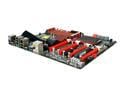
ASUS Rampage III Extreme LGA 1366 Intel X58 USB 3.0 ATX Intel Motherboard
Pros: This board has very good spacing between PCI-e slots. Average user will only use two cards in slot 1 and 3--at least 6 inches of space between them, enough for a pci fan or water cooled heatsink. Sata III and 3 Gb usb. Bluetooth that works with any compatible devices, not just your cell phones. Four power connectors to ensure that voltage is regulated throughout the board! Heat Sinks are totally upgradable--very nice. Even comes with one upgrade in package. Internet adapter has this cool feature of becoming a slave to your router. This works great with gamefuel on the d-link 4500. Great for gaming compared to rampage II. This board is just astounding all around. Very happy with it.
Cons: Gigabyte LAN is Intel and not Dual. Not alot of features here compared with the Rampage II. Such as teaming and Large packet, ect... Not a huge deal, got less performance using those features with gaming anyway. It does however have a feature that rampage II didn't (see above). Limited Software support for SATA III. Its not really a con per se though. Software just hasn't caught up yet. You CAN make raid with SATA III, Intel Rapid Storage/Intel Matrix Just won't work with it. Instead software and drivers are limited to Marvell. The installation disk with the motherboard has the Marvell raid drivers though. This is great for regualar HDD in raid, but the performance issues associated with SSD are still hindered even more than they were before using the 6GB sata. Even more annoying is that even ACHI will not be recognized unless you use the SATA II slots. This is a marvell problem though--not being compatible with the intel x58 chipset.
Overall Review: Continuing with SATA III.... Other than the SATA III not being compatible AT all with intel drivers/software, I suspect this will be remedies in the future with firmware/software upgrades and thus is a universal problem with ALL boards, not just this one. Overall this board is the Bomb! Had no issues with its installation and components working. Unlike the other poster said, it is very upgradable and flexible with tons of options and features. You will keep this board for a very very long time. AND YES, You can raid with the SATA III, especially with regular hard drives, just limited support at the moment.
5/1/2010See more detail
Nice board slow install
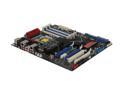
ASUS Rampage II Extreme LGA 1366 Intel X58 ATX Intel Motherboard
Pros: Great overclocking abilities and has almost every feature you could want.
Cons: Slow installation. Don't know why, but when you install the OS its really really slow. After installation its great.
1/1/2010See more detail