
Your Browsing History


Mark S.
Joined on 04/12/04
0
0
product reviews
- 1
Minimalist board with awesome performance!
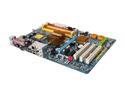
GIGABYTE GA-P35-DS3L LGA 775 Intel P35 ATX All Solid Capacitor Intel Motherboard
Pros: What an fantastic board! I love the simple style/P35 chipset combo as I did not want/need RAID or multi-gpu. This board has tremendous "bang for the buck". Ran successful POST right out of the gate; recognized my "all SATA-equipped" 150G Raptor, #2 storage drive, and DVD-CD. The P35 chip is excellent, and my E6700 C2D/Zalman9700 H/S were easily made stable. On-board sound is pretty good, but not great. However, the GUI software for audio controls provided with the audio drivers is nice. Bios upgrades were a snap with a USB flash-memory stick and the Gigabyte Bios update utility. My board shipped with Bios F5 and I flashed to F6 with no problems. Board is very stable to work with. BTW: This board is known for being very tolerant of different brands of DDR2 RAM. I have experimented with three different kinds with no problems, from 1.8V "Value" style RAM to high end 2.1V Mushkin (purchased at Da Egg of course!).
Cons: This was not a problem for me, but if you intend to use an IDE equipped device (H/D or DVD/CD), note the position of the IDE header is at the very bottom of the board. Plan ahead for that. Stock on-board sound is not bad, but audio improved after install of a high-end after-market sound card. Some report the Northbridge heatsink gets hot if you push your FSB. However, it appears that doesn't rear an ugly head until one is well past 400 MHz on the FSB. At a 345 MHz FSB setting my NB H/S is only warm to the touch, not hot even when under full load situations. These are rather minor probs as one can easily solve the NB issue if the need ever arises with an after-market NB H/S. Overall, there was no way I wanted to detract from giving this product 5 stars even with the above mentioned issues.
Overall Review: Remember that Cntrl+F1 at the Main Bios screen will allow you to access the board's full features, including RAM timings, etc. The board includes a Gigabyte System Restoration tool that is accessed via the Bios. It allows you to ghost a copy of your current OS...AS LONG AS YOU PROVIDE DISC SPACE for a second disc partition at OS set up. I left 8 gig free on my Raptor at Windows XP install. You can refine the partition/format later from the Windows XP Partition Manager. The first time I tried to save the OS to this second partition I started running into problems.:/ I found it worked flawlessly however, if I just unplugged my secondary hard-drive! After that, I was able to back up my new perfectly tuned and updated Windows XP install if I want a future "refresh" of my system. After reboot, I plugged the 2nd H/D back in and had no problems thereafter. Thermaltake Big Typhoon fit no problem BUT backplate interfered with solder spots on mobo backside. Zalman 9700 fit p
12/20/2007See more detail