
Your Browsing History


Allen C.
Joined on 03/07/04
0
0
product reviews
- 28
So darn pretty
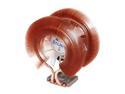
ZALMAN CNPS9900ALED 120mm 2 Ball Low-noise Blue LED CPU Cooler
Pros: Amazingly beautiful. It does a wonderful job of cooling my 920 i7 too. So much better than the stock cooler... I have given it 5 stars because I love it and it does a great job once installed correctly. It compares with other high end coolers fairly well, and looks prettier in the process.
Cons: The plastic band should be removed for better cooling and it also drops the noise levels. I firmly believe Zalman originally intended this band to be permanent, otherwise they would have not used tiny #1 phillips screws and made them hard to access. They also wouldn't have made vent holes, or embossed their name on it, and might not have given it a fancy hinge. I think they later realized that it was hindering performance and acted like they always intended for people to remove it. Why didn't they emboss "remove this band" instead of their name? They do have a card slid into the band saying to remove the band though, but I wonder if the first shipments included that too. There are several reviews on the net about the performance of this cooler. Most of the reviewers have left the plastic band on, so the numbers there are often useless.
Overall Review: I really do love this cooler. I might have gone with a TRUE if Newegg offered them though. If this thing was any bigger I would question running the PC vertically. Their thermal grease is not as good as several others. Good old Arctic Silver 5 will drop the temp at least 1C compaired to the packaged Zalman stuff. (Others will beat AS 5...) The Zalman stuff does have a unique application method. I have used it at work, but I want something better for personal use.
3/6/2009See more detail
No Good
Thermaltake A2361 3.28 ft. (1m) eSATA Cable
Pros: Cheap
Cons: It doesn't work. I didn't believe any of the reviews stating this fact. I thought those people were probably just wrong and afterall it is just a cable. This thing must have a non-standard pin out or something because it really doesn't work.
10/1/2007See more detail
Intel DX58SO Motherboard shows true Turbo Boost Information
Intel Core i7-920 - Core i7 Bloomfield Quad-Core 2.66 GHz LGA 1366 130W Processor - BX80601920
Pros: Turbo Boost is amazing. Most people think that it only does a 21x multiplier to the CPU. One of the cores does get a 22X boost though. It appears that only the Intel DX58SO motherboard can display that using their Intel Desktop Control Center application. A simple CPU-Z program will only show the 21x multiplier. Please realize this means that most of these people noting how high their overclock is with Turboboost, are reporting their 21x number. They are actually even faster! The 920 is fantastic!
Cons: None.
Overall Review: Consider using the Intel motherboard. It is truly impressive.
3/7/2009See more detail
very nice board!
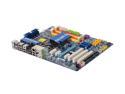
GIGABYTE GA-EP45-UD3R LGA 775 Intel P45 ATX Intel Motherboard
Pros: Great board! It has the new P45 chipset and is very current. Much more stable than my last P35 Gigabyte board that I paid double this for. (Although that P35 one was able to do dual video cards, hence more $.)
Cons: none from me, this did exactly what I needed as a replacment board.
3/6/2009See more detail
excellent i7 memory
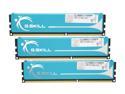
G.SKILL 6GB (3 x 2GB) DDR3 1333 (PC3 10666) Triple Channel Kit Desktop Memory Model F3-10666CL7T-6GBPK
Pros: very fast memory for the i7. Good price compared to others at the time too.
Cons: The CAS 7 wasn't picked up by my Intel DX58SO. It detects it as CAS 8. (It showed as CAS 9 before I went to the latest bios on the mobo.) I had to manually change the values to 7, but I wish it was just detected properly in the first place.
Overall Review: The 920 i7 likes DDR3-1066 memory. I am overclocking my 920 and the memory rate it wants in turn is being increased. The memory is running at 1272MHz, so that is well under the 1333MHz rating of this memory. If you are going to do a light overclock and don't need 1600MHz memory, this stuff is great.
3/6/2009See more detail
my first intel brand mobo - I LOVE IT
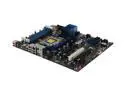
Intel Extreme Series BOXDX58SO LGA 1366 Intel X58 ATX Intel Motherboard
Pros: this is a very nice motherboard. Intel even gives you good overclocking features that work wonderfully. I love that they give you a sticker for inside the case that shows the layout of the mobo. I have only seen that inside name brand computers like IBM and Dell. Nice touch. I like the power button right on the mobo. that was handy at one point during install. Nice layout for what I needed. I love how i7 motherboards have the memory under the PS. It will be great for cooling the memory.
Cons: I don't think this supports mobo supports SLI, but the X58 chipset does. I think this one is crossfire only, but all other i7 motherboards can do both SLI and crossfire. I don't ever want to have dual nvidia video cards so it wasn't an issue for me.
Overall Review: I have a GTX 260 card, which is very long and will cover some sata ports. You need to use the suppied sata cables with the 90 degree connector going to the mobo. That way they can lay flat and the card can go over them.
3/6/2009See more detail