
Your Browsing History


andy l.
Joined on 09/06/04
0
0
product reviews
- 7
PG34WQ15R2B Very good display
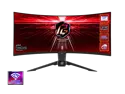
ASRock PHANTOM GAMING 34" 2K (3440 x 1440) 165Hz/1ms (144Hz and higher) Wi-Fi Antenna FreeSync Curved Gaming Monitor, 2*HDMI, 1*DisplayPort, (PG34WQ15R2B)
Pros: Display port Freesync support Great price for what you get Looks good
Cons: Slight glare more than a usual flat display Speakers are terrible
Overall Review: ** This review for ASRock review rebate program.** This review is for PG34WQ15R2B 34" curved display Overall a great value. I did encounter problems with windows HDR enabled and 165hz setting. The color temperature would constantly flip between a warm tone and a standard/cool tone when ever the predominant color on the screen changed. Such as when scrolling a webpage. This was resolved by lowering the refresh rate.to 120hz. I can still use 165hz in games without a noticeable issue. There is more glare than a standard flat display. So far it hasn't been a deal breaker for me and is only noticeable when displaying mostly black; like a dark scene in a movie. I don't care for the red text on red background when it displays what port is in use, but again its not really an issue. Just a poor design choice.
5/28/2023See more detail
Terrible performance
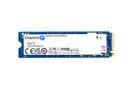
Kingston NV3 M.2 2280 1TB PCIe 4.0 x4 NVMe Internal Solid State Drive (SSD) SNV3S/1000G Up to 6000 MB/s
Pros: I got them real cheap on a shell shocker (2 for $64). I would not recommend paying full price.
Cons: Cache fills up very quickly during continuous writing (under 3 minutes) then throttles to 130mb/s which is slower than a HDD.
Overall Review: I'm using them for mirrored application drives on a truenas server, I can't imagine installing games on it as it would likely throttle quickly. Even just re-silvering the drive when joining it to the pool takes forever because of how quickly the cache fills up. I prefer sabrent rocket for my nvme drives, but these were a steal.
2/24/2026See more detail
Decent for the price
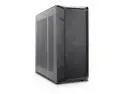
Rosewill Helium NAS ATX Mid Tower Computer Case, Mesh Panel, 4x 140mm PWM Fan, Ideal for DIY NAS, media servers, or small business applications - Black
Pros: Comes with lots of quiet fans Nice front panel located on top Holds a lot of drives for DIY NAS
Cons: Not particularly user friendly. Only the side panels have captured thumbscrews No drive sleds or rails which used to be a pretty basic feature when 3.5"hdds were more common Many holes don't line up perfectly, takes some wiggling to get screws in No replaceable PCI slot plates, they have to be bent and broken off to open up. If you use the center vertical PCI mounting slot, the thumbscrew that holds the plate in the case gets in the way of screwing the PCI card in, so you have to do it with the mounting plate partially off the case Drive cages have to be removed from the case to mount drives, aren't totally square and struggle to fit drives in them
Overall Review: I feel like if this came out 10 years ago, it might've been cheaper or better designed.
2/11/2026See more detail
Seems like this was refurbished
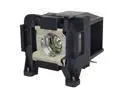
Jaspertronics Original ELP-LP89 / V13H010L89 Lamp & Housing with Ushio Bulb for Epson EH-TW7300, EH-TW9300, E Pro 4040, Home Cinema 4010, 5040UB, 5050UB, Pro-Cinema 6050UB - 1 Year Warranty
Pros: appears to work
Cons: was a little difficult to get lined up properly to screw in
Overall Review: After installing the new lamp and going into the Info section of my projector, it shows 280 hours of usage. The old lamp that was replaced had over 1300 hours, and I had not reset the counter.
8/25/2024See more detail
Does as advertised
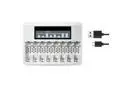
CITYORK 8 Slots LCD Display Battery Charger For 1.5V AA AAA Rechargeable Lithium Battery 1.5V AAA AA Li-Ion Battery Charger
Pros: Successfully charged my li-ion batteries quickly Screen automatically turns off when batteries are removed
Cons: Looks & feels cheaply made (some light bleeds through the housing when the screen is on) Cannot adjust screen brightness AA batteries have loose fitment; AAA fit better
Overall Review: It does what it is designed to do, but I'd prefer to see it a bit cheaper for what it is. You can only charge 1.5v Li-Ion batteries.
2/28/2024See more detail
Seems great, but had lots of USB problems
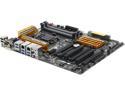
GIGABYTE GA-Z97X-UD5H LGA 1150 Intel Z97 HDMI USB 3.0 ATX Intel Motherboard
Pros: Pretty good Bios for overclocking
Cons: I've had two different model gigabyte boards and both have strange USB issues. This specific one often had problems with recognizing devices. My wireless keyboard had very poor range and if I used more than 4 USB ports at a time it would complain there wasn't enough resources. I've replaced this board with an MSI and my problems are solved. Gigabyte support as with most board mfgs was a pain to work with which led to me simply buying another board.
11/4/2016See more detail