
Your Browsing History


Pierre C.
Joined on 01/13/04
0
0
product reviews
- 3
Failed during first use
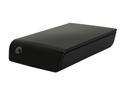
Seagate Expansion 2TB USB 2.0 Desktop External Hard Drive
Pros: Didn't work long enough to find Pros
Cons: Failed during the first backup job! The first drive to ever die on me during first use. I plugged it and it was recognized normally by Windows. Dragged 4 folders to be backed up, between 5 and 10 Gb each, and went away for an hour or so. When I came back, the drive was making a cyclic clicking noise, non-stop. Windows showed a Disk write failure message at the bottom of the screen. 2 of the four folders had been backed up and the drive was stuck on the third one. Very very slow response after that. Tried to reformat the drive but the formatting stopped after about 15 percent. The thing is dead.
Overall Review: I would almost not care too much except that the drive was purchased 33 days ago as a Christmas present, just past the 30 days return window. Now I will have to deal with the manufacturer directly, and will have no other choice but to get a refurbish version of the same model (for which I've lost all confidence). BTW, this drive has only 2 years warranty, the lowest I have ever seen. Seagate used to warranty five years.
12/26/2009See more detail
Mostly fine
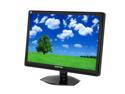
SCEPTRE X24WG-1080P Black 24" 2ms Widescreen LCD Monitor 300 cd/m2 4000:1 w/ Built in Speakers & HDCP Support, US Warranty
Pros: Screen is crisp at native resolution. Colors are quite accurate. Viewing angle is very acceptable for a TN panel. Unlike what a few customer reviews have stated, this monitor is just fine for graphic work (my primary use).
Cons: 1 stuck blue pixel which cannot be fix (and it's located near the center!). I've tried all remedies available on the web without success. On the bright side, it is only visible when blacks are displayed over a large area.
Overall Review: The indicator light is blue, which is nice and dandy. The problem is that in standby mode, that blue light is blinking! Not good if the monitor is in a bedroom and you don't want a light show!
12/9/2008See more detail
Design issue
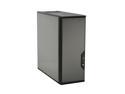
Antec P182 Gun Metal Black 0.8mm cold rolled steel ATX Mid Tower Computer Case
Pros: High build quality. Reasonably quiet. Very good airflow.
Cons: The location of the power supply bay. It's my mistake for not thinking about the implications before buying it but locating the power supply is at the bottom. Why is that a problem? Because most motherboards have the MB and CPU power connector situated at the top. The first PSU I bought had wires that were too short!
Overall Review: Even with long wire power supply, the wires have to above or around the video card (those tend to be large nowadays). Too bad, if they had designed the case with the PSU at the top (like everybody else), it would be a 5 stars. Plus, heat goes up, so placing the PSU at the top would make sense!
3/5/2008See more detail