

Your Browsing History


Johncody M.
Joined on 08/07/22
0
0
product reviews
- 2
Great light!
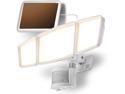
Home Zone Security Solar Flood Lights - Outdoor Motion Sensor LED Flood Light Warm 3500K Color Temperature with No Wiring Required, White
Pros: Bright!!!! Lights up more than i thought. Works everytime i need it
Cons: None that i can see so far
Overall Review: Will update review if something negative happens but for now i recommend this light!
10/1/2022See more detail
So it was a 5 star, lowering to 3 star and here's why:
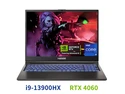
Hasee TX (16'', i9-13900HX, RTX4060), Gaming Laptop, i9-13900HX 5.4GHz, 16G DDR5 5600MHz RAM, 1T NVMe PCIe4.0 SSD, RTX4060 8G GDDR6, 16'' 2.5K 165Hz IPS Display, RGB KB,WF6,BT5.2,Win11,BlackHole Black
Pros: Fast Newest technology Handles vidya and applications well with no stuttering Quiet for the most part Good customer service communication No bloat Good included software: Control Panel (RGB customization, key mapping, fan control, heat monitoring, etc), creative sound customization.
Cons: Biggest issue: DDR5 capability (read more below) Heat problems sometimes for some reason Jet engine at certain times Bargain Bin BIOS! It went on sale like 2 weeks after I bought it (this is my fault for not waiting I guess though)
Overall Review: So, I bought this because I was going to have surgery the next week and wanted to play some vidya while I am layed up in bed. I decided to take a chance on Hasee because the price point was great. I bought a stick of 16GB Crucial DDR5 PC5-44800 5600 MTz memory to go along with it because 16GB of memory for a gaming laptop just doesn't cut it anymore. When it got here and was installed, I noticed that the memory was locked to 4800MTz. I emailed Hasee, and to their credit emailed me back within one day. They said that they would forward to the engineering team, a day or two later they emailed me and said the MoBo uses Hynix or Samsung memory particles so it would be beneficial to return the Crucial memory and buy a stick that uses this technology. We are now ~10 days in to the back and forth emailing. I gave some choices of what memory I should buy, and they really couldn't give me a straight up recommendation since they do not make the DDR5 themselves so I chose 2 sticks of 32GB TeamGroup DDR5 5600MTz that specifically said Hynix on it so I could try and be as future proof as possible. Another 5 days down. The new DDR5 took another 5 days to get here. After installation of the new DDR5 I noticed the max megathread was locked at 5200. I was told to contact the RAM manufacturer for details on how to fix it, as it possibly was a bad pack. After conversing with TeamGroup, I found out the advertised speed would only be able to be unlocked if Intel XMP (eXtreme Memory Profile) is activated. I emailed Hasee which they referred again to the Hasee engineering team. The next day I received an email stating that it is locked to 5200MTz because of the limitations of the device using 64GB of ram. They said that if I was to go back down to 32GB I would be able to get 5600MTz speed, but 64GB would always be rate locked at 5200MTz. I asked if there was a way to activate Intel XMP on the same ticket, no reply. 3 days later I opened a new ticket, explained the whole problem over again and got a response the next morning, referred again to the engineering team. The next morning I got basically the same reply as before regarding being locked, but also a very strange addition "XMP is generally a feature of desktop computers. Our TX laptops are automatically adapted to the frequency of the memory stick." These statements are simply untrue for two reasons: 1. TeamGroup specifically said XMP being activated on M.2 PC5-44800 would allow for advertised speed. M.2 PC5-44800 is mobile memory. 2. It did NOT adapt the frequency of the memory stick or it would be 5600MTz, not 5200MTz. I know the customer service agent probably was just trying to ease my mind but it's a very odd way of doing it. I believe the problem lies in the BIOS abilities of the Clevo system Hasee is based off of - Insyde H20. This BIOS is the weirdest thing I have ever seen. It looks like a video game main menu screen from 1995. It doesn't allow you to do much of anything in regards to customization beyond something like allowing a low battery beep to play. As Intel XMP is only activated in BIOS, I believe that the BIOS itself is the main liability of the machine. In all this time of back and forth, post operation surgery appointments, recovering from said surgery, and waiting for the new TeamGroup ram to get here, I missed the return window for the Crucial memory as well as the laptop by one day, as well as being greeted with a $450 discount price of what I bought it for this weekend..... Another note is heat dissipation. I have been playing path of exile on lowest settings to get most FPS, in a 70F degree room, with a laptop cooler on max. The CPU heat still jumps to 79C (one time going as high as 84C) while playing and that's with max internal fan speed on. In a 10 year old game with lowest graphics settings, this is kind of concerning to me. But, all in all, it's an ok machine with definite drawbacks if you are buying it specifically for the new DDR5 capabilities.
9/4/2023See more detail