
Your Browsing History


Edward F.
Joined on 02/21/10
0
0
product reviews
- 5
Love the APC w/ LCD
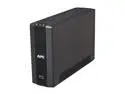
APC BX1000G 1000 VA 600 Watts 8 Outlets Power-saving Back-UPS XS
Pros: Clean power, runs quiet/silent, shows battery charge, watts on battery backup, estimated runtime. Display stays on or not, your choice. Beep or not, your choice. USB cable for computer integration supplied.
Cons: buttons can be a little confusing for changing preferences. Keep the manual around. The green auto-power-off outlets I have not found useful.
Overall Review: Has survived several power outages, and lightning storms. No problems. Ran 20 watts of router + modem for several hours. Consumes at least 10watts itself even when fully charged. They all do, but it seems like a UPS should be able to use almost no power when it's not actually doing anything.
9/1/2011See more detail
Actual managed switch, smaller than many dumb switches.
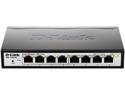
D-Link 8-Port EasySmart Gigabit Ethernet Switch - Lifetime Warranty (DGS-1100-08)
Pros: 32 vlans suppported on 8 ports. Clearly more than you'll need. Cable length / fault detection. Bright link and activity lights on each port.
Cons: Does not fetch DHCP by default. Must assign special IP or download special software to your computer to perform initial configuration on switch.
Overall Review: D-Link has a slightly unusual interface that does not save the current config to firmware until you explicitly ask it to. I think some people configure the switch and then freak out when it reverts to defaults after a power outage. Seriously, save and apply. Pros understand this easily enough, but these devices are now priced in the consumer range, and it will be an interface issue for some.
12/22/2017See more detail
2013's best encryption
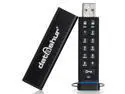
iStorage datAshur 4GB Secure flash drive - Password protected, dust and water resistant, portable, military grade hardware encryption. IS-FL-DA-256-4
Pros: Low power consumption, good user interface, solid construction, truly secure. Conveniently skinny form fits in beside other USB devices.
Cons: Quite slow. 2MB/s write, 20MB/s read. For a small price bump, the USB 3.0 version is considerably better for most uses.
Overall Review: If you need the security, and 4GB is overkill for typical needs, then this is perfect. Presents with 200ma power requirement over USB, and seems to stay well under that in reality, so it should work on laptops (old and new) and most keyboards with USB ports. The encryption is still modern, certified, and more than sufficient. This version does not have a read-only mode which can be useful. If waiting 5 minutes to write 1GB is too slow, other models are available.
11/15/2017See more detail
Simple, Solid, Private
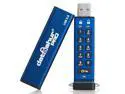
iStorage datAshur PRO 4GB Secure flash drive - FIPS 140-2 Level 3 Certified - Password protected, dust and water resistant, portable, military grade hardware encryption. USB 3.0 IS-FL-DA3-256-4
Pros: Truly cross platform, format agnostic. User interface is as simple as it can get for a device of this type. Buttons have a good feel, lights are bright and informative if you pay close attention. Thin, fits next to other USB devices. Advanced Administrator mode is entirely unnecessary for most people, so that complexity can be totally ignored. Can be used as a boot drive if you're crazy enough to want that. Solid construction, especially durable when closed in case.
Cons: It's a little pricey per GB. Frighteningly stiff to pull out of case when new.
Overall Review: Device does wipe data to defend itself against breakins. If you're afraid of losing something, keep 2 copies, one in a safe. This device defends privacy. Sophisticated admin/regular user scenarios are available if you read the manual, making this enterprise friendly. Cheaper devices make unverified claims about their security, this one is tested and properly listed. I saw 10-15 MB/s write speeds, and read speeds over 100MB/s. If reads are your bottleneck, and they probably are, then this device actually leverages USB 3 speeds.
11/8/2017See more detail
great cooling, awkward installation
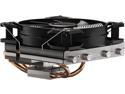
be quiet! Shadow Rock LP CPU Air Cooler | 130W TDP | Low Profile CPU Cooler | Socket 1700 1200 1150 1151 1155 2011 Square ILM Compatible | AMD 4/5 and Intel Support | Low Noise | Silver/Black | BK002
Pros: Low profile. Lots of options for fan and cooler mounting. Excellent cooling capability. Quality parts with solid look and feel when installed. Pre-applied thermal paste. My 7200 rpm hard drive is by far the loudest item left in the case now. Most/all fittings guard well against accidental over-tightening.
Cons: On 1151 MoBo, the last two screws to install had me remove and replace the heatsink 3 times. Bent some fins to get my screwdriver where it needed to be. Magnetic screwdriver is a must. Bottom mounting bar should have a clip to lock it into place and does not. Additional fins should be shorter to allow final screws to be inserted cleanly after CPU is placed. Go ahead, bend the fins as needed, they bend back. I am highly mechanically skilled and I found the instructions to be quite terse and the final phase of installation to be unnecessarily fiddly. Final result, 6/5. Install, 2/5. Average those two to get 4/5.
Overall Review: I used the plastic washers on the last two screws to lock the screws into the crossbar, making them captive screws. This was better than having to pull the heatsink off again because the screw fell under the gigantic cooler, again. Also, the supplied sheet-metal wrench is perfect for bending the fins back where they belong after installation. ... And the fan clips ... one side goes into the big gap where you get to the screws, the other side an inch away just needs to find a skinny home between fins. Holds strong, but it looks like something I'd rig together with paper clips after the assembly came back from manufacturing and I realized I had forgotten to engineer in a fan mounting solution. Once installed it looks less gangly.
1/31/2017See more detail