




 here!
here!
I’m your shopping assistant for PC builds, upgrades, and everything tech.
Got questions? Ask away!
Start a conversation
here!
I’m your shopping assistant for PC builds, upgrades, and everything tech.
Got questions? Ask away!
Start a conversation

Joined on 09/04/10
Solid Stick with No Frills
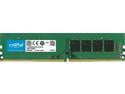
Pros: - Very low profile - Installed with no issues
Cons: - No problems to speak of
Overall Review: My build: ASRock AB350 Pro4 AM4 ATX Motherboard Sapphire R9 270 Dual-X 2gb GPU Ryzen 1500x 4-core 3.5GHz Now I'm back thinking about ordering a second stick to make use of the dual channel.
Has served me well
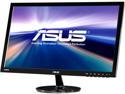
Pros: - I've had this for 4 years and haven't had any issues. - The colors reproduction is solid and after initially configuring colors on the monitor and through windows, I haven't touched it since. - Never had any issues with blurring or anything like that - Pretty decent viewing angle
Cons: None
Overall Review: I did a lot of research before buying this monitor and it seemed to be the best budget monitor. It doesn't have a bunch of interesting features other their basic presets for theater, gaming, etc., but it does the important things really well and I have never had an issue with it. You're not really supposed to ever think about a monitor if it's doing it's job correctly and that has been exactly the case with this product. I've very satisfied with this purchase.
Works and stable
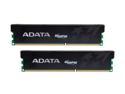
Pros: - Never had a single problem. - Does what it is supposed to.
Cons: - Nothing wrong with the RAM
Overall Review: I don't overclock my ram and my mobo only supports 1333 so I don't know if it runs well at 1600 like it's supposed to. Also, this is the second pair of sticks that I bought for a total of 8gb in my system. This pair came in the mail kind of beat up a little. One of the corners on only one stick was kind of smashed as if something very heavy had been thrown on it. The sticks came in a bubblewrap envelope, but looks like they went through a tough time. ONLY THE CASING WAS AFFECTED. The ram itself was fine and all 4 of my sticks are running stable.
Good mouse
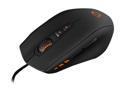
Pros: - Probably the most comfortable mouse I've ever used. - Very smooth and responsive. I have it combined with the Propus 380 mouse pad, and it feels nice. - 5 different profiles and the ability to color code them is handy.
Cons: Freaking driver software is bugging me a lot actually. I should be able to switch between my different profiles easily. I use one profile for Starcraft II and another for battlefield, and then i also have a standard profile for web browsing that uses the typical back buttons. The software freaks out on me all the time and stops allowing me to switch profiles or to apply new settings. Sometimes the only way to fix it is to uninstall and reinstall...
Overall Review: If you don't mind uninstalling now and then, it's a great mouse.. I know it's a long con, but the other perks to the mouse make up for it. Is it worth the price though?? eh...
Very happy with these headsets
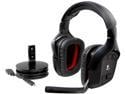
Pros: - Sounds great - built sturdy and light - comfortable - Equalizer works well and can help amp up the sound of footsteps in game. :)
Cons: - Can't really think of anything
Overall Review: It took a little work getting the 7.1 to work. Had to fiddle with the audio settings on my pc, but now it's working fine. Also keep in mind that this uses Dolby's software for virtual surround sound. There are not a bunch of separate speakers within the earpiece of the headset.
Keeping my max temps nice and cool
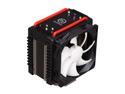
Pros: My AMD Phenom 1090t x6 was pushing 60 degrees C when playing Dragon Age: Origins and was around 50 degrees C when playing Oblivion. One day it spiked to 64 and that didn't make me too happy. I did my research, saw that this cooler was rated very well, and bought/installed it. Now, when playing my games, I haven't seen it get to more than a degree or two above 40. The amount of air that this thing pushes/pulls is ridiculous! A lot of air being moved. Attached to the fans on the cooler are some fan control knobs. I can very easily turn the fans on low-high depending on whether I need them on full blast. So far, I've never needed to put them higher than 60% fan speed.
Cons: The size is pretty big. I knew this buying it, however, I wasn't prepared for it.. lol it was almost 4x bigger than my stock amd cooler. Just make sure that it is going to fit in your case ahead of time. (see other thoughts)
Overall Review: I think it's most likely due to the layout of my MSI 870a fuzion motherboard, but when I turned it all on, I found that the top case fan was clipping the CPU cooler. I have a CM Storm Scout case, and I checked online to see if other people have had this problem with this case and cooler combo, and nobody seemed to have a problem. They all said it was a close fit but that they got it in there. If the cooler were (seriously) a millimeter lower, I think it would be fine. So again, just check the sizing of your case. I have a mid-tower, so if you have a full-tower there definitely should not be a problem.


