




 here!
here!
I’m your shopping assistant for PC builds, upgrades, and everything tech.
Got questions? Ask away!
Start a conversation
here!
I’m your shopping assistant for PC builds, upgrades, and everything tech.
Got questions? Ask away!
Start a conversation

Joined on 03/12/03
Antenna actually works
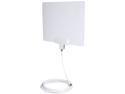
Pros: "Multi-directional" apparently equals "Omni-directional" Good gain Great performance / small size Seems to cover entire US Digital OTA (over the air) Band
Cons: "High Performance Coax Cable" is adequate - might want to swap in a cable with a larger center conductor (supplied is kinda thin) Cable really is 15 feet long (or "High" as the description reads) - many installations won't need one this long
Overall Review: Have a UHF Yagi + rotator on the roof left over from Analog TV days -- the rotator (rotor?) finally died, meaning 2/3 of local channels were suddenly gone (Yagis are directional). Bought this indoor antenna as a stopgap (was on sale), but it looks like I won't have to worry about replacing the mast mounted rotor, although, at some point, I should probably yank the entire thing off of the roof. Modern equivalent of rabbit ears, but better - don't have to adjust the position! One egg off for the supplied cable - thin center conductor and threads were somewhat tough to line up with both the antenna (that the cable came with) and with the receiver (TV). Will probably replace when I get around to it, but seems to work. Signal level is very good - picture (across local channel band - from channel 4 to 57) is good - very surprising (I didn't really expect much, as was on sale for $12 [promocode] with free shipping)
Good Enclosure, wrong country's power cord
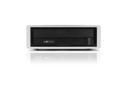
Pros: Quality aluminum enclosure Nice "screw through the middle" clear rubber foot design (instead of the standard "screw covered by a sticky-sided foam foot," one of which typically falls off within a few days) Rubber grommets around the optical drive mounting holes (minimizes vibration transmission) Appears to be real USB 3.0 Speed USB 3.0 Cable is not too long Enclosure uses a backwards compatible female USB 3.0 "B" style connector (if you lose the 3.0 cable, a standard 2.0 will connect the enclosure at 2.0 speed). The internal SATA/Power cable is long enough Power cable appears very nice (3 very large plug "prongs" appear capable of handling hi amperage, spacing indicates at least 220v. There's even a replaceable fuse embedded (with removable cover) inside the plug.
Cons: Front bezel turned out to be white instead of black (not a big issue, but photos show black) No idea which country uses this style of wall plug, but it is not the US. Fortunately, the ac input connector for the power supply is very common. While the USB 3.0 cable is not too long, it is almost too short. It also has ferrite loops at either end of the cable (not sure if they're a good thing or a bad thing.). The internal SATA/Power cable is almost too long. When connecting to the drive, and pushing the drive into the enclosure, the power/SATA bumps up and pushes against the aluminum casing, forming a partial "sound short," somewhat defeating the purpose of the rubber grommets (vibration dampers).
Overall Review: Came with a piece of paper which mentions software and a website. Did not try it. Worked with Mac & Windows.
Mostly great, could use some work.
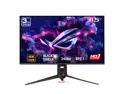
Pros: Picture is great when properly adjusted. Monitor really highlights the limitations of different display cards (this is a good thing).
Cons: Specs list a SPDIF connector. Nope. Not there, unless they're talking about "inside the HDMI connector". Settings at the monitor are confusing Some things are obvious, such as, while using USB-C for both Video and KVM, bandwith can (somewhat) be allocated to either video or USB Other things are not so obvious, such as why having "DSC Support" OFF limits USB-C video to only 120 Hz 10bit, 144 Hz 8bit. Had the entry been written as "Display Stream Compression" instead of DSC, then, such limitations would be more obvious. A listing of which modes disable the contrast setting, and even the brightness setting, would be useful. Some easy over-ride would also be nice: let me make it darker! Whole lot of unexpected interactions: experimentation is Required! Ability to save presets, see a list of the saved settings with useful names, and allowing for quick hopping from one set of preferences to another would be very useful. The DisplayWidget Center does allow for export/import of JSON files, which is close, but just being able to click to select among a list of profiles would be preferable. Accompanying stand is a waste of money. Height adjustment is totally NOT obvious. I discovered it by accident. The pretty LEDs and glass "slide" projecting an image onto the surface the stand, er, stands on, with choice of different slides, is pure overkill. How about selling all that as an optional kit, and not force people who are mounting the monitor onto a 100 x 100mm VESA arm to pay for unused bling?
Overall Review: Construction is interesting: instead of a bezel covering the edge of the actual display panel, it looks like the panel is simply "dropped into" the frame (and, maybe glued to the back)? Pro: Entire display panel is exposed: nothing covering it Con: Entire display panel is exposed: nothing hiding the 8 mm horizontal, or 5 mm vertical, internal bezels (bank, dead areas of no image, on either side of the active display area). Although, full disclosure time: that invisible bezel is where fingerprints from adjusting the tilt/position of the monitor collect, so maybe it's a good thing? But then again, if there were a real plastic bezel, the fingerprints would be on the (hopefully textured) plastic, and NOT on the glass. Also, for anyone wanting two panels "side by side", who's happy that the actual plastic "bezel" is only 1 mm wide, and thinks the visual gap will be minimal, think again: 18mm from active surface to active surface. "Anti-glare" does not mean Matte or anti-reflective. Maybe this one is on me, as most of the monitors I've used have been LCD (or CRT), but I was not expecting the screen to be as glossy as it is. This is confusing to me: glossy screens perform best with a darkened room, to minimize reflections, but with brightness listed as 1000 cd/m2 (aka NITS), having such a bright screen in a darkened room is a little hard on the eyes. Need to balance room backlighting / ambient, but ensure NO light sources behind the viewer.
Beware! Short service life
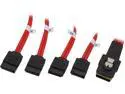
Pros: - Cheap (should have been a warning) - 0.5 meter length - Fairly flexible (compared to "better" cables) - Red (if color matters)
Cons: Lasted 9 months in a case (without being moved) and then a channel died ( # 4)
Overall Review: I was a little leery going into this, as there were some comments about bad cables already here. Figured if cables worked when first connected, and then weren't moved around, they'd keep working. Right? Wrong! 9 months later, the screaming of the RAID card alarm indicated an array member had been lost. Figured "might be a glitch" so powered down, wiggled cables, powered back up, and the array starts rebuilding (missing member is back). "Time to finally order that spare drive." A week later, 1 day after receiving the new drive, the alarm is heard again. Same drive (connector 0, channel 3 - the 4th drive). Swap out time, with a twist: new drive isn't recognized by card. It's the cable! Replace with original cable (a Highpoint, which was originally replaced because it was too long - 1 meter) and the rebuild starts on the new drive. Moral of the story: don't expect cheap cables to last. Update, years later: Yo! NewEgg! This is the second review of mine I've come across where all of the EndOfLine characters were replaced with <br> Check your migration script / FIX other peoples reviews which you BROKE! Don't make us fix your screw up. Take some ownership.
Anyone got an ICC profile for this thing?
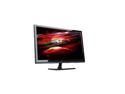
Pros: Cheap (when on sale) 144 Hz Power button does NOT have to be held in for at least 1/2 a second to turn on (Booo! Acer!) Dedicated Source Input Select button (doesn't share an alternate function) Multiple sync frequencies supported (1/2 an egg off for not supporting 120 Hz via DP) OSD buttons are good sized Menus were in English No dead pixels 3 day shipping (direct from Korea) Input Sources other than DisplayPort support 120 Hz
Cons: Blue Power On LED is too bright (duct tape dimmer applied) OSD Menu system is fairly primitive Power cable between wall and brick (with funky prong adapter) looks suspicious (am using my own cable) DC cable from power brick to barrel plug could be longer Anti-Reflective coating not evenly applied to screen (missed a spot near the bottom) "Screen Door" effect noticeable with some sources (limitation of design dpi - not really a bug) DisplayPort had initial issue (see Other for details) 120 Hz refresh rate not supported on DP(maybe a real ICC profile would help?) Glossy black bezel could be matte and thinner Resolution (on this web page) is listed incorrectly - of course, it's 1920, not "1960" - typo Last item, and this one is subtle: Does anyone remember Sony Trinitron CRT monitors? Remember the twin horizontal "shadows" running across the screen at about 1/3 and 2/3 of the way down the screen? Well, it looks like the back-lighting of this Newsync monitor has a similar artifact: There's a thin (about 1/8 inch) vertical "seam" that runs down the center of the screen from top to bottom. Like the Sony wire shadows, it's hard to see. The brightness of the color being displayed can't be too bright or dim, or else you won't see it. However, once you notice it, it's subliminally there all the time, like a stain on a movie theater screen. The pixels are OK, but the backlight is just a bit dimmer. Am guessing the screen uses two separate edge lit light guide panels, which meet in the middle. Rather annoying, as you start seeing it all the time. Am taking a second egg off for this.
Overall Review: Speakers not tested (am pretending they're not there) Firmware update to support Freesync would be great! (not holding my breath) Need an ICC Profile for Windows (you'd've thunk 120 Hz would be supported via DP) DisplayPort difficulty: Out of the box, I connected DP first. Input wasn't recognized/seen, even after manually cycling the Source button to DP mode. Not sure whether issue was video card or monitor, but HDMI and DVI-DL worked fine. Eventually, with all three inputs connected, and a reboot or two, DisplayPort started working. Since then, it's worked OK. Later notes: 1. For some reason, each End of Line in this review was being shown as <br> - don't think that's how the review was originally written! New Egg, did you guys migrate old reviews using bad scripts?!? 2. The "No DP without HDMI first" issue MIGHT be an ATI/AMD video card issue! Have seen the same issue, just recently, with 7800XT and brand new ROG Swift PG32UCDM3 monitor.
Could use a tool for the thumbscrews
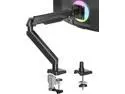
Pros: Does hold up a moderately heavy monitor Dual screw clamp seems sturdy Came with a few extra screws (feature!)
Cons: Tension adjust hex screws with clockwise/counterclockwise "righty tighty, lefty loosy" indicators are slightly counterintuitive. On one, "does + mean the joint is "stiffer" or does it mean the gas cylinder is "stiffer" ?" A small amount of experimenting was needed, on that adjustment point, but, the rest functioned as expected. The plastic molding "side pieces" on the upper part of the arm kept falling off while I was working on the arm. They appear to be non functional, "make it less ugly" parts. Suggestion is: remove them before working on the arm, and then reattach once everything is done. In the bags of parts, the Part labeled MA, which are the thumb screws which actually screw into the Monitor's 75x75 or 100x100 mm threaded holes to attach the arm to the monitor, needs a tool! Tried with 2x different monitors. Need for the tool might be due to the thread tolerances of the screws? Point is, turning by hand, on the outside of the plastic end caps of the thumb screws, did NOT provide enough leverage/torque to tighten the screws into the backs of the monitors! Since the kit came with 2x different "hex key at one end, phillips at the other" tools, one would think that one of the two tools would help with these thumbscrews. One would be wrong in thinking that. I had to dig through my collection of flat head screwdrivers, and, on the third try, I found one which would fit the internal dimensions of the outward facing end of the thumbscrew endcaps, and was able to screw the thumbscrews in, all the way. Yay! Go me! Note: I WAS using the provided plastic spacers so that I wouldn't have to screw the thumbscrews in, "all the way". Provided spacers did NOT HELP MUCH (maybe 1 or 2 mm ? Maybe.)
Overall Review: More hassle than expected for the price, but, once everything is assembled, the unit is functional.
Stay away from this seller, unless you want the WRONG ITEM
Would only recommend to an enemy Apparently, item originated from Amaz*n? Should have ordered from manufacturer.
Shipped much faster than my last Nothingbutsavings purchase
Kudos for improving your shipping turn around time. My previous order took more than a week to arrive (CA to AZ), but this time it was overnight via OnTrac.
Not in Original Box
A product like the one I purchased would typically come inside a vendor's (Commercial / Retail) box or package. Mine came in individual, poorly padded plastic bags, inside a generic (probably repurposed) brown box. Product did not seem damaged, but a warning or more descriptive description would have helped.


