
Your Browsing History


Leonard H.
Joined on 12/28/05
0
0
product reviews
- 3
Good value modern quad-core
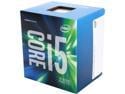
Intel Core i5-6500 - Core i5 6th Gen Skylake Quad-Core 3.2 GHz LGA 1151 65W Intel HD Graphics 530 Desktop Processor - BX80662I56500
Pros: Given my computing needs for this build, I wanted a reasonably fast, modern quad-core processor (some applications I use are fairly single-threaded; some are multi-threaded; and I run at least one VM along with these programs). This processor meets this desire at a reasonable price point. I have no real need to overclock, so I did not count on that. But to my surprise, the combination of this processor, my motherboard, and memory (Asus Z170-A; 2 x 8GB sticks Crucial DDR4 2133 memory) the easy overclocking settings were able to achieve a very stable 15% overclock.
Cons: I know what I was (and was not) buying, so while these might be considered cons I knew I was not willing to pay for them in this build. *No hyper-threading. *Unlikely able to overclock to a really serious degree (not a K version) *"Only" four cores (I do some video conversion and do use VMs, so more cores could be useful at times) *Included cpu fan/cooler is probably only adequate (again, I achieved an easy automated 15% overclock if the Asus software is to be believe). You will need something better if you are really pushing it.
Overall Review: No fault of the processor itself, and I still like Newegg as a vendor. But I did need to pay $10 more for this processor than Intel's recommended price. It is a recent release, so I guess that might change over time. If you are running Linux and using the integrate GPU, you should plan on running recent versions of Linux (or be prepared to build your own kernels or use Arch or something). Lubuntu/Kubuntu 14.04.02 LTS did not work for me (though I see 14.04.03 is now out; I never tried it). I was able to get Lubuntu/Kubuntu 15.04 to somewhat work, but there were graphical performance and stability issues. I turned to a beta version of Kubuntu 15.10 (the GA release should drop any time now), and I have not had any problems. It seems that there has been a lot of work contributed recently to the Intel Linux drivers. I am running on a Dell 3440 x 1440 monitor over DisplayPort 1.2 at 60hz, and things are humming along just dandy. I do not game on this build, though.
10/19/2015See more detail
Good, basic, cool single core cpu
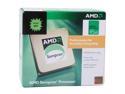
AMD Sempron LE-1250 - Sempron LE Sparta Single-Core 2.2 GHz Socket AM2 45W Processor - SDH1250DPBOX
Pros: I bought it with a bundle, and essential got the cpu for free. I have been playing with it for a week and a half, and have no real complaints. I use it in a basic media streaming/decoding server, and it does fine. It keeps cool, is quiet, and with the basic board and memory, I have at about a 10% overclock. Really, I cannot ask much more for the price paid.
Cons: Again, I can list things here (like the fast that I get stuttering if I try to multitask anything heave at once, or that fact that it has no L3 cache, or the fact that it does not do hardware virtualization, or the fact that it does not have an unlocked multiplier or . . . .). But, again, my number one concern here was price. Close second was keeping that box cool while function. Next was sound. Anything else, and I think it would have been reasonable to pay more. If one accepts that it is a basic proc for very little money, then I think five eggs are appropriate.
Overall Review: I thought long and hard about getting this and a basic board, or getting an Atoms 330 and board. I think this is currently a better choice for a media server. It does stuttering on trying to do two cpu intensive things at once, but I think the max clock speed of the Atoms is still a bit too low for media decoding (unless the GPU can do almost all of it). It also helps with other cpu-intesive, no-parallel (at least the way this vendor implemented it) tasks like virus scanning. Would it have been better to pay twice as much for twice the proc--well, maybe. But I really have no need for it, and the combo deal was killer.
6/2/2009See more detail
An OK basic board--good for media serving
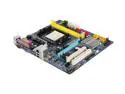
GIGABYTE GA-M61PME-S2P AM2+/AM2 NVIDIA GeForce 6100 Micro ATX AMD Motherboard
Pros: Cheap--and, really, this was my biggest constraint for this build. Second was that it had an on-board PCIe x1 slot--check. Third was a legacy PCI slot--check.
Cons: One problem I had was the NIC. When I first tried it (under Linux or Windows), it did not work (even though the port light came on). The OS indicators suggested I did not have the cabled plugged in, but . . . I am not sure which "fixed" the problem, but I 1) upgraded to the lastest bios via a usb fat32 formated drive, and 2) put a gigE card in one of the open slots. After that, no problem. I have removed the gigE card since, and the onboard port still works. It is likely it was the update, but . . . I hesitate to put these comments as cons (because I knew this board did not have these things, I do not really need them for this build, and I wanting to pay very little). But this board does not have gigE, and every board really has little reason not to come with at least one gigE port. It has limited overclocking abilities (see other thoughts), it has only two onboard sata ports (so two sata hard drives, and one sata dvd drive is not possible, unless you use an add-in card.
Overall Review: For the people who say that this board has no overclocking features, you are wrong. It is true that there are not many, and for some reason, Gigabyte "hides" them, and does not mention how to access them in the manual. But in the main bios screen (right after you press "Del"), press "Ctrl-F1" and you will get an "Advanced chipset functions" section. It allows you to tweak several things (some of which I do not understand). Memory speed and timings (though I do not believe voltage), cpu core speed via fsb (again, I do not think voltage), multiplier, and some others. I am using a low power single core cpu (AMD Sempron LE-1250). It is hard for me to know what is limiting my overclock, but it could be the cpu or the board or the memory. Even given that, I am able to achieve about a 10% overclock. Yeah, I know--pathetic. But it is quiet, runs very cool, has no problem keeping up with media center functions--and most of all, was very cheap.
6/2/2009See more detail