
Your Browsing History


James D.
Joined on 08/20/02
0
0
product reviews
- 21
Fast and smart - but comes at a premium
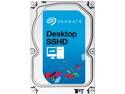
Seagate Hybrid Drive ST2000DX001 2TB MLC/8GB 64MB Cache SATA 6.0Gb/s NCQ 3.5" Desktop SSHD
Pros: This drive combines a small 8GB SSD with a giant 2TB HDD to provide a balance of performance and capacity. For small transfers (~150MB of photos) from a fast source (an SSD drive), the transfer was nearly instantaneous. Copy, paste, it's there. However - this was also true for traditional HDD's in my system. For larger transfers, (1GB+ video files), there was a clear boost at the start, but then the drive settled into a more average transfer speed of around ~100MB/s - no slouch, but not the blindingly fast ~500MB/s boasted by top SSDs. With my experiments on installing and booting Linux Mint from this drive, I did experience some pleasant speedups on subsequent boots after the first few. While I'm sticking to a dedicated SSD myself, this sort of setup would be my second choice, especially for builds on a budget.
Cons: At the end of the day, 8GB is just a hair shy of being relevant. OS + one or two large games can easily overwhelm this cache, causing the user to hit the HDD portion more often than I'd like to see. This drive can be outclassed by a mix of a 64GB SSD and a traditional 2TB drive paired to work together (on modern intel motherboards) for a few dollars more overall.
Overall Review: Where this drive shines is for the keep-it-simple use case of those who want one big, fast-ish drive, at a reasonable price. If that's you (or your grandparent!) this drive is your best bet. To break the rating down: Performance: 5/5 - notable boost over traditional HDD's without compromising on capacity Value: 3/5 - significant premium over traditional HDD's Convenience: 5/5
10/9/2013See more detail
Seamless network integration; questionable speed claims
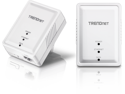
TRENDnet Powerline 500 AV Nano Adapter Kit, Includes 2 x TPL-406E Adapters, Cross Compatible With Powerline 600-500-200, Windows 10, 8.1, 8, 7, Vista, XP, Plug & Play Install, White, TPL-406E2K
Pros: This is an alternative to 802.11 wireless or running ethernet cable through your house - and powerline networking may be your best option in larger homes. It is extremely simple to install - you just plug each unit into an electrical outlet: one near your router, the other near your distant devices. Hook up your networked components via the included ethernet cables, and you're done. My wife was pleased that so little of our Saturday afternoon was spent installing this! This is a network component that should be dead simple plug and play - and it was.
Cons: I don't see how this can support 500Mbps as claimed - it only has a 10/100 RJ45 (ethernet) port, but you would need a 10/100/1000 to go any faster than 100Mbps. The manufacturer's website claims ""Powerline: up to 500 Mbps / Ethernet: up to 200 Mbps (Full Duplex mode)"". It is very misleading to claim 500Mbps when the way everyone will use it - over the included ethernet port - it can only support up to 200Mbps (and just 100Mbps each way). Another con is that it only offers a single port. I had to add a switch to be able to connect more than one device. I'd prefer to have a switch built right into the adapter with at least 3-4 ports. And as easy as this was to install, other powerline adapters I've used were just as simple. If this were accurately labeled as a 200Mbps device, marketed as compact and simple, and priced as such, it's be a better buy.
Overall Review: Like any powerline adapter, be sure to plug this directly into an electrical outlet, and not into a power strip or surge protector. To ensure the best performance, give it a dedicated outlet with no other cords plugged into the same outlet.
8/17/2012See more detail
So click. Much keyboard.
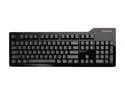
Das Keyboard Model S Professional For Mac DASK3PROMS1MACCL Black 104 Normal Keys 6 Function Keys USB Wired Standard Keyboard
Pros: Feel: Allows for as light or hard a touch as you want and still registers a key press. Pleasant, minor resistance on each key. A pleasure to type on. Sound: Louder than any laptop or desktop membrance keyboard, but much quieter than older clicky keyboards. Working in a cube farm in a quiet office, I've never gotten any complaints. Price: This is an average/good price for a solid mechanical keyboard.
Cons: Requires PS/2 port to guarantee no "key jamming" when multiple keys are pressed simultaneously. Still, I've never run into an issue while typing or programming. I don't game on this keyboard - I use it exclusive at the office, so I can't speak to any WASD keyboard jamming issues. If you don't want mechanical then you can find cheaper keyboards, obviously.
Overall Review: This keyboard can be connected with PS/2 port (if you've got one!) or via USB. PS/2 connectivity will prevent "ghost keys" or "key jamming" when too many keys are pressed at the same time. USB connectivity is a bit more practical as it enables the two USB ports on the side, providing a mini hub for your small USB devices. Bonus: Due to the click sounds, people listening to you type will think you're typing twice as fast as you really are!
12/27/2013See more detail
Surprising quality, except the feet...
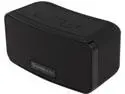
Simple Audio Go Portable Mini Bluetooth Speaker
Pros: When streamed from an HTC One smart phone via Bluetooth, this portable speaker produces a clear sound with minimal distortion. Connectivity: Connecting this to my Android smart phone was a breeze. Having charged it up overnight, I powered the speaker on, and it immediately went into pairing mode. I went to my phone's Bluetooth settings, selected the "Go" device, and voilà - my music was now streaming through the speaker. I wish I had more to say here but it was just that simple. Listening: I tested this under three real life scenarios. The first was in a hotel room while on a trip. No issues with interference from adjoining rooms, perfectly clear sound and far superior to my phone or even my (business) laptop speakers. The second was in that same hotel room, while in the shower, with the exhaust fan going. Again no issues - this speaker was loud enough for Comfortably Numb to be heard quite comfortably. The third was Christmas morning, at home. Again, no complaints - my jazzy christmas music played loud and clear. As for battery life, so far it's lasted 3+ weeks of moderate listening without dying, so I'll count that as a huge positive.
Cons: Now for the (relatively minor) downsides: Those little feet on the bottom that keep it in place leave a sticky/oily residue on finished surfaces. I ended up placing a napkin under it to avoid marking up my nightstand. I sincerely hope they can improve upon the material in a future revision to this product. At the full MSRP, this is nowhere near a best buy. For the price, you could buy a entry-level audiophile headphones, a gorgeous set of 2.1 speakers, or half new subsidized smartphone. Knock it down by 30% and you'd have a perfect no-brainer gift idea.
12/27/2013See more detail
Trifecta - speed, consistency, durability
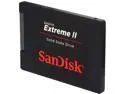
SanDisk Extreme II 2.5" 240GB SATA III Internal Solid State Drive (SSD) SDSSDXP-240G-G25
Pros: When SSD's first arrived on the market, they were clearly superior to traditional mechanical hard drives, but that's about it. Modern SSD's, however, strive for three performance targets: Reliability, speed, and (recently) performance consistency. This SSD leads the pack in speed and consistency, and with a 5-year warranty, it looks promising as far as reliability goes, as well! You can find deep technical reviews to give MB/s transfer rates across various usage patterns, so I'll spare you from my own limited benchmarks. Anecdotally, I will mention that when I copied a ~1GB .iso file of a Linux distribution from my existing SSD to my Sandisk Extreme II, Windows barely even had time to pop up the file transfer box, let alone provide detailed transfer rates. Suffice to say, this drive is FAST. I am very conservative with my operating environments but I am strongly considering making the effort to migrate my OS from my current high end SSD to this one - it's that good.
Cons: Doesn't offer controller-level encryption, but does support software encryption such as bitlocker, truecrypt, etc, so I will not dock any eggs for that.
Overall Review: The Notebook bundle for this drive (G25) comes with only a spacer, so make sure to order the Desktop bundle (G26) if you'd prefer a 3.5" mounting bracket and SATA cable over the spacer.
8/21/2013See more detail
Solid device for certain purposes
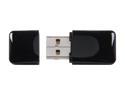
TP-LINK TL-WN823N Wireless N300 Mini USB Adapter, 300 Mbps, w/ WPS Button, IEEE 802.11 b/g/n, WEP / WPA / WPA2, Plug & Play in Windows 10 (32-bit & 64-bit)
Pros: Dead simple way to add Wireless N networking to any PC. I tested it on my laptop, home built gaming PC, and my small form factor media server, and performance was very close to what I get with hard wired Ethernet when transferring files between PC's. Not to mention - this proved to be an upgrade from my previous power line networking setup, and it freed up two wall outlets. I would still use an Ethernet cable and a gigabit switch when transferring an ungodly amount of data, but for day-to-day use this little adapter works wonders. And when it comes to downloading files from the internet, my internet speed cap becomes the limiting factor, not this device's capabilities. Range was very good - on par with my laptop's built in Intel 6205 Wireless N adapter. I couldn't find a place in my two-story house it couldn't reach with at least very good signal strength (and no detectable loss of transfer speed).
Cons: While this device is not as small as some USB Bluetooth adapters I've used, as a wireless networking device it requires a larger antenna - I think this is about as small as such a device can get. However, it sticks out just a tad too much from my laptop for my liking - I wouldn't feel comfortable just leaving it in there when I pack the laptop away. On my media server PC, this of course was no issue at all, and in fact I'd welcome an even larger form factor if it meant better range. One major con to USB adapters in general is that you have a layer of USB to go through, whereas built in adapters can be wired directly into the motherboard. I'm usually willing to overlook this for the convenience a USB device offers, but in my case I ran into a very real issue. On my work laptop, when connected to its manufacturer-provided dock, I could not get this wifi adapter to connect at speeds greater than 48Mbps. I tried every port on my laptop itself, and each of the dock's USB expansion ports. The speeds ranged from 36-48Mbps. Meanwhile, my built-in Intel 6205 Wireless N adapter connected to the same wifi access point at ~144Mbps every time, nearly the max expected (150Mbps) for 300Mbps bidirectional wifi. When I tested this off the dock (at home and in a coffee shop), I was able to connect at 100+Mbps - consistent with Intel adapter in those locations. Although I suspect this has to do with my laptop perhaps limiting speeds to USB 1 when docked, it still means that this device is susceptible to such limitations. Finally, the cap is small, detached, and easy to lose... I'd prefer some other solution, such as an attached, retractable cap.
Overall Review: Small-ish, easy to install, works on par with high end built in Intel wifi. Susceptible to USB speed limitations. The MSRP is a competitive price, but it is not outstanding. Conclusion: For years now, every laptop today has wifi built in - such as my 8-year-old Dell laptop from 2005, and the advantages of upgrading from, say, 802.11g to 802.11n are not worth carrying this adapter around. An in the case of even older laptops with no wifi, they surely will not have USB 2.0 available to make full use of the Wireless N. Based on these limitations, I see this as an ideal solution for adding wifi to remote located desktops, such as media servers or even gaming PC's located far from your broadband modem, rather than laptops. Overall this is a very solid device that will serve its specific use cases well.
8/19/2013See more detail