
Your Browsing History


Jonathon W.
Joined on 05/25/05
0
0
product reviews
- 23
Mines solid
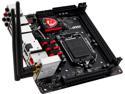
MSI Z97I Gaming AC LGA 1150 Intel Z97 HDMI USB 3.0 Mini ITX Intel Motherboard
Pros: Solid fast wifi excellent layout durable well thought out setup
Cons: none that i found
Overall Review: I like this board, and I've been building my own pc's for 14 year or so. I built mine around the latest i7 release, and I've rebooted only a few times since only for updates. It's been on ever since. I replaced a faulty wifi router(at the time of the build) and they seem to play really really well together. I FPS, MMO, and RTS game all the time(literally-I'm a disabled vet now) and I don't have connection or speed issues. (linksys wrt1900) The nay sayers have no clue about building systems or the normal teething process around a new mobo/build. This is a good mobo, even the software that comes with it isn't bad. I've usually had gigabyte or asus, last msi board i had was over 10 years ago. My build wasn't totally flawless at first, but it's solid and I'm very happy with how it came together.
7/29/2014See more detail
Avoid like the plague
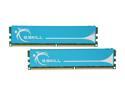
G.SKILL 4GB (2 x 2GB) DDR2 1066 (PC2 8500) Dual Channel Kit Desktop Memory Model F2-8500CL5D-4GBPK
Pros: Absolutely NONE. The specs and price looks right, but that's it.
Cons: This is my second review of my second set of this(Had to RMA the first due to a dead stick). I was understanding in my previous review. I am not now. Both sets are recognized as DDR2 1066, @2.0V as default in my Gigabyte EP45-UD3P. I Memtest86'd and Prime95'd the snot out(in a well controlled environment) of the second set using the 2.0V settings, 5 days later and I got failed boots, crashes, and instability. I increased the voltage to 2.1 and no affect. Ran Memtest86 again, and I get tons of errors. That's 5 days after (a 24hr on Memtest, 24hr on Prime95) burn in at default settings. It's too late now to return and get these replaced with another brand now, due to the previous RMA. I've gone so far as flashing my bios to get memory to work, but a memory error is an error.
Overall Review: I bought this set originally due to my good previous experience with the two G.Skill 4gb pc6400 kits like these. I'm back to using those while I wait, again, for my RMA to go through. I now get to find a buyer for these-and lose money, so I can get a quality set of RAM from another manufacturer. Ripoff. I understand a DOA stick, but to pass a burn in, then fail with in days, is a crock. G.Skill owes me money for wasting my valuable time, and money returning these. I would like to apologize to anyone who bought these based off my previous review. Avoid Avoid Avoid
1/21/2009See more detail
Excellent ITX case
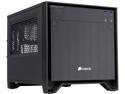
Corsair Obsidian Series 250D (CC-9011047-WW) Black Brushed Aluminum and Steel Mini-ITX Computer Case ATX (not included) Power Supply
Pros: ease of access to installed components after assembly no sharp edges good airflow sturdy, stripped down or assembled clean lines, presentable, nothing obnoxious unless you put it there CLEAN on the inside, no dust, dirt, animal hair gets in Quiet, doesn't sound like a wind tunnel when all the fan slots are used. No fan controllers needed if you choose the right fans. Looks good/invisible with home audio equipment, take people a while to recognize it's a PC.
Cons: nothing yet, I've had mine since 2014...
Overall Review: I've built creative ITX systems before, this was the easiest by far. I was able to squeeze in a nice (at the time) MSI Z97I/i7 4790K/GTX780/1TB Samsung SSD. Since 2014, I maybe powered the system off 2 or 3 times, it's been on, not idle or sleep. I also have 3 dogs, and 2 cats(someone likes chewing on the wifi antennas in the back too). I don't get animal hair, or dust inside. I don't have to clean the inside like I did on previous builds, and I've had a lot in the past 15 years. I've NEVER had to use a can of air or do any dusting, ever in this case. I have had to replace the 200mm fan I first used in the front recently, but that was to my own stupidity(broke a blade). I did have to remove most of the covers, pull the graphics card and move cables out of the way. No bandaids, tissues, or swearing involved. It has excellent airflow, but still remains quiet, a nice balance, evident of good engineering. Thermally, it's keeps my system cooled rather well enough I could OC, but I don't need to. If I ever upgrade, I'll try to keep this case. I paid more than it's listed at now, and would pay it again if needed.
3/1/2017See more detail
Works fine for my needs
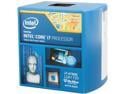
Intel Core i7-4790K - Core i7 4th Gen Devil's Canyon Quad-Core 4.0 GHz LGA 1150 88W Intel HD Graphics 4600 Desktop Processor - BX80646I74790K
Pros: Plenty of power for everything I do Playing games web browsing with 10 tabs listening to my music recording tracks running software for guitar practicing/jamming sometimes doing all(ok, most) the above at the same time. No differences
Cons: Sure it may get hot, but I prepared
Overall Review: I thought my application out when I built, back in 2014 (this CPU was cheaper then than it is now). I dropped mine in a MSI Z97I board, shoved it in a Corsair ITX case with a Big Nvidia card. Been running reliably for years. I think I shut it off one time in 2015 when I got a new desk, and once for a few weeks when I moved in 2016-2017. A good choice in thermal grease, a decent copper heatsink, and heat issues are a nonissue. And I can't use a fat heatsink like everyone else, so you have no excuse if this over heats on you.
2/26/2017See more detail
These suck
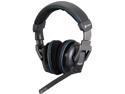
Corsair Vengeance 2100 Circumaural Wireless Dolby 7.1 Gaming Headset
Pros: wireless usb charger pretty cozy
Cons: They sound like ****. I cant even make these sound somewhat ok with the EQ when playing music. I came from a ragged out set 4 year old G35's, and they sound better than these. These may sound ok if you play WoW, but not FPS or RTS. My old 5v's even played music better.
Overall Review: They may make ok memory and cases, but headphones are not their forte. I tried to live with them hoping they would break in, but they haven't. And I believe it's too late to return them so I'm *******. Save your money.
7/16/2014See more detail
Get something else
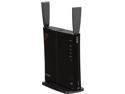
BUFFALO AirStation HighPower N600 Gigabit Simultaneous Dual Band DD-WRT Wireless Router - WZR-600DHP
Pros: Gigabit, dual band N, usb port. That's all I cared about and why I bought it.
Cons: Poor tech support/customer service. They advertise 24/7 tech support on their product but do not provide. They send these out with changed passwords from what is written in the initial documentation. When you go to do your initial install, nothing will work, even wired connections. They put a small piece of paper in the box that falls out when you open it and if you lose it, you might as well return for another router. That paper has the updated password. It's small, I found mine when I was boxing everything up and intent on returning it. I gave it a shot and it's working now. I tried tech support, 8 times. Or so my cell says. I was hung up on twice even before I gave them reason to.
Overall Review: My next router will not be a Buffalo. Tech support should have called back after I was disconnected, after my first 20 some minute hold on the phone. I've had customer service call me back before. This speaks volumes of their commitment, and sours their name in my mind. This wasn't my first rodeo.
1/13/2013See more detail