
Your Browsing History


Peter W.
Joined on 11/21/02
0
0
100%
product reviews
- 73
Awesome!
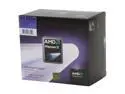
AMD Phenom II X4 905e - Phenom II X4 Deneb Quad-Core 2.5 GHz Socket AM3 65W Processor - HD905EOCGIBOX
Pros: I just built my HTPC using this 905e. It is running 24/7 and purring like a Kitten. Encoding is effortless. It doesn't break a sweat and I have UNDER-clocked it to save on power. This is NOT a CPU designed for over-clocking--it's the exact opposite. Hand picked by AMD to be extremely powerful, but easy on your Electric bill--and it is. The included heatsink/fan is quiet enough that I can not hear it in my nMedia HTPC case. I can't hear anything at all actually except the HDD spinning up occasionally. No big deal--it IS a PC you know! 1080P? It doesn't break a sweat. I have news for most of you. Being a System's builder for over 20 years I can tell you---the days of Over-Clocking are coming to an end. What's the point? The ideal system is one that does exactly what you want it to do, with little effort--and for little Money paid to your Utility Company. No 1000W power supply needed. Everyone has their hand out for money these days. This CPU is a good way to slap their hand. Be SMART!!
Cons: Absolutely NONE
Overall Review: This may seem like overkill for an HTPC to some of you, but think about it this way. My on board graphics is beautiful and runs 1080P easily--even plays FarCry 2 at Medium settings. If I want to throw in an ATI HD4870X2 to play FarCry 2 maxed out--I can. Not a problem. CPU--905e Deneb Case-Nmedia HTPC5000B (can take full size Graphics Cards)--same size as HTCP 1000B used in the ATI Maui system. MB-Gigabyte MA785GPMT-UD2H (new 785G chipset) 4 x 2GB G.Skill F3-12800CL9D-4GBNQ Enermax ELT400AWT-ECO (MODULAR) Energy saver Hauppauge WINTV-HVR-2250 dual-tuner card About 2TB HDD space On-Board 7.1 Dolby HD sound--fantastic! HDMI Direct to 50" Sony HDTV--works like a charm Looks like a stereo receiver under my TV A lot of Horsepower for an HTPC, but can easily replace my main gaming system with an added Graphics Card.
8/16/2009See more detail
NO TECH SUPPORT WHATSOEVER!!!
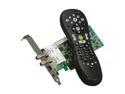
Hauppauge WinTV-HVR-2250(WinTV-HVR-2255) Media Center Kit Dual TV Tuner w/ IR Remote PCI-E x 1
Pros: Beautiful picture with Blu Ray and QAM TV Channels through Media Center - when it doesn't stutter.
Cons: With Windows 7 Premium 64 bit I am using this card and Media Center. When watching or recording a QAM (or any other) channel the picture runs smoothly but stutters a few times a minute. Both audio and video get corrupted for approx. one second and then it clears up. This happens over and over and over. I am able to watch Blu Ray and DVD's with no problems though.
Overall Review: Hauppauge Tech Support is NON_EXISTANT! I have requested help about this issue I am having three times within the past 50 days and have not received one single reply. My HTPC compontents are way more than sufficient to operate this card or any other. Gigabyte MA785GPMT-UD2H AMD 905e CPU 4GB G-Skill memory WD VelociRaptor HDD's 10,000 RPM Hauppauge 2250 Windows 7 Premium 64 bit 400 Watt Enermax Power Supply (entire system never uses more than 100 watts) ATI HD4550 rather than on-board HD4200 graphics On-Board Audio. DVD's play perfectly. Blu Ray plays perfectly. Everything works perfectly EXCEPT the TV stutters several times per minute. ALL drivers are 100% up to date.
11/19/2009See more detail
Asus----NEVER AGAIN! ZERO Tech Support!!
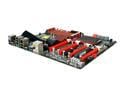
ASUS Rampage III Extreme LGA 1366 Intel X58 USB 3.0 ATX Intel Motherboard
Pros: Nice looking board with top-notch features (if you can get them to work).
Cons: My board has massive USB problems and the onboard sound will not "kick-in" until the system has been active for at least 15 minutes. I emailed Asus Tech support and received a reply within three days. I replied back with the info they requested and haven't heard a thing from them since. Not one word. I have emailed them now 7 times and it seems they simply refuse to reply. It has been a month since their email to me. What would you call this in Legal terms?
Overall Review: I'm 62 years old and have been using Asus for a long, long time for my personal build as well as many, many Client builds. I'm finished with Asus. I can no longer RMA this board to newegg and Asus refuses to communicate so I am out the cost of this board + other boards in my shop that I simply was too disgusted to RMA (my fault, I realize). With EVGA, Gigabyte, MSI and others, i will continue my builds WITHOUT Asus. In my opinion, since I am under warranty (board is three months old), this is nothing short of FRAUD on the part of Asus. They will NOT honor their warranty and I have communicated with them over and over and over. Enough is enough. Perhaps it's Attorney time.
12/14/2010See more detail
It could have been the best!

Logitech G700 Black 13 Buttons Tilt Wheel USB RF Wireless Laser Gaming Mouse
Pros: I really hate to see a Company cut corners and ruin such a great product. This mouse is extremely comfortable in my hand and can be programed to suit anyone's needs. It is a bit heavy, but I like that in a mouse. I would definitely keep it except for one MAJOR design flaw (or cut corner) that Logitech chose when designing this mouse (I assume to keep the price down).
Cons: If you want to call this a "wireless" mouse--then go ahead, but to me it's not. On a full charge I get about THREE hours in "gaming" mode and about 5 hours in "economy" mode. Then, the EXTREMELY stiff tether cord needs to be plugged in to charge the mouse. The cord is not one of the low friction braided cords that could have been used--it is a VERY stiff cord which makes the mouse difficult to control. Not to mention, this cord is a mouse destroyer just waiting to happen. Tiny ports get loose over time and eventually fail--which is why dongles are suggested even with USB ports if you are going to be plugging and unplugging a device often. The cord for this mouse will need to be used just about every day. Plug--unplug--plug--unplug--plug--unplug--on and on. FORGET about gaming with the cord attached. It is too stiff and really hinders movement of the mouse. I think many people may just end up leaving the mouse plugged in and dealing with the cord. This mouse also uses up TWO USB ports.
Overall Review: Logitech could have done this differently, but chose to rely on their Marketing to promote this power cord as a "feature" when it is really a horrible, horrible way to do it. Sitting on my desk (in its charging cradle) is also a Logitech MX Revolution. If I choose to do so, I could game all day long and still not need a charge with the Revolution. with my computer SHUT DOWN--the Revolution will still charge. NOT SO with the G700. Unless you have a USB port that stays HOT when the computer is shut down, the G700 will not charge. It's very upsetting to me to see such a wonderful mouse ruined by a such an inadequate charging method, but that's the way it is. I will be returning this mouse (and paying the restocking fee + shipping), and will try yet another mouse. I sent back a Saitek R.A.T. 7 yesterday---what a joke that mouse is! Anyway, if you can live with a very stiff cord restricting the mouse movement, then go for this mouse. Otherwise--keep looking!
10/13/2010See more detail
I've given up
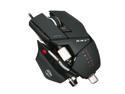
Cyborg CCB437080002/04/1 Black USB Wired Laser R.A.T. 7 Gaming Mouse
Pros: This is an update to a 4 egg review. Awesome looking. Well packaged. That's it.
Cons: I have tried and tried and tried to get this thing programed so it will do ANYTHING other than normal mouse functions. I even installed a profile for FarCry2 that was on their website. After hours and hours--this mouse just will not function properly. I have YET to get the "precision aim" to function and I'm talking about HOURS of trying. I have installed the latest drivers and software. I have searched all over for better instructions---all to no avail. I am beginning to think that the entire problem is that this mouse is NOT compatible with Windows 7 64 bit. I can't stress enough that I have tried everything I could possibly try. I have yet to get a comfortable fit for my hand, but that just may take some more effort---but that's my entire point here. Spend this amount of money on a mouse only to have to jump through all sorts of hoops to try to get it to work AND fit my hand is insane. When I wrote my first review I was seriously liking this mouse, but that changed in a hurry.
Overall Review: I am not keeping this mouse unless the email I sent to their tech support can clear some MAJOR issues up for me. One of thee biggest reasons I wanted this mouse was for the "Pinky" guard that allows the little finger to rest on the guard and never touch the mouse pad. After only a few minutes of using the mouse with this guard, I had to remove it. It aggrevates my little finger to no end! NO ONE'S little finger is shaped like this guard. Instead of a smooth, steady incline, this guard rapidly rises to a ridge---where my little finger rests. The little finger can't rest comfortably--it rests with the ridge of the guard cutting into my finger. I am NOT playing with this anymore until I hear from their tech support---if I hear from their tech support. If I don't hear from them, I will certainly post another update to this review. Back to Logitech I go!!
10/10/2010See more detail
Do NOT let your Wife see this Mouse!!
Cyborg CCB437080002/04/1 Black USB Wired Laser R.A.T. 7 Gaming Mouse
Pros: Trust me on this, if you let your wife or girlfriend see this Mouse she will secretly try to arrange to get you into therapy. Every so often a product comes along that just turns heads. The way my Wife looks at this Mouse I think she's afraid of it---I would buy it just for that fact alone! I need to get my Jollies somewhere. I have to hand it to Saitek, though. By no means is this an easy Mouse to deal with, but I think Saitek realized that and has many tutorials to help you out. I did need to play with the various customizable parts for about 40 minutes until I found a comfortable fit for my hand. I know I will find the need for more adjustments during the coming days. I have to tell you--Saitek must have changed their Business model--for the better. This R.A.T. 7 Mouse is built like a Tank. It's deceiving in almost every aspect--I thought it was too small at first, but it is not. I thought it was way too heavy at first--but it isn't. It is an amazing piece of engineering!
Cons: Honesty is the best policy, so DO NOT think that you can simply buy this Mouse and be ready to use it in 5 minutes. It takes a LOT of adjusting and configuring but the options are endless. If you are the kind that gets frustrated easily, then perhaps this is not the Mouse for you. I am NOT listing any CONS here because I'm too new with the Mouse and so far, I really haven't got a major CON. I CAN tell you that I have absolutely NO ISSUES with tracking even on a thin, black fabric Mouse Pad. So far the tracking is as precise as any Mouse I have ever used, and I have used a ton of them. I'm not thrilled about the software, but I'm generally very critical about software to begin with. I haven't gotten into the "Advanced" programming functions, but I may update this review after I try them out. Be aware that you could literally spend hours programming this thing, but most people won't need to go that far.
Overall Review: I have average size hands--on the small side for being 6'2" tall. My palms are large and my fingers are fairly short. I wasn't Blessed with anything "BIG" :) With the Palm rest being able to be moved both forwards and backwards, I think this Mouse will accommodate just about any size hand. So far my favorite customization is the addition of the "Pinky" adapter. With a normal Mouse my Pinky is always dragging around on the Mouse Pad. With this one (of three) Pinky adapters, my little finger is always resting on the adapter and never touches the Pad. Then I extend the thumb adapter OUT a bit to make the Mouse wider and I seem to have a perfect fit. All buttons are placed well and I haven't found anything to be awkward to deal with. I also think that Saitek could have charged a LOT more for this Mouse. So, Saitek did an excellent job all around. I am very pleased with it so far, and I have no plans on going to Therapy any time soon.
10/9/2010See more detail