




 here!
here!
I’m your shopping assistant for PC builds, upgrades, and everything tech.
Got questions? Ask away!
Start a conversation
here!
I’m your shopping assistant for PC builds, upgrades, and everything tech.
Got questions? Ask away!
Start a conversation

Joined on 08/20/07
Great HDD for PS3
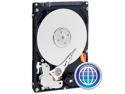
Pros: I installed this in my PS3 and it works as advertised. The PS3 detected the new drive and easily formated it. It's at least as fast as the old default drive, perhaps faster. Performance wise though I'm happy.
Cons: None really.
Overall Review: A word of caution for those upgrading your PS3: be careful not to strip the head of the screws used to stabilize the drive in the mounting. They were ridiculously tight. Also be sure to use the backup utility before you swap. Happy upgrading!
Satisfied
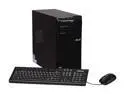
Pros: Easy setup. Looks sleek. Descent performance/price ratio; though this computer wasn’t purchased for gaming. Two USB 3.0 and one HDMI input. Smooth web browsing and video playback at HD resolutions.
Cons: Integrated video graphics. No system recovery disc included.
Overall Review: Overall I’m satisfied with the purchase of this Asus computer. It’s for my parents who web browse, email and use MS Office. I have two gripes, however slight. First, the lack of documentation. The user manual detailing system operation and specs is a .pdf located on the computer. Furthermore, no system recovery disc is included; you’ll be prompted to create one upon initial boot, which requires 3 blank DVD-Rs. These you must purchase at your own expense. I realize Asus is trying to cut costs, but it can’t be that expensive to include a Windows 7 installation disc. The only included software was a copy of Nero 9. Fortunately Asus has a minimal amount of “bloatware” installed, which can easily be uninstalled at your convenience.
Very Satisfied
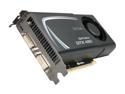
Pros: Great price to performance ratio. It's easily the new sweet spot for cost-conscious gamers who want great performance for their buck. Mind you, I'm upgrading from a 8800gtx so I'm happy with the improvement. Easily installed and significantly improved game performance in Crysis, Fallout 3, Metro 2033, Just Cause 2 and more. Overall I'm quite satisfied. Seriously all these games run liquid smooth now.
Cons: None
Overall Review: I got this card while it was on sale with rebate so I paid under $200.00 for it. I couldn't be happier. System specs: Intel I7950 ASUS P6X58D-E NVIDIA 460 GTX 6 GB Crucial RAM
Affordable, stylish, but some work required
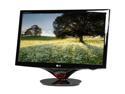
Pros: Super bright. No dead pixels. Shows excellent detail and contrast range, particularly for games and movies. The monitor also sports 2 HDMI inputs. PS3 games look wonderful. Large screen. In fact, the monitor is so big and bright, you’ll probably have to sit further back from the monitor to minimize eye fatigue. This was a slight issue for me since I’ve used an LCD monitor for the past 3 years.
Cons: The monitor needs immediate calibration out of box. By default the colors are washed out and the brightness could be seen from space, which if left unchecked could result in eye strain. Yet this isn’t a major issue since you can use several programs to alter the screen’s appear to your preference. On the plus side, calibration only takes a few minutes. ForteManager is supported in Windows 7, which you will have to download free from LG’s website. Personally I felt Fortemanager was limited in calibration options, so I used Nvidia’s tools to tweak my monitor’s color levels.
Overall Review: I got the monitor during a Shell Shocker sale, so I paid substantially less than the listed price, but I’d still recommend this model provided it stays below $300.00. IMPORTANT TIP: If you’re an Nvidia user, adjust the color levels individually using the Nvidia Control Panel. I found the monitor has a slight blue hue bias. It’s easily remedied though. Overall, I’m quite pleased with this monitor!
Great, Affordable Cooler
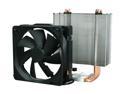
Pros: No more stupid pushpins! I had to upgrade my intel LGA775 socket stock fan because I couldn’t get all the pushpins to secure. Well this fan does away with such design flaws. The cooler uses a back and front plate that anchor the massive heatsink. Also the price is acceptable, great corsair quality, and includes thermal compound.
Cons: The instruction booklet is lacking in detail. This isn’t rocket science, but I HIGHLY recommend you pay close attention to your assembly of the mounting plates. Installation can also be time consuming if you have a case like mine. I had to completely gut my PC to set the backplate on my motherboard’s reverse side. Also the heat sink is quite large – don’t underestimate its size: measure before you buy to ensure your case will hold it. I have the Antec 902 so I had just enough room.
Overall Review: The Corsair A50 is infinitely better than my stock fan/heatsink! I have my Intel Core 2 Duo E6750 OC'ed to 3.2Ghz and my CPU doesn't get beyond 50 C. That's remarkable. I'm curious to see just how far I can now push my CPU. Also, I had just enough space installing in Antec 902 case.


