
Your Browsing History


Andrew M.
Joined on 07/12/04
0
0
product reviews
- 8
Supported in bleeding-edge Linux distros
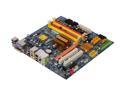
GIGABYTE GA-EG43M-S2H LGA 775 Intel G43 HDMI Micro ATX Intel Motherboard
Pros: This board works well in Linux, considering how new the board is. However, you can make everything work with a little bit of work. There are lots of great connectors, most notably DVI, which can be used to do dual-head with the VGA port. You can also get a cheap SDVO card to add other graphics ports (to support two DVI monitors simultaneously, for example). The G43 is supported by Intel, and you don't need any binary drivers! If you aren't a gamer, I would highly recommend getting one of these instead of some motherboard where you would have to get a separate graphics card. Intel has much better support for 2D graphics (dual-head, on the fly resizing and rotation, kernel modesetting, etc.) than any other manufacturer, and the 3D support is more than good enough for me.
Cons: It's definitely bleeding edge. Some things aren't supported out of the box in Linux. The G43 graphics card is only supported with the 2.4.0 version of the Intel driver, which isn't yet in most Linux distributions. The network driver has a bug and doesn't work well with the 2.6.25 driver, although apparently people are working on fixing the problem. For now I'm just using a PCI card. When Fedora 10 comes out, this shouldn't be a problem. I noticed in the manual that the memory slows down to DDR2 667 if there are four modules, but it goes at DDR2 800 if there are only two modules. Weird.
Overall Review: In Fedora 9, I had to do the following to get the graphics supported: yum --enablerepo=rawhide kernel xorg-x11-server-Xorg xorg-x11-drv-i810 libdrm (I might have installed a few more packages in addition to these). I then set 'Driver "intel"' in xorg.conf. It's a new board, so this is completely understandable.
8/19/2008See more detail
Cheap and prone to break
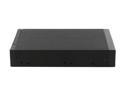
SNT SNT-SATA2221B Dual 2.5" SATA SSD / HDD to 3.5" Bay Trayless Hot Swap Mobile Rack Backplane
Pros: Low priced. Compact. Have not had any electrical problems.
Cons: Cheap plastic door that flexes every time it's used and eventually snaps off. Screw positioning made installation inconvenient.
Overall Review: I've had 30 of these in service for over a year. If the doors were solid, I could give it a four or a five. They _will_ eventually snap.
11/9/2011See more detail
Horrible Support
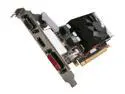
XFX Radeon HD 4650 1GB DDR2 PCI Express 2.0 x16 Low Profile Ready Graphics Card HD-465X-ZNL2
Pros: While it worked, it was fine.
Cons: The fan got stuck, causing the card to overheat and the machine to shut down. I created a support ticket with XFX online to request an RMA number. They shot off a form reply that asked questions even though I had already provided the information they were requesting. I answered the questions anyway, and I've been waiting for days to get a response. Today I called their phone support, and it's closed for the entire day for "training".
Overall Review: Even if the card worked, which it doesn't, I wouldn't buy anything else from this company.
9/9/2011See more detail
Best Trayless Bay I've Seen
SNT SNT-SATA2221B Dual 2.5" SATA SSD / HDD to 3.5" Bay Trayless Hot Swap Mobile Rack Backplane
Pros: I haven't used any other 2.5 inch bays, but I've used several trayless bays for 3.5 inch drives, and this is far better than any of them. It's made from brushed aluminum, so it feels solid, and it dissipates heat pretty well. Many 3.5" bays have the lock built in to the door which makes it awkward to use, but this one has a simple latch that is part of the case. Another reviewer complained that the light shows power but not hard drive activity. Lacking an activity light is actually a good thing because it means that there's less sitting between your drive and your SATA controller. Having extra circuitry in there means that there's more to go wrong, and the more complicated bays seem to fail more often.
Cons: Although the bay is primarily made of brushed aluminum, the door is made of plastic. As long as you pull near the hinge, it works fine, but there's no excuse for not having a better door. As others have noted, the screw holes are in slightly odd spots. The problem is that in most cases, you'll want the bay to stick out a bit from the case to make it easier to pull on the doors, but the screw holes are placed for the drive to line up with the case. This may be why a 1-egg reviewer had problems with drive swapping. If you use one of the other holes, you can get the thing to protrude a bit, and it's much easier to open doors and swap drives.
Overall Review: The bay is exactly the form factor of a 3.5" disk, including the connectors on the back (for the first drive). You can actually slide the bay into a 3.5" docking station and access the first drive. I don't know why you would need to do this, but it's entertaining. :) Of course, the bay would be better if the doors protruded a bit, so this fun fact is actually mildly problematic. Overall, it's a great trayless bay, but there are a few quirks to be aware of.
11/19/2010See more detail
DVI and HDMI
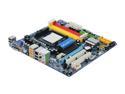
GIGABYTE GA-MA785GM-US2H AM3/AM2+/AM2 AMD 785G HDMI Micro ATX AMD Motherboard
Pros: This board has a good specs and value...
Cons: but page 12 of the manual notes that "Simultaneous output for DVI-D and HDMI is not supported". This is a critical problem.
11/15/2010See more detail
Too many minor problems
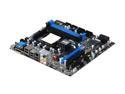
MSI 880GM-E43 AM3 AMD 880G HDMI Micro ATX AMD Motherboard
Pros: This board has good specifications and a reasonable price.
Cons: Unfortunately, there are enough minor problems that I can't give this motherboard a great recommendation. For example, the basic BIOS screen only reports the first SATA drive as detected part of the time (even though there was no problem in actually booting from the hard drive). More seriously, the onboard graphics only seem to support connecting either a DVI monitor or an HDMI monitor but not both. To me, there is no point in buying a motherboard that can't support dual digital video outputs. Finally, the BIOS has laughably bad English, and the manual is awful, although I recommend going online to download a slightly more complete manual from the MSI website.
Overall Review: Everything initially seemed to go well, but I was disappointed by the numerous little problems that I ran into. The lack of support for dual digital displays is what finally made me decide to return it.
11/15/2010See more detail