
Your Browsing History


Bryce A.
Joined on 12/28/02
0
0
product reviews
- 8
Easy to Setup and Use.
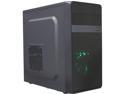
DIYPC MA01-G Black/Green USB 3.0 Micro-ATX Mini Tower Gaming Computer Case with Dual Fans
Pros: Small and lightweight. Comes with two fans.
Cons: Sometimes it comes smashed, but RMA it.
Overall Review: I liked it enough to buy 9 of them.
2/19/2019See more detail
SSSSlllloooowwww
OCZ RALLY2 8GB USB 2.0 Flash Drive OCZUSBR2DC-8GB
Pros: I have the 4GB version of this same thing and it is lightening fast.
Cons: Extemely painfully slow! Somehow I thought that the 8GB version would be as fast/good as the 4GB version. I was dead wrong.
Overall Review: I plugged in both to my computer and tried to load 250MBs of the same folder onto both at the same time. The 4GB one was done in 30 seconds and the 8GB one took 5 over minutes. Big waste of money!
9/13/2007See more detail
Not Compatible with Brother Printer
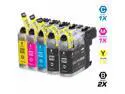
TMP BROTHER MFC-J450DW INK CARTRIDGES (5-PACK) (COMPATIBLE)
Pros: None.
Cons: The ink is not recognized in the printer. Once you install it, the printer says you must use Genuine Brother ink and it won't move forward with printing. Then, when you remove it, the ink leaks all over.
12/7/2015See more detail
Leaky Toner
Brother TN115BK High Yield Toner Cartridge - Black
Pros: Holds a lot of toner. Customer service is spectacular.
Cons: I have had my printer for 7 years. I seems like almost every toner replacement that I have purchased is refilled. They usually start leaking toner toward the end of its life. Some more than others. Called Brother about it once and they sent me out a replacement for free. Never return an empty toner. They just refill it and send it out again. I tried using an off brand toner and they seem to leak worse. I will try using the smaller toner and see how it works out.
Overall Review: If you are having problems with short life, search the internet for how to reset page/toner counter or something like that. Most Brother printers have a hidden menu that allows you to reset the page counter among other things.
12/1/2014See more detail
Great idea. I highly recommend it.
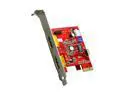
GWC 2-Port USB 2.0 Power-over-eSATA PCI-E Card with Power Cable, USB and eSATA interface PCI Express Card
Pros: It allows me to connect 2.5" or 3.5" HDDs to my computer without having to open the case or disconnect another HDD to use its slot. I don't even have to restart my computer for it to recognize the HDD.
Cons: This technology is limited to 1 meter cables. Not the cards fault.
Overall Review: I am using the eSATAp to SATA HDD+Power 22-pin Female cable item #N82E16816104013 to connect 3.5" HDDs to my computer without having to open the case and disconnect another HDD. It works great. I looks just like the Koutech IO-PESU220 card Item #N82E16816104012 except this one comes with an extra cable that allows you to connect it to an external HDD enclosure without the power source. Just plug it into your PCI Express slot on the motherboard, connect an extra floppy drive power cable for 12V power and connect it to an extra USB jumper from the motherboard for USB connectivity and 5V power. Install the enclosed drivers and it works. I have one on a Vista x32 machine and one on a Win7x32 machine. I have tried another card but RMA'd it because it did not support 12V power for 3.5" HDDs.
1/20/2011See more detail
Works great.
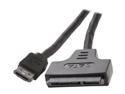
Koutech CBL-PSA512V-100 5V/12V Power Over eSATA cable with SATA HDD Adapter
Pros: It allows me to connect 2.5" or 3.5" HDDs to my computer without an additional power source or having to open the case or disconnect another HDD to use its SATA slot. It supports 12V and 5V power.
Cons: This technology is limited to a 1 meter cable. Not the cables fault.
Overall Review: I use it with the GWC Add-On Card Model PZ2921 Item #N82E16815296002.
1/20/2011See more detail