
Your Browsing History


Joseph C.
Joined on 02/07/02
0
0
product reviews
- 15
Awesome CPU for VMWare lab server
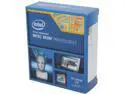
Intel Xeon E5-2630 v2 Ivy Bridge-EP 2.6 GHz 15MB L3 Cache LGA 2011 80W BX80635E52630V2 Server Processor
Pros: I picked up 2 of these to build a VMWare server for my home lab. These are a little on the pricey side but will give me plenty of headroom for running lots of VMs.
Cons: Make sure your motherboard has the latest BIOS to support these new CPUs!! I ordered a Supermicro motherboard and it would not POST. After speaking with Supermicro support, they advised me that I had an older BIOS and would need to either send my board in to be flashed or find a Sandy Bridge Xeon. Thankfully, once I got it flashed it worked fine.
Overall Review: I had been using higher end Core CPUs for home lab VMWare white boxes, but glad I finally took the plunge and went with Xeons this time around.
9/16/2013See more detail
Works perfect with server motherboards
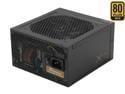
SeaSonic SS-750KM3 750W ATX12V V2.3 / EPS 12V V2.91 SLI Ready 80 PLUS GOLD Certified Full Modular Active PFC Power Supply New 4th Gen CPU Certified Haswell Ready
Pros: Working well so far with SUPERMICRO MBD-X9DR3-LN4F+-O motherboard. Has 2 of the CPU power connectors that dual cpu motherboards will likely require.
Cons: None so far.
9/19/2013See more detail
Amazing server motherboard
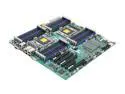
SUPERMICRO MBD-X9DR3-LN4F+-O Enhanced Extended ATX Server Motherboard Dual LGA 2011 DDR3 1600/1333/1066/800
Pros: 24 RAM slots; perfect for heavy duty virtualization duties. Has a separate management port so you can even power the server off and on remotely.
Cons: BIG! Make sure you know beforehand if you have a case that can support the Supermicro EE-ATX format. I mounted this board into a Corsair 540 and it barely fit.
Overall Review: I used this motherboard to build a VMWare server for my lab environment at home. Fully populated with 8GB modules, this will give you 192GB of RAM. That is a LOT of headroom for VMs.
9/16/2013See more detail
Outstanding TV experience
SiliconDust HDHR3-CC HDHomeRun PRIME 3-Tuner US CableTV with CableCARD Stream Premium Channels and Cut the Cord
Pros: I bought this so I could watch TV on the various computers and HTPCs we have in our house. After I picked up a cable card (m-card) from my provider (Comcast), I installed the card in the device and literally it worked right away. I guess they took down the proper numbers in the local office where I picked up the card. I am using Windows Media Center and after a short wizard, I am now able to watch live TV on 4 different computers in our house. Absolutely outstanding product so far. Not having to pay Comcast $15 a month for a DVR is a huge plus; this device will pay for itself in less than a year.
Cons: Nothing yet
Overall Review: If you are going to use your computer for your DVR, make sure you have plenty of storage! I used a 60GB SSD and when doing HD recordings, there was hardly any space. I had to add a second hard drive to dedicate for TV recordings. I would say if you do a heavy amount of recordings, have at least 500GB set aside.
12/10/2012See more detail
Works as advertised
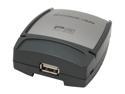
IOGEAR GPSU21 1-Port Print Server RJ45 USB 2.0
Pros: I bought this device to put my Dell 1710 Laser on my network. Setup was straightforward and it worked out of the box with little effort.
Cons: I had to power cycle the device once already when it stopped responding. This may have been partly my fault as I had placed the print server on top of an APC UPS that was putting out more heat than I realized.
Overall Review: Try to place this device in such a way that it has some ventilation. Placing it where there is heat generation or lack of cooling may cause lock-ups.
6/4/2012See more detail
Worked as intended out of the box
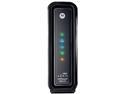
ARRIS SurfBoard SB6121 DOCSIS 3.0 Cable Modem
Pros: Worked out of the box; speed is what I would expect.
Cons: None at this time.
2/24/2012See more detail