
Your Browsing History


Scott S.
Joined on 02/21/07
0
0
product reviews
- 8
great monitor
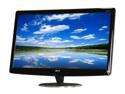
Acer H Series H274HLbmd Black 27" 5ms Widescreen LCD Monitor 300 cd/m2 ACM 100000000:1 Built-in Speakers
Pros: Bright monitor, clear, no dead pixels, crisp text. easily on of the best monitors I've purchased in a while. Definitely love having a 27" monitor on my desk.
Cons: N/A
Overall Review: I mounted this to an adjustable arm on my desk. The monitor is very light, mounting was easy!
1/12/2012See more detail
Worked great in Lenovo W520
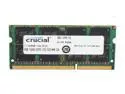
Crucial 8GB 204-Pin DDR3 SO-DIMM DDR3L 1333 (PC3L 10600) Laptop Memory Model CT102464BF1339
Pros: I use my Lenovo W520 as a portable workstation. When I run VMs about 1-2x per month, I run several. At 16GB, I would run out of memory when simulating a typical installation with 1 client, 1 ADFS server, and 1 AD Domain Server. Moving to 32 GB (with 4 of these chips) solved that problem and gives me plenty of headroom in my installation.
Cons: Price isn't competitive at $/GB with 4 GB SODIMMs. But, the price has dropped from the $700+ that was being charged down to a more reasonable $114.99 (when I bought these 1/2012).
Overall Review: Installing these on Windows 7, I saw my hibernate file and page file grow pretty big. This upgrade wound up eatting up all the free space on my boot disk (a 120GB SSD). I had about 70MB left after this update. I don't use hibernation, so I turned the feature off. I also reduced the size of the page file from system managed and ~20GB down to 1-10 GB.
1/12/2012See more detail
Made my laptop much faster
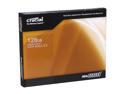
Crucial RealSSD C300 2.5" 128GB SATA III MLC Internal Solid State Drive (SSD) CTFDDAC128MAG-1G1
Pros: Put into my lenovo ThinkPad W520. I removed the DVD drive, put the 500 GB drive into the DVD spot, and made this my main boot and application disk. After hearing about the issues around SSDs (fast, but failure happens suddenly), I keep all working files (code, papers, etc.) on the 500 GB spindle. Nightly backups via HomeServer as well. That said, i love the speed and think it is worth the cost so long as the drive makes it past 1 year. Looking forward to the technology getting more longevity though. Hoping this was the year these things last 2+ years!
Cons: None
6/13/2011See more detail
Works as advertised
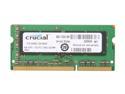
Crucial 4GB 204-Pin DDR3 SO-DIMM DDR3 1333 (PC3 10600) Laptop Memory Model CT51264BC1339
Pros: Installed into my lenovo ThinkPad W520 to bring the machine up to 16GB. Works fine.
Cons: N/A
6/13/2011See more detail
nice drive
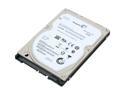
Seagate Momentus XT ST93205620AS 320GB 7200 RPM 32MB Cache SATA 3.0Gb/s with NCQ 2.5" Solid State Hybrid Drive Bare Drive
Pros: Installed fairly easily into my Dell Studio XPS M1340. Boot after 3 days of 'learning' is about 30s. Most frequently used apps do startup quickly. Definitely peppier than the 7200RPM drive I replaced and working better than just using ReadyBoost.
Cons: None
Overall Review: After reimaging the drive from a backup, Win7 would blue screen 50% of the time during bootup. This was fixed by using the Win7 install media and 'repairing' the instance. The repair ran in under a minute and the issue went away. Also, Win7 will detect the drive and install new drivers after the reimage.
10/1/2010See more detail
Easy install, lots of connectors
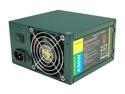
Antec EarthWatts Green EA-430D Green 430W Continuous power ATX12V v2.3 / EPS 12V 80 PLUS BRONZE Certified Active PFC Power Supply
Pros: It has lots of SATA power connections. I'm using this in an HTPC that also holds copies of all my DVDs. To support a lot of disks, I wanted a power supply that can handle the load. I used this to replace a 3+ year old power supply that died. System is back and running smoothly. Took about 45 minutes to remove the old PS, insert the new one, and get the system happy again.
Cons: None.
3/19/2010See more detail