
Your Browsing History


Stephen S.
Joined on 10/11/06
0
0
product reviews
- 11
Solid case
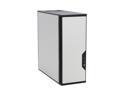
Antec Performance One P180 Silver cold rolled steel ATX Mid Tower Computer Case
Pros: Great airflow, spacious and easy to work with, dust filters help maintain dust (it still gets dusty, but not nearly as bad as all the other cases I've owned.) The included Antec TriCool fans are top notch and very quiet (not quite - c'mon, people, proofread). I keep them all on the 'low' setting and I've never had any problems. The 6 HDD capacity is nice, but I could honestly do with more (I would happily sacrifice two or three of the optical bay slots for more HDD space). The rubber grommets are wonderful and keep out all vibration noise. There is a sliding plastic door that separates the 4xHDD/PSU lower compartment from the rest of the case. This helps you keep your power cables organized, and maintains the separate airflow in each compartment of the case. It is worth the full $150, but try to find this case on sale (I picked it up for ~$100 through a promo code). Newegg shipping and service was impeccable, as usual.
Cons: The case is heavy, especially with 6 HDDs installed. I don't see this as much of a con, since I don't need to move it very often. Standard 3.5" to 5.25" HDD mounting brackets don't fit in optical bay (the screw holes don't line up). As others have mentioned, a PSU with long cables will make using this case far easier to use. I just bought the CORSAIR CMPSU-450VX and all the cables are plenty long for this case. For my original, low quality Dynapower PSU I had to buy extension cords to be able to reach the mobo ATX and 4 pin power slots. One note of warning: when you plug in the power and data cables into your HDDs in the lower 4xHDD bay, the HDDs will sometimes shift slightly towards the front of the case (since they are resting on the rubber grommets, and not tightly held by screws). The next time you try to pull the 4xHDD bay out, you may notice one or two of the HDDs obstructing the HDD bay's movement. Tug the HDDs gently toward the rear of the case to solve this problem.
Overall Review: I haven't had any problem with the door breaking or obstructing air flow, as a few others have mentioned. In fact, the case seems to be designed to still achieve great air flow with the door closed (there are vents all around the door that allow air to pass through). I don't use the door too often, though (I have an external optical drive, not internal, so I only open the door to turn on the computer and to clean the dust filters). The case also has two ports through the rear that are configured for a water-cooling system. I don't use them, but its nice to know I can. The case feels very high quality. The metal is thick and the edges are clean. The plastic is not flimsy. Includes many thumb screws. Despite my long description of cons, there is very little that I would like to change about this case. It is so close to perfect that it hurts. If you are looking for a solid case that can hold a lot of HDDs, a lot of optical drives, and a lot of peripherals, you've found it.
2/5/2009See more detail
Faceplate printed upside-down and backwards
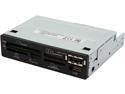
Nippon Labs USB 2.0 Internal Memory Card Reader 3.5" All In One ICR-BB
Pros: Takes all kinds of memory cards, eSATA, USB. Every slot that I've tested works, and I have tested an SD card, a microSD card through a SD card adapter, a Compact Flash (CF) card, and the USB port with a USB Flash drive. Cheap, but decent quality. Fairly easy to install, though a bit stiff in the 3.5" slot - takes a fair amount of force to slide it in.
Cons: The faceplate was printed upside-down and backwards! The text 'eSATA' is printed upside-down on the lower right corner of the faceplate, whereas the eSATA slot is located on the upper left side of the faceplate. All the other slot labels are similarly skewed. I cannot simply turn the faceplate over because the holes in the faceplate would not line up with the card slots in that position. Newegg told me they don't have any spare faceplates in stock and referred me to Nippon Labs. I have asked Nippon Labs to send me a new faceplate. In Vista x64, when you right click a card and choose 'safely remove', it ejects every card at once (though not the USB port). Plugging another card in doesn't kick it back on. You have to restart the computer to get it to recognize the ports again. Since I discovered this, I have stopped attempting to eject the drives, instead I just pull them out. It works fine, and Windows doesn't complain like it would with a USB Flash drive.
Overall Review: I get several a weird errors every time the computer boots (Vista x64). The errors say something about 'memory not found', and I believe they are related to the card slots that I have not used. There used to be 4 errors after every boot, then I tried both the SD and the CF slots, and now there are only 2 errors after every boot. I expect that if I had cards to fit the other two slots, I could make those errors go away as well. I've searched for drivers for the device, but there don't seem to be any. Hopefully Windows will find drivers for me and fix the problem eventually. I'm crossing my fingers. I did notice that transfer speeds through USB port were a bit slow when using a flash drive (compared to my case's front-side USB ports using the same flash drive), they were about 5 mb/s on average. Perhaps drivers could fix this too. I bought this device for everything but the USB (since I already have frontside ports), so this isn't a big concern for me.
6/10/2009See more detail
Better than I expected!
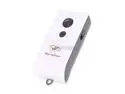
Gyration GYT8102 GYROTRANSPORT Air Mouse - 2GB
Pros: I'm fairly impressed with this device. Considering it was free + $3 shipping (after MIR which I have not sent off yet), I expected much worse. Compared to other air mice I've used (in university classrooms), this one is far more smooth and easy to use. I wouldn't play games with it, but for presentations or starting up a movie from the couch, it works well. The 2 GB flash drive works as promised (1.93 GB usable space). The software seems easy to use, though I haven't bothered to set up any of the gestures yet. Very portable and pocket-friendly, flash drive/receiver actually plugs into the bottom of the air mouse to make one convenient unit.
Cons: It is hard to be very precise and hit a smaller target (such as the red 'x' button to close an explorer window in Win7). You may need to crank up your DPI to make this easier to use.
Overall Review: It is much smaller than I expected! I see this as a plus since it makes it more portable and pocket-friendly. It even has a keychain loop, but I feel it would be a bit too bulky for a keychain.
1/6/2010See more detail
Pairing issues finally resolved
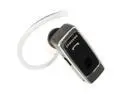
Samsung Over-The-Ear Stereo/Mono Bluetooth Headset w/ Dedicated on & off Switch Black (WEP870)
Pros: Initially, I was unable to pair the bluetooth headset with my cell phone, a Samsung Access. The phone asks for a passkey, but none of the documentation for the phone or the bluetooth headset make any mention of this. I tried various random numbers and finally stumbled upon the right one: 0000
Cons: Wasted my time in forcing me to guess and check the passkey.
Overall Review: The only other bluetooth headset I have used with this phone (can't remember the model, sorry) did not require a passkey for pairing. I was getting ready to return this headset when I finally found the right passkey.
1/6/2010See more detail
First Impressions Review
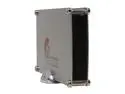
PPA 2605 Aluminum 3.5" SATA USB 2.0 & eSATA External Enclosure
Pros: Price, obviously. eSATA + USB, because who needs Firewire? If you can use eSATA, don't waste your money on Firewire. Top and bottom aluminum plates feel very solid and somewhat heavy, which leads me to believe they would survive a fall, even onto a sharp corner. Side panels are another story (see 'Cons'). Comes with cheap screwdriver, so I was able to install the HDD into the enclosure in about 5 minutes without even breaking out my tool kit. eSATA is sexy fast, may not be hot-swappable unless your motherboard is configured correctly (see 'other thoughts'). Included eSATA cable is standard length, and plenty long. Everything works, its just pretty darn cheap, both in the good and the bad sense.
Cons: Very cheap build quality. I agree that it should be offered for a lower price. Metal mesh side screens are weak and bend easily, even just from the pressure of picking the thing up. I would not trust them to protect the drive more than just the bare minimum. Hot glue used to 'secure' LED and LED cable does not work, therefore the LED and cable arrived unattached and free-floating. If used horizontally, the metal screws touch your desk - they will scratch a standard wooden desk if you drag the unit across it (learned this the hard way, grr)! Included USB cable is laughably short, so the drive must be placed on top of or immediately next to the computer with which it is being used. Power cable is also on the short side, but at least it is a reasonable length (will reach from an surge protector on the ground up to the level of a desk, but not much past that). Power brick looks and feels cheap. Not very travel-friendly, based on overall cheapness.
Overall Review: I'm giving this product 3 eggs because I feel it does what it is supposed to do, and it pretty much meets my expectations. It is certainly not fancy, but it could be a lot worse too. If you don't need to travel much with your external drive, this enclosure works. Haven't used the vertical stand yet, so I can't comment on it. I didn't have any of the trouble with the HDD securing screws that the other reviews mention. The HDD I'm using is a 1.5 TB WD Green. The screws lined up and properly secured the HDD with no play whatsoever. HDD feels secure to me, I don't feel the need to drill extra holes. eSATA is only hot-swappable (i.e. eject-able) if your BIOS is set to use ACHI mode. For some reason, ACHI mode causes my computer to not boot correctly, so I'm forced to use Native-IDE mode. This means that I have to restart my computer every time I want to plug in or eject the drive. Quite a hassle - hopefully I can fiddle around and get ACHI mode working to avoid this in the
10/30/2009See more detail
What a beauty!
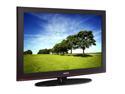
Samsung 42" 720p 600Hz Plasma HDTV PN42B450
Pros: Colors look fantastic, as a plasma should. Blacks are deep and true, but more importantly, colorful scenes are vibrant, bright, and beautiful. Video games look great in 720p. My HTPC hooked up via HDMI looks pretty good, though I still have some tweaking to do (on the computer side) before I'll be 100% satisfied. Source inputs can be renamed (though you choose from a pre-made list, you don't enter them manually). Also, most of the source inputs only appear on the list if there is a device actually hooked up to that input. Menu includes energy saving options (they simply dim the screen, so they are best used at night).
Cons: You cannot create custom names for your source inputs such as Xbox, HTPC, etc. You must choose from the generic names they have come up with, such as Game, PC, DVD, etc. Also, you cannot remove certain source inputs from the list, even if you don't use them (specifically 'TV' and 'PC', which is the VGA/D-sub PC connection). Source input switching is a bit slower than I would like.
Overall Review: Set the TV to 'Dynamic' mode, the others look terrible by comparison. I can't comment on the speakers, because I've never used them. I immediately hooked the TV up to my 5.1 Creative computer speakers, which sound great. The anti-glare coating is better than every other plasma TV I've seen, though still a bit worse than an LCD. I've watched TV during the day and had no problems. Only pinpoint sources of light, such as lamps, are heavily reflected. Ambient light is not a problem. I consider myself a videophile, and to my eyes, this 720p Plasma TV looks far better than my friend's Sharp 53" 1080p. I wish the remote had some option of assigning certain inputs to the 4 colored buttons, instead of always scrolling through the source list. Be sure to clean the TV using the included cloth. Paper towels do not work. All in all, a great TV, and I'm very happy with my purchase.
10/14/2009See more detail