




 here!
here!
I’m your shopping assistant for PC builds, upgrades, and everything tech.
Got questions? Ask away!
Start a conversation
here!
I’m your shopping assistant for PC builds, upgrades, and everything tech.
Got questions? Ask away!
Start a conversation

Joined on 02/04/10
WD Black performance in half the size, what more can you want?
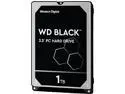
Pros: + Black performance . . . ? + Black quality + Obviously smaller size + These are perfect for the Thermaltake Core P3/5 case if you want the drives visible
Cons: - It's not the same price as the 3.5"? * This drive only runs an extra $15-20 over the 3.5" version and was worth the extra cost for my TT Core P3 case - Not an SSD for the same price as a HDD? - I worry about the mounting screw holes getting stripped out * Use a smaller #1 Phillips screwdriver with a short handle to minimize leverage
Overall Review: * For my application the I/O is backwards from what I would like; either mount the HDD upside down or stretch the cabling * I've bought 4 of these between 2 computers and they all check out good in CrystalDisk Mark/Info * Here are the CrystalDisk Mark scores for 1 of the 4 drives: ----------------------------------------------------------------------- CrystalDiskMark 5.2.1 x64 (UWP) (C) 2007-2017 hiyohiyo ----------------------------------------------------------------------- * MB/s = 1,000,000 bytes/s [SATA/600 = 600,000,000 bytes/s] * KB = 1000 bytes, KiB = 1024 bytes Sequential Read (Q= 32,T= 1) : 146.516 MB/s Sequential Write (Q= 32,T= 1) : 126.861 MB/s Random Read 4KiB (Q= 32,T= 1) : 1.055 MB/s [ 257.6 IOPS] Random Write 4KiB (Q= 32,T= 1) : 1.085 MB/s [ 264.9 IOPS] Sequential Read (T= 1) : 146.617 MB/s Sequential Write (T= 1) : 132.330 MB/s Random Read 4KiB (Q= 1,T= 1) : 0.500 MB/s [ 122.1 IOPS] Random Write 4KiB (Q= 1,T= 1) : 1.069 MB/s [ 261.0 IOPS] Test : 1024 MiB [D: 5.4% (50.1/931.5 GiB)] (x5) [Interval=5 sec] Date : 2017/04/19 9:33:26 OS : Windows 10 [10.0 Build 14393] (x64)
A decent 12V RGB LED strip
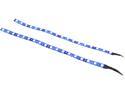
Pros: + Bright + Standard 12 V LED strip + Magnetic attachment + Closely spaced LED, probably about 3/4" or ~20 mm apart + Color seems pretty accurate + Work from motherboard LED header
Cons: - No double sided tape attached - Mystic Light will power the strips; however, they will only do solid colors, flash, cycle, and breath. The strips will not do the meteor, stacking, or individual colors on each LED with Mystic Light. * I'm not sure if this is a limitation of the strip design, Mystic Light software, or something else.
Overall Review: * Pairs nicely with my Corsair HD120 fans. * I would NOT recommend these strips for MSI Mystic Light users looking for basic lighting. At least not users of MSI x370 Carbon motherboards. * If you are looking for more customization of lighting options I would have to suggest the NZXT Hue, Corsair Lighting Node Pro, or Thermaltake's lighting controller options. * I do not know how these strips would operate with ASUS Aura. [EDIT]
Performance + Simple Styling = Win
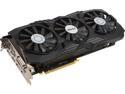
Pros: + Generic, no non-sense styling + 1080 performance with mild overclocking + Silent + Drives two 21:9 ultrawide displays with ease + Runs AAA games with ease + For those that care, I have the FPS capped in WoW at 90 and it never dips below that
Cons: - Coil whine - MSI Mystic Light software for this card is atrocious. I gave up and set it to white. I have a MSI Z370 board and I need two different software to control everything. We are in 2018 right? Why are we acting like it's 2008? Don't worry Corsair is NO better; I need two different softwares to run my peripherals and lighting controllers. This is seriously not okay and MSI needs to combine the Mystic Light software into an all-in-one suite.
Overall Review: * The coil whine happens in load screens and menu screens of games. I have figured out it is because this card is pushing insane FPS (300+) in those screens and it makes the card whine. I just cap my FPS at about 90 in all my games and I don't have a problem anymore.
Works for MSI x370 Carbon AM4 board
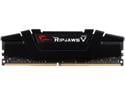
Pros: + Boots and works okay * Even though this module isn't on the compatibilty list for my MSI x370 Carbon board it works + Able to purchase single 16 GB modules one at a time to slowly utilize the motherboard vice 2x8 GB modules
Cons: - Currently only running at 2133 MHz; however, that is most likely an issue with the x370 boards - Sticker is cheesy *Peeled off the "Ripjaws V" sticker and will probably try and cover the other sticker
Overall Review: * I will update the review and egg rating when/if I'm able to get the BIOS updates and tweaks to get the memory running at or as close to 3200 MHz. * Why can't manufacturers do a simple emboss or engraving of their logo and/or product line? I guess that's the "price" you pay to keep it near $100 a module.
Nectar of the processor
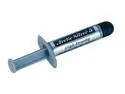
Pros: + Conveniently packaged in an easy to use applicator + I'll assume it's working and make it a pro; since my Ryzen doesn't seem to know its own temperature.
Cons: - Doesn't apply itself
Overall Review: * Instructions unclear . . . my cat is now silver * Has anyone actually tried to not use thermal compound? I should YouTube that . . . Oh, it's been done and it's actually okay. * Well now, you can use Nutella; chocolaty, hazelnut deliciousness!
Still going strong on year 7!!!
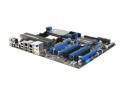
Pros: [Update] + This board is still on it's original X4 955 + Everything still works! [Original] *Expandability -16 Gb Ram and 4 video cards is amazing! Even if you don't use it all, it's still impressive what you can do. *Performance *Features *Setup
Cons: [Update] None! [Original] *Restricted on choices of card to put in. 4 video cards is a neat idea, overkill, but if you did use them all you would have room for no other cards. *Power requirements -You better have a 1,000 watt power supply to support this board, a Phenom 2 x4, extensive ram, blu-ray, dvd-rw, and 2 video cards!
Overall Review: My original comments about power were wrong. I've since ran this board just fine on a 750 watt PSU with a blu-ray writer, R9 290 in CrossFire, multiple HDDs, etc. All good things must end. I'm finally upgrading; staying with Team Red at least. Buying MSI x370 with Ryzen 1600X (when available). This board will probably live on as a NAS box now or a legacy gaming machine.


