
Your Browsing History


Jose P.
Joined on 06/13/04
0
0
product reviews
- 5
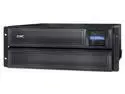
APC SMX3000LVNC UPS, 3000 VA Smart-UPS Sine Wave, Short Depth UPS Battery Backup with Extended Run Option, Network Management Card, Tower/4U Rack Convertible, Line-Interactive, 120V
Pros: Easy client setup, especially with the network shutdown software. Runs very quiet.
Cons: None that I can think of, although some sample server shutdown plans would've been appreciated in the instructions. I'm a newbie with such sophisticated UPS systems.
Overall Review: You must update the UPS firmware to the latest version immediately. The installed firmware caused the user interface to lock up and be rendered useless. Couldn't even access the unit through telnet. Had to access it through the serial cable to unlock it and reset the passwords. Problems disappeared after updating the firmware to the latest available online.
12/28/2014See more detail
$35 down the drain

Rosewill RTCG-CF280X High Yield Black Toner Replaces HP 80X CF280X 80A CF280A
Pros: Cheap.
Cons: It doesn't work. First page (and all the other pages) printed has a repeating half-moon toner pattern on the left side of the page, so essentially, the toner cartridge is defective. Also, there's nothing "Rosewill" about this item, except for a glued-on "Rosewill" label on the generic packaging for the generic cartridge.
Overall Review: Save your money and buy some other brand. I'm back to OEM because I can't afford the lost productivity. Was forced to give it a star because it doesn't deserve any.
3/18/2014See more detail
Great for business, not so great for gaming
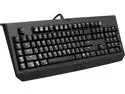
Razer BLACKWIDOW 2014 EXPERT MECHANICAL GAMING KEYBOARD -Factory Refurbished
Pros: Minimalist styling, great mechanical feel, clear quality construction
Cons: In some keys, the upper case and lower case graphics are inverted. Not sure if this is a feature of gaming keyboards. The special drivers needed for the macro keys are "cloud-based" and require you to log in occassionally. It's kind of absurd, but marketed as a "feature".
Overall Review: This keyboard will plug and play with Windows 7, but none of the special functions, including the macros, will work unless you install the (at least to me) idiotic "cloud-based" drivers called Razer Synapse. Search the internet for many negative comments about this software. And that's the reason I withheld one star from my review. I'm not using mine for gaming so I don't miss any of the special keys.
9/22/2015See more detail
Inadequate for note taking
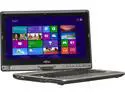
Fujitsu LifeBook T902 (SPFC-T902-003) 4GB Memory 13.3" 1600 x 900 Tablet PC Windows 7 Professional 64-Bit
Pros: None for note taking, which was the only requirement for this Tablet PC.
Cons: Disappointing for note taking in Windows Journal. Bought it to replace a 10 year old Toshiba M205 for note-taking during intake consultations and it’s inadequate for this simple job. There are three basic note-taking problems. First, even after calibration, the stylus tip is offset from the onscreen pen pointer by about 1/8th inch. Second, calibration is even worse around the screen edges. It seems like the stylus has a mind of it’s own and it’s difficult to write legibly. And thirdly, the inking produces a random stroke every few minutes, as if connecting two distant strokes. It’s very distracting.
Overall Review: It was my own fault to buy this machine for note taking because after the fact it because apparent that many other users in other online forums have reported these problems and none has found a permanent fix for them. It’s off to a prominent online auction to sell it, and this was my first and last time to buy a new computer sight unseen. Never again.
4/7/2013See more detail
Needs BIOS upgrade for wifi to work
Shuttle XS35-702 Intel NM10 Barebone
Pros: Quiet and small
Cons: Documentation and Shuttle website are very poor. Shipped with BIOS version 1.08, which has wifi disabled. Needs BIOS version 1.09 to enable it back. Problem is that 1.09 isn't available from the Shuttle website. You'll have to google it and download from elsewhere. Wifi activation instructions at the Shutttle website are wrong.
12/25/2010See more detail